
 Telegram
Just imagine: you have a digital employee who consults clients, takes orders, and answers any questions 24/7, without breaks or weekends. This is exactly the kind of assistant a business chatbot becomes — your reliable tool for routine automation and instant communication with your audience.
What Chatbots Are and Why You Can't Do Without Them Anymore
Simply put, a chatbot is a program that simulates a conversation with a person via text messages. It is your virtual manager that communicates with customers on the website, in messengers, or social networks according to a pre-planned script.
Once, such technologies seemed like something out of science fiction — complex and accessible only to large corporations. Today, they have turned from a trendy thing into an absolutely indispensable tool for business. Chatbots don't just answer questions; they solve specific business tasks, freeing up your employees' time for truly important matters.
From Simple Scripts to Smart Assistants
The first bots were quite primitive and worked on a strict "if... then..." principle. They responded only to specific keywords and gave canned answers. However, modern business chatbots are on a completely different level.
Today they can:
- Conduct meaningful dialogue. Thanks to Artificial Intelligence (AI) and Natural Language Processing (NLP) technologies, bots understand the context of the conversation rather than just picking out individual words.
- Integrate with business systems. They easily connect with your CRM, payment services, or databases to check order status, accept payment, or save customer data.
- Communicate personally. A bot can address a customer by name, remember their purchase history, and offer exactly those products or services that will interest them.
Chatbots have evolved from answering machines to full-fledged digital assistants. They help businesses sell, provide quality service, and build strong relationships with customers in an automatic mode.
Why Ignoring Chatbots is Literally Losing Money
Nowadays, customers expect an instant reaction. If you delay, they will simply go to competitors. Research confirms this: 62% of users would rather talk to a bot than wait for a response from a live operator. This clearly shows how important speed is for modern service.
Market figures also demonstrate the growing interest in automation. For example, in 2025, the AI market, including chatbots, reached $573.68 million in some regions.
A properly configured chatbot becomes just as integral to your strategy as comprehensive internet marketing. If you want to understand this topic deeper, we recommend our article on what an internet marketing agency is and how it works.
How Chatbots Solve Key Business Tasks
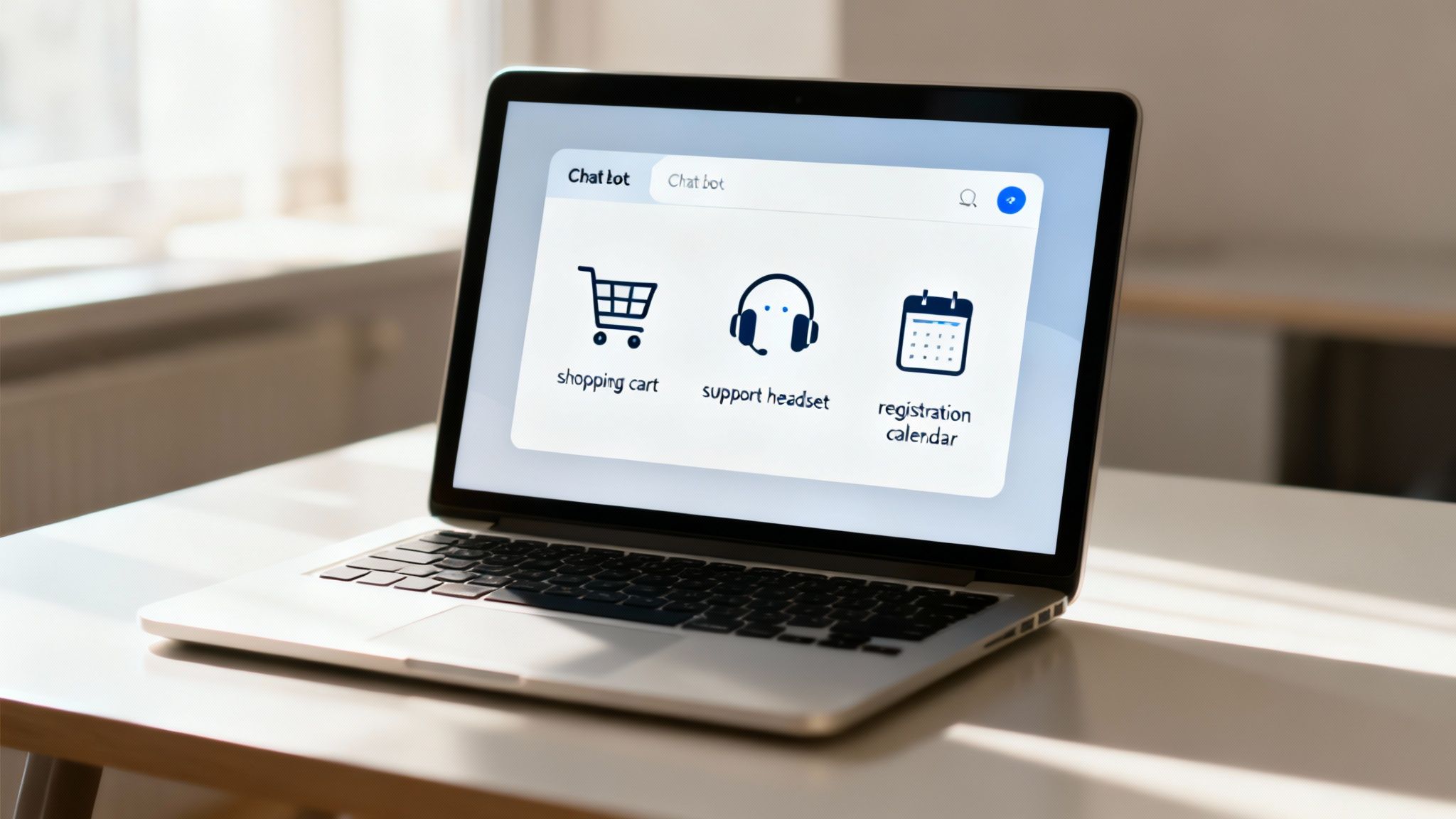
Now that we've covered the theory, let's get to the most interesting part — how it all works in practice. Exactly how do business chatbots help you earn more, spend less, and ultimately make customers happy?
Imagine that a chatbot is not just a program. It is your universal digital employee who works simultaneously on three fronts: sales, support, and administration. It never gets tired, never goes on vacation, and is always online.
Let's see how it handles each role.
Assistant in the Sales Department
The main task of a chatbot in sales is not to let a potential customer "cool down." It instantly takes the initiative when a person's interest is highest and gently leads them through the first stages of the funnel. And it's not just convenient. Statistics show that 62% of users would rather talk to a bot than wait for a response from a "live" manager.
What exactly can such a sales bot do:
- Qualify leads. Instead of managers wasting time on empty conversations, the bot asks a few simple questions: "What is your budget?", "What service are you interested in?". This way, it filters out non-target inquiries and passes only "hot" customers to the team.
- Give personalized advice. Based on the answers, the bot can recommend the ideal product. For a cosmetics store — suggest care by skin type. For a car dealership — select a car for the family's needs. It works as a personal consultant.
- Return customers to abandoned carts. After a few hours, the bot can delicately remind: "It seems you forgot something in your cart." Often, a small discount is added to finally convince the customer to complete the purchase.
- Accept payment. Modern bots integrate with payment systems. This means that a customer can pay for an order directly in the messenger without going to the website. Minimum steps — maximum conversion.
Example of a message for an abandoned cart:
"Hi, [Name]! We noticed you didn't complete your purchase. Maybe something went wrong? By the way, we're giving you a promo code SALE10 for a 10% discount on this order. It's valid for only 24 hours!"
Customer Support Optimization
What is quality support? First of all — fast. And here, bots have no equal. Research shows that 64% of customers value chatbots specifically for their 24/7 availability. They are able to handle up to 80% of typical queries, freeing up the team to solve truly complex problems.
Key bot tasks in support:
- Instant answers to FAQ. The bot becomes a living knowledge base. Questions about shipping, payment, warranty, or business hours? It answers instantly.
- Order status tracking. The customer no longer needs to call or write to a manager. Just enter the order number in the chat, and the bot will show where the package is now.
- Feedback collection. After receiving the product, the bot can automatically ask if everything was satisfactory. This is an easy way to collect reviews and improve service.
By the way, a great example from our practice is a bot for Dream, a state ecosystem for managing reconstruction projects. Find out how we developed a chatbot for Dream and helped ensure round-the-clock communication with users.
Automation of Internal and Administrative Tasks
Chatbots are not just for customers. They can bring order to internal processes, freeing the team from boring routine.
- Event registration. A bot can quickly sign up participants for a webinar or consultation, send a reminder, and collect all data into one table. No manual information transfers.
- HR tasks. For new employees, a bot can become an onboarding assistant: answer questions about corporate rules, vacations, or required documents.
- Booking. In a restaurant, beauty salon, or medical center, a bot can independently book a table or make an appointment, automatically syncing data with the calendar.
Thus, business chatbots are a multifunctional tool. They don't just answer messages. They actively sell, increase customer loyalty, and most importantly, free up your team's time for more important, strategic tasks.
Choosing the Right Platform for a Chatbot
Once you've decided which tasks your virtual assistant should solve, it's time to choose a "home" for it — a platform and communication channel. This decision is very similar to choosing a location for an offline store: it depends on whether the target audience will find you, whether it will be convenient for them, and whether it will ultimately bring profit.
A mistake at this stage can cost extra money and result in low engagement, so let's approach this strategically.
First, let's look at the channel where your chatbot will communicate with customers. This could be a messenger, a social network, or your own website. Each option has its own specifics, audience, and technical capabilities.
Where Do Your Customers "Live"? Popular Channels for Chatbots
The main rule — be where your customers are. Don't force them to install a new app or switch to an inconvenient platform. Here are the most popular platforms for business.
- Telegram is a true technological leader among messengers for business. It offers the widest functionality: from simple buttons in the menu to interactive windows and web applications (WebApps), where you can place an order without leaving the chat. But the main advantage is no fee for mass mailings. This makes it an ideal tool for regular communication with a large subscriber base.
The use of Telegram bots is rapidly gaining momentum. According to 2025 data, the audience of the messenger continues to grow, and messages here are opened in 90–98% of cases. Click-through rates reach 20–40% — figures unattainable for other channels.
-
Viber is the second most popular messenger in many regions. Its functionality is also quite developed, but there are serious financial nuances here. Business accounts are forced to pay a monthly subscription fee, as well as for each message sent. Because of this, Viber becomes an expensive channel for mass mailings but is great for service notifications: order confirmations or visit reminders.
-
Facebook/Instagram is an ideal solution for businesses that actively promote themselves on social media. Bots in Direct can instantly react to comments under posts or reactions to Stories. Но здесь есть ключевое ограничение — "24-hour window". You can freely write to a user only within 24 hours after their last message. This does not allow collecting a database for mailings as effectively as in Telegram.
-
Website — a chatbot in the form of a widget on the site works as a proactive consultant. It catches a visitor here and now while they are "hot": helps find a product, answers typical questions, collects contacts.
How to Choose a Bot Builder: Key Criteria
Once you've chosen a channel, you need a tool to build the bot itself. Today, you don't need to be a programmer for this — there are dozens of no-code platforms (builders) where a bot is assembled from ready-made blocks like Lego.
Here's what to look for when choosing such a builder:
- Ease of use. Will you be able to figure out the interface yourself? It's important that you can easily create and edit scenarios without bothering developers every time.
- Integration capabilities. Make sure the platform can "befriend" your work tools: CRM, ERP, payment systems (LiqPay, WayForPay), mailing services. This is the key to full process automation.
- Analytics and reports. The platform should show detailed statistics: how many people entered the bot, which scenarios are the most popular, and at what stage users "get stuck." This will help you constantly improve its performance.
- Pricing policy. Carefully study the rates. Some services charge for the number of subscribers, others for the number of messages. Choose the model that best suits your goals and budget.
Choosing a platform is not just a technical issue. It's a strategic investment in the quality of your communication with customers. A correctly selected tool will allow not only automating routine but also turning the bot into a convenient and effective sales and support channel.
Step-by-Step Plan to Launch Your First Chatbot
Creating an effective chatbot is not just a technical task but a well-thought-out project. For your first virtual assistant not just to "exist" but to bring real benefit, it's important to move according to a clear plan. This approach will help avoid chaos, anticipate possible difficulties, and launch a tool that customers will truly love.
Imagine that you are building a house. You wouldn't start by laying bricks without an architectural plan, right? The same goes for a bot: first — strategy, then — implementation. We've broken down the entire process into seven logical steps that will guide you from idea to successful launch.
Step 1: Define Goals and KPIs
Before writing the first line of code or drawing a dialogue diagram, give yourself an honest answer to the main question: "Why does my business need a chatbot?". And the answer must be specific and measurable.
Saying "I want to automate support" is vague. Formulate clear, understandable goals:
- Reduce the load on the support team by 30% by automating answers to the 10 most frequent questions.
- Increase the number of leads from the site by 15% by collecting contacts of visitors who spent more than a minute on the page.
- Increase purchase conversion by 5% with automatic abandoned cart reminders.
These figures will become your Key Performance Indicators (KPIs). You will evaluate whether the bot is doing its job based on them.
Step 2: Design Dialogue Logic
At this stage, you become a scriptwriter. You need to think about how exactly the dialogue between the bot and the user will take place. The best way to visualize this path is to create a mind map. It will clearly show all possible conversation branches and help avoid logical dead ends where a customer simply doesn't know what to do next.
Start with a welcome message and the main menu. Then write out each branch in detail: what happens if a person clicks "Find out about shipping"? What if they ask about the price? It's important to think through all scenarios, including handling non-standard requests where the bot doesn't understand what is wanted and should offer to contact a manager.
Step 3: Prepare Content and Texts
Texts are essentially the "voice" of your bot. They should be simple, clear, and match your brand's tone of voice. Avoid bureaucratese and complex constructions that no one uses in real life.
Important advice: Keep it short. In messengers, people are used to fast messaging. Break long answers into several short sentences, use emojis appropriately to make the text easier to perceive. Every message should lead to a specific action.
Here's a small checklist for content:
- Greeting and introduction. The bot should immediately explain who it is and how it can be useful.
- Main scenarios. Prepare texts for each branch of your mind map.
- Buttons and Calls to Action (CTA). Formulate them clearly and understandably: "Choose product," "Leave a review," "Talk to manager."
- Error message. Think through the text in case the bot didn't understand the request.
Step 4: Configure and Integrate the Bot
This is the most technical stage. You choose a builder or development platform and start "assembling" the bot according to your mind map. At this same stage, you need to set up integrations with other services you use.
To visualize the platform selection process, we've prepared a simple diagram showing the key decision-making stages.
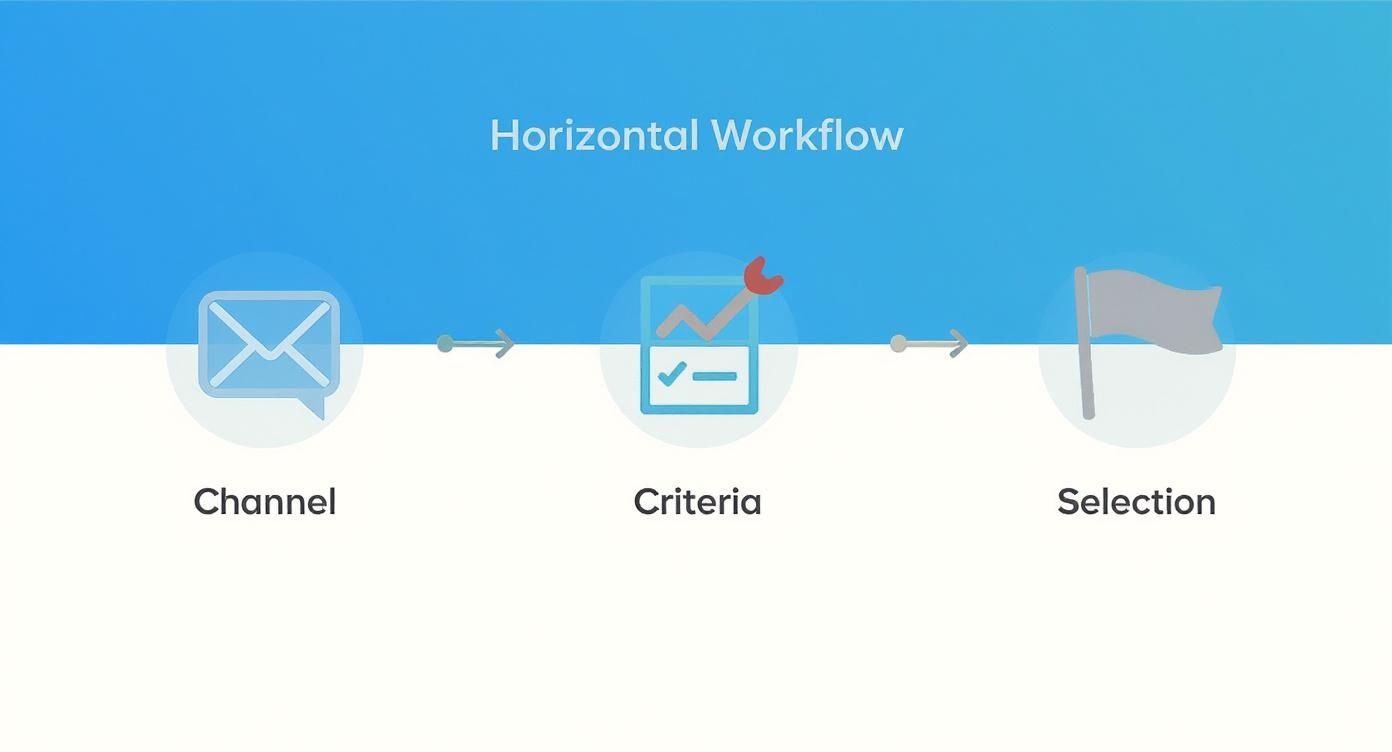
This infographic shows that choosing a platform is a sequential process: first you define the channel where you will communicate with customers, then you evaluate available tools based on criteria important to you, and only then do you make a final decision.
Perhaps the most important integration for most businesses is the link with a CRM system. This allows automatically transferring data about new customers, their inquiry history, and orders, creating a single database. Read more about how to choose the right system in our guide on CRM for small business.
Step 5: Test All Scenarios
Before showing the bot to the world, it needs to be carefully checked. Put yourself in the customer's shoes and go through all possible paths: from greeting to completing the target action.
- Check every button and link — everything should work flawlessly.
- Try entering non-standard requests to see how the bot reacts to them. Will it break?
- And most importantly: ask colleagues or friends to test it. A fresh perspective will help find unobvious errors and logical inconsistencies.
The goal of testing is to find and fix all bugs so that the first experience of real customers is as positive as possible.
Step 6: Launch and Promote
When the bot is ready, it's time to launch it. Но просто активировать его недостаточно — you need to tell your audience about it. Otherwise, no one will know it exists.
Here are some simple ways to promote it:
- Place a widget or QR code on the site.
- Add a link in the social media bio.
- Send an email newsletter to the customer base with an offer to try the new feature.
- Launch targeted advertising leading directly to the chat.
Step 7: Analyze and Improve
Work on the bot doesn't end after launch. In fact, it's only just beginning. Regularly analyze statistics: see which scenarios are most popular and where users "drop off." Collect feedback and constantly improve the logic and texts. Only then will your business chatbot become increasingly effective.
How to Measure if the Chatbot Really Works and Brings Money?
Let's be honest: implementing a chatbot is an investment. And any investment should bring a specific, understandable result, not just "be." Without analytics, your virtual assistant risks turning into an expensive toy rather than a tool that really pumps money.
To understand if the bot pays off the funds invested in it, you need to monitor Key Performance Indicators (KPIs). It's like a dashboard in a car: it shows not only speed but also engine problems that need immediate resolution.
Key Metrics to Look At
Analytics is not just about the number of subscribers. You need to dig deeper and see how high-quality the interaction of people with the bot is. Here is what truly matters.
Engagement metrics:
- Active Users: How many unique people talked to the bot per day, week, month. If this number is steadily growing, you are doing everything right with its promotion.
- Retention Rate: What percentage of users return to the bot again and again. A high indicator is a sign that the bot is truly useful, not a one-time toy.
- Number of sessions per user: Helps understand how often one person contacts the bot to solve their issues.
Conversion metrics (the most interesting part):
- Conversion Rate: This is the most important number! What percentage of people completed the target action: left an inquiry, paid for a product, registered for a webinar. This indicator shows how effectively the bot leads the customer to the goal.
- Number of leads generated: How many real contacts (phones, emails) were collected.
- Sales volume through the bot: A direct monetary indicator demonstrating your virtual assistant's contribution to total revenue.
The best business chatbot is not the one with an army of subscribers, but the one that most effectively converts dialogues into real money or saved hours of team work.
Calculating Return on Investment (ROI)
To understand if a chatbot is profitable for you, you need to calculate its ROI. The formula is simple, but it's important to honestly account for all income and expenses.
Here's how to do it:
ROI (%) = ((Profit from bot – Expenses for bot) / Expenses for bot) * 100%
What is included in expenses?
- Development and launch: The cost of agency services or the salary of an in-house developer.
- Platform subscription: Monthly or annual fee for the builder.
- Support and updates: Time and money for finalizing scenarios, fixing errors, adding new functionality.
What counts as profit?
- Direct income: All sales made directly through the bot.
- Saved money on staff: This is the most interesting part. Count how many hours of your managers' work the bot saved by answering thousands of typical questions. Multiply these hours by their rate. These are your saved funds.
Research shows that thanks to such automation, companies can increase the number of repeat orders by 35–130%.
If your ROI is positive — congratulations, the investment has not only paid off but also started to bring profit. Constantly monitor these numbers, and you will be able to improve scenarios in time and turn the chatbot from a trendy feature into a powerful business asset working 24/7.
Frequently Asked Questions (and Honest Answers) about Chatbots
When it comes to implementing a new tool, a business always has a lot of questions. This is absolutely normal. To dispel your doubts and add confidence, we've gathered answers to the most painful questions entrepreneurs ask before launching a chatbot.
Everything here is brief, to the point, and with maximum benefit for your business.
How much does it cost to develop a chatbot?
The price can range from a few hundred to tens of thousands of dollars. It all depends on ambitions and tasks: complexity of scenarios, the need for integrations, and the chosen platform.
-
Simple bots. If you need an assistant for answering typical questions or collecting inquiries, it can be built on a no-code builder. Here the expenses are minimal: a subscription fee for the platform (from $10–50 per month) and payment for the specialist who sets it all up.
-
Complex bots. But if the bot should be "friends" with your CRM, accept payments, or give personal recommendations based on customer data — this already requires individual development. This is a more serious project that takes into account the unique internal workings of your business processes.
How quickly can it be launched?
Terms, like cost, directly depend on complexity. A simple business chatbot working according to a clear scenario can be launched in literally 1–2 weeks. During this time, we manage to think through the logic, write "live" texts, set up everything technically, and test it thoroughly.
For a complex project with integrations, more time will be needed — from 4 to 8 weeks, and sometimes longer. This is due to the fact that it's necessary to dive deep into your processes and establish a seamless data exchange between different systems.
Can a chatbot completely replace a human?
This is one of the most popular myths. A chatbot is not a replacement for your managers, but their best, most effective assistant. Its key mission is to take on up to 80% of routine, monotonous inquiries that eat up the lion's share of the team's workday.
Imagine that a chatbot is your digital assistant on the first line of defense. It instantly reacts to typical questions, qualifies leads, and collects basic information. Meanwhile, your people can focus on what they do best: closing complex deals, solving non-standard cases, and building strong relationships with key customers.
A bot cannot improvise or show empathy. It will not conduct subtle negotiations. The ideal result is given by the "bot + human" tandem, where they reinforce each other.
What mistakes should be avoided when launching?
Even a brilliant idea can be easily ruined by poor implementation. For your chatbot to become a friend to customers, not a source of irritation, remember these few "don'ts":
- Don't try to cram everything at once. Start by solving 1–2 most important tasks. When this works perfectly, gradually add new functionality.
- Don't leave the customer in a dead end. There should always be a "Call manager" button. A situation where a person cannot solve their issue and cannot reach a live person is the worst scenario.
- Don't speak robot language. Write texts for the bot simply and clearly, as if you were communicating with an acquaintance. Short sentences, emojis — all this makes the dialogue more natural.
- Don't launch and forget. Regularly check analytics. At what stages do users "drop off"? Where do they get confused? Constantly improve scenarios based on real data.
By the way, modern AI technologies like ChatGPT significantly simplify the creation of "human-like" dialogues. In 2025, the share of using such tools continues to grow, giving a huge vote of confidence, and it can be safely used to write high-quality texts for your bot.
Ready to turn your customer communications into a powerful sales tool?
The Moveiton team will develop a chatbot for you that fits perfectly into your business processes and starts bringing results from day one. We create "turnkey" solutions — from goal analysis to launch and support.
Book a free consultation and let's find out together how automation will help your business grow faster.