
 Telegram
What is a CRM system and how it will help your business
If you are still keeping track of customers in Excel, notes, or just in your head, you have most likely already felt how this slows down development. Forgotten calls, lost contacts, confusion among managers — familiar problems? A CRM system (Customer Relationship Management) is exactly the tool that brings order to chaos and turns interaction with customers into a clear, managed process.
In simple terms, it is a single digital space for everything related to your customers.
CRM system — a look from the inside

Imagine a well-organized beehive. Every bee (customer) is accounted for, its route is tracked, and all information about it is available at any moment. Without such a system, disorder reigns: it is unclear who ordered what, when they were promised a callback, and what exactly the person was interested in a month ago.
A CRM system is that very digital "brain" of your business hive. It collects all Excel tables, messy notes, correspondence in messengers in one place and turns it into a structured database. Each customer gets their own "card," where literally every step is recorded: from the first contact to repeat purchases.
It's not just a notebook, but a powerful relationship management center.
What business problems does CRM solve?
The main goal of CRM is not just to store contacts, but to help build long-term, profitable relationships with people. Let's look at how this works in practice, solving typical "pains" of small and medium-sized businesses:
- Loss of the database when a manager leaves. When an employee leaves, they often take customers with them because all contacts were in their personal notebook or phone. With CRM, the entire communication history remains the property of the company.
- Forgotten and "lost" customers. The system itself will remind the manager that it's time to call the client, send a commercial proposal, or congratulate them on their birthday. No more "oops, I forgot."
- Desynchronization between departments. It often happens that marketing, sales, and support work as if in different companies. CRM unites them: everyone sees single, up-to-date information about the client and acts in coordination.
- Opaque results. Where do the best customers come from? At what stage of the sales funnel do most potential buyers "drop off"? CRM provides clear analytics that allow you to make decisions based on numbers rather than intuition.
In essence, CRM is not just a program, but an entire philosophy where the customer becomes the center of your business universe. The system gives every employee the opportunity to see the full picture and provide the kind of service that keeps people coming back again and again.
The CRM market in Ukraine is currently experiencing a real boom, especially after businesses en masse abandoned Russian products. Over the past two years, Ukrainian developers such as LP-CRM and Sitniks have shown impressive growth in the number of users — by 309% and 209% respectively. This is a clear signal: entrepreneurs choose reliable local solutions created with an understanding of our realities.
To better understand the difference in approaches, let's look at the comparative table.
Comparison of business before and after CRM implementation
This table clearly demonstrates how key processes and results change when a company moves from a chaotic to a systemic approach in customer management.
| Business Aspect | Without CRM system (chaotic approach) | With CRM system (systemic approach) |
|---|---|---|
| Customer Base | Scattered across Excel, notebooks, messengers. Information is often duplicated or lost. | Centralized database with full interaction history. Data is protected and available at any time. |
| Sales Process | Managers act at their own discretion, deal stages are not recorded. A lot of manual work. | Sales are conducted according to a standardized funnel. Most routine tasks are automated. |
| Communication | Several managers might call a client about the same issue. Conversation history is not saved. | Every contact is recorded in the customer card. Any employee sees the full communication history. |
| Analytics | It is impossible to evaluate the effectiveness of managers and advertising channels. Decisions are made intuitively. | Clear reports on sales, activity, and conversion. Decisions are based on concrete data. |
| Service | Reaction to requests is slow. Service quality depends on the specific manager. | Fast processing of requests thanks to a unified system. High service standards for all customers. |
As we can see, CRM implementation is not just installing new software. It is a fundamental change in work approaches that brings a business to a qualitatively new level of organization and efficiency.
When an off-the-shelf CRM stops fitting a company’s processes, we build CRM and ERP systems to order.
How a modern CRM system is structured

Imagine CRM not as a monolithic program, but rather as a LEGO set. Each "brick" is a separate module responsible for a certain area of work: sales, marketing, service. Together they create a single, coordinated ecosystem for managing everything related to customers.
This approach is very flexible. You can start with a basic set and then, as the business grows, simply add new "bricks," expanding functionality. Let's look under the hood and analyze which key elements form the foundation of any good CRM.
Contact Management: a central knowledge base
This is the heart of the entire system, its core. This module turns chaotic contact lists from Excel or notebooks into a living, interactive database. Instead of a dry list of names and phones, you get a full dossier on each client.
Absolutely everything is collected in the contact card: history of calls and correspondence, meeting notes, all purchases, recorded interests, and even informal notes from the manager. This solves the eternal problem: when an employee leaves, the entire history of communication with customers does not disappear with them. All information belongs to the company, and a new manager can get up to speed in a matter of minutes.
Sales Management and the deal funnel
If contacts are the heart, then sales management is the circulatory system of CRM. This is where abstract leads turn into real money. The main tool of this module is the sales funnel (sales pipeline). This is a visual board that clearly shows the customer's journey from first acquaintance to successful deal closure.
Each potential deal is a card that moves through stages:
- New lead
- Qualification
- Proposal sent
- Negotiations
- Contract signed
A manager can assess the situation at a glance: how many deals and for what amount are "stuck" at each stage, where "bottlenecks" are formed, and which managers are stalling. Research shows that companies that implement visualized funnels increase their deal closing rate by an average of 15%.
CRM turns sales from a chaotic art into a managed science. You no longer rely on intuition but see a clear picture backed by numbers and can forecast future income with high accuracy.
Marketing Automation
This module is your personal assistant that allows you to communicate with thousands of customers as if you were writing to each one personally. It takes over all the routine, freeing up marketers' time for creativity and strategic tasks.
For example, you can set up an automatic chain of "welcome" emails for each new subscriber. Or send an SMS with a personal discount to those customers who haven't bought anything for a long time. The system will filter the desired audience segment itself and launch communication at a specified time, making your marketing campaigns much more targeted.
Service and Support Module
Winning a customer is only half the battle. It is much harder to keep them. This module helps build first-class service and turn every request, even a complaint, into an opportunity to strengthen loyalty.
The system works on the "single window" principle: it records all requests (tickets) from email, messengers, or phone, assigns a responsible person, and monitors problem-solving deadlines. The customer feels cared for, and the company receives invaluable feedback to improve products and services. Statistics are relentless: 89% of consumers are more likely to make a repeat purchase after a positive experience with the support service.
Analytics and Reporting
Acting without analytics is like shooting blindfolded. The reporting module collects data from the entire system and turns it into understandable charts and dashboards. With a few clicks, a manager gets answers to the most important questions:
- Which advertising channel brings the best customers?
- How long on average does the sales process last from first contact to payment?
- Which manager is the most effective, and who needs help?
This allows you to make decisions based on facts rather than assumptions and direct resources to where they will bring the maximum return. In essence, this is your business navigator, showing the shortest path to the goal.
Each of these modules can work independently, but the true magic of CRM is revealed when they act as a single, coordinated organism.
What benefits does a business actually get from CRM?

Talk about CRM often drowns in abstract concepts like "optimization" or "improvement." But what does this mean in practice, in real money and measurable results? It is important to understand: CRM implementation is not just another expense item, but a direct investment in growth, the effectiveness of which is easy to calculate.
It's like switching from a paper map to a navigator. You move from intuitive guesses to management based on accurate data. When all information about customers, deals, and communications is collected in one place, you get powerful levers of influence on key indicators. Let's figure out what this gives to a business.
Sales grow thanks to personalization
Imagine your manager opens a customer card and sees the entire relationship history: from the first click on an ad to the last purchase and complaint. This is a real superpower. He knows exactly what to suggest next, how to build a conversation, and which "pain" of the customer to address.
This approach allows for not just sales, but targeted, personalized offers. Instead of "firing a cannon at sparrows" with mass mailings, the system helps to finely segment the database and address each segment with what is truly interesting to them.
- For example: an online clothing store sees in CRM that a customer regularly buys children's clothes of a certain brand and size. When a new collection appears, the system automatically sends her a personalized email with new items specifically for her child. The chances of purchase skyrocket.
CRM implementation can increase the conversion rate into a deal by an average of 15-20%. And this is only because the manager has the full context in front of their eyes and can offer the client exactly what they need.
The team finally breathes out — routine is automated
How much precious time do your employees spend on mechanical work? Issuing an invoice, copying data from email to a table, setting a call reminder... All this steals hours that could be spent on live communication with customers.
CRM takes over up to 40% of such routine tasks. It creates documents from templates, sends reminders, pulls in correspondence, and moves deals through the sales funnel. This is not just convenience, but direct saving of work time, which is now invested in sales and service.
Customers stay with you longer
Acquiring a new customer is on average 5 times more expensive than retaining an old one. This is an axiom. CRM is a key tool for building strong relationships and increasing loyalty. Thanks to a single database, you will never forget about a customer's birthday, respond to their complaint on time, and be able to offer special conditions as a regular buyer.
Reaction speed to requests is another critical factor. When a customer's request instantly enters the system and gets a responsible person, the waiting time is reduced significantly. This directly affects customer satisfaction and their desire to return to you again. As a result, the customer retention rate can increase by 15-25%.
Fresh data on the Ukrainian market confirms this. Statistics for 2023–2025 show that Ukrainian CRM systems help reduce order processing time by 30-40%, increase sales conversion up to 20%, and improve customer retention by 15–25% thanks to analytics and personalization. This proves that understanding what is a crm system and its implementation is an effective solution for any business.
The manager sees the whole picture, not just fragments
For a business owner, CRM is a company control panel. You no longer need to run around offices and ask managers: "Well, how are things going?". It is enough to open the dashboard and in a few seconds get answers to key questions:
- How many new leads did we get today?
- What is the amount of deals concluded this month?
- Which manager is the leader, and who is lagging?
- At what stage of the funnel do we lose the most customers?
Such transparency allows you to see "bottlenecks" in processes, instantly react to problems, and make decisions based on real figures rather than intuition. You know exactly which advertising channels bring money and which are simply burning it.
Cloud or On-premise CRM: what to choose for your business?
Choosing between a cloud (SaaS) and on-premise CRM system is like deciding whether to rent a modern apartment with full service or build your own house according to an individual project. Both options have their pros but are designed for different tasks, business scales, and, of course, budgets.
This is a strategic decision that will directly affect the cost of owning the system, its flexibility, and launch speed. In essence, you determine where your data will live, who will be responsible for its security and updates, and how much you will pay for it. Let's analyze the key differences.
Cloud CRM: the rental model
Cloud CRM, or SaaS (Software as a Service), is the most popular format today. You don't buy the program, but sort of rent it, paying a monthly or annual subscription fee. All the technical part — servers, updates, security — remains on the developer company's side.
Key advantages of cloud solutions:
- Low start. No need to buy expensive servers or hire IT specialists. Registration takes a few minutes, and you can start working immediately.
- Accessibility and mobility. You can enter the system from any device with an internet connection. This is ideal for teams working remotely or constantly on the move.
- Automatic updates. The provider itself takes care of updating functionality and security. You always use the latest version of the product without any effort.
- Predictable costs. You know exactly how much you will pay next month, which greatly simplifies budget planning.
Cloud CRM is the ideal choice for startups, small and medium-sized businesses. It allows you to launch processes quickly, does not require large initial investments, and easily scales along with your company's growth.
Of course, there is another side. Customization options may be limited by the boundaries set by the developer. You depend on the provider's stability, and your data is stored on their servers, which is fundamentally unacceptable for some companies.
On-premise CRM: full control
On-premise CRM is a classic approach. You buy a software license once and for all, installing it on your own servers. All responsibility for support, updates, and data security falls on your shoulders.
Advantages of an on-premise solution:
- Maximum flexibility. You can refine the system for any, even the most unique business processes, and integrate it with non-standard software.
- Full data control. All information is stored on your servers. This is critically important for companies with high security requirements, for example, in the financial or medical sectors.
- Independence from the provider. You do not depend on the stability of someone else's servers or sudden changes in the developer's tariff policy.
However, this option requires significant initial investments in purchasing the license, server equipment, and IT specialist services for setup and subsequent support. Moreover, for each major update, you usually need to pay separately. Learn more about local solutions in our article where we discuss which Ukrainian CRM system can be adapted to specific needs.
To clearly see the difference, let's compare both approaches in the table.
Cloud CRM vs On-premise CRM: key differences
| Criterion | Cloud CRM (SaaS) | On-premise CRM (On-premise) |
|---|---|---|
| Payment Model | Regular subscription fee (month/year) | One-time license purchase |
| Initial Costs | Low | High (license, servers, setup) |
| Data Placement | On provider's servers | On company's own servers |
| Accessibility | From any device with internet | Depends on settings (often limited) |
| Updates | Automatic and free | Paid, performed by the company |
| Support | Included in subscription cost | Requires own IT department or outsourcing |
| Customization | Limited by platform capabilities | Practically limitless |
| Launch Speed | From a few minutes to a few days | From a few weeks to a few months |
This table helps to understand that there is no "better" or "worse" option — there is the one that optimally fits your current and future needs.
What to choose for your business?
To simplify the choice, focus on the scale, specifics, and priorities of your company.
- Small and medium businesses, startups. In 90% of cases, your choice is cloud CRM. It is fast, affordable, and does not require deep technical knowledge to start.
- Large corporations, financial institutions. If you have unique business processes and extremely strict requirements for data security, you should consider an on-premise solution. This will give you full control.
- Companies with non-standard needs. If no ready-made CRM on the market meets your needs, the on-premise version will allow you to create something truly individual.
How to choose the ideal CRM for your business
Choosing a CRM is like choosing a reliable business partner. A hasty decision can turn out not only in financial losses but also in wasted time and disappointed customers. To prevent this, a clear plan is needed, which starts not with comparing tariffs but with a deep dive into your own processes.
Before opening dozens of tabs with software reviews, ask yourself the main question: "What specific problem do I want to solve with CRM?" If the answer sounds like "just because" or "competitors have it," you risk choosing a tool that no one will use. Specifics are needed.
Analyze your business processes
Start with an audit. Just sit down with the team and talk about how you work now. What journey does the customer take from the first "hello" to paying the invoice? At what stage do potential buyers most often "drop off"? What routine eats up the lion's share of managers' time?
Make a simple list of tasks you dream of automating. For example:
- Collect all requests from the website, Instagram, and Facebook into one window.
- As soon as a new lead comes in — a "call" task is automatically set for the manager.
- The system itself reminds to call back the client in three days.
- Any employee can open a customer card and see the full history of communication, even if the responsible manager is on vacation.
This list is your main criterion. You will look not for the "best CRM on the market," but for the one that covers your specific pains.
Identify critically important functionality
The CRM market is huge, and every developer tries to impress with an endless list of possibilities. Your task is not to get lost and separate truly necessary tools from marketing "features."
Don't chase the maximum number of functions. Choose a system that perfectly covers 80% of your key needs. A more complex system doesn't mean better. It only means more complex implementation and a longer adaptation period for the team.
For a small business at the start, contact management, a sales funnel, and a simple task planner are usually enough. Everything else — deep analytics, marketing automation, complex document flow — can be connected gradually as the business grows. To better orient yourself on where to start, check out our guide on choosing a CRM for small business.
Check integration capabilities
In modern business, CRM cannot live in isolation. It must become the heart of your IT ecosystem, easily "talking" to other services you already use daily.
Before making a decision, check if the system has ready-made integrations with:
- Your website: so that requests are not lost but instantly put into work.
- Telephony: so that all calls are recorded in the customer card.
- Email services: for tracking all correspondence.
- Messengers: as most communications happen there today.
- Payment systems and delivery services: if you have an online store.
The lack of even one critical integration can turn work into a nightmare when managers have to manually copy data from one service to another.
Evaluate convenience and support
Even the most powerful CRM will be a waste of money if the team sabotages its use due to an incomprehensible interface. Be sure to use the trial period! Give access to a few key employees and just listen to their impressions.
A separate and very important point is support. Find out how quickly and in what language they will answer you. In Ukraine, small and medium-sized businesses are increasingly choosing Ukrainian CRMs. It's not just about the price, but about a deep understanding of local business realities and high-quality support in the native language.
And finally — the price. Behind a low monthly fee, there can often be hidden additional payments for implementation, training, or connecting necessary modules. Always ask about the total cost of ownership of the system to avoid unpleasant surprises in the future.
Step-by-step plan for CRM implementation with Moveiton
Buying a CRM license is like buying a sports car without keys. It looks cool but won't move. All the magic lies not in the program itself but in how competently it was possible to "fit" it into your business processes. After all, even the best tool just lying on a shelf will bring no benefit.
At Moveiton, we know — CRM implementation is not just installing software, but a full-fledged project. Our approach turns this seemingly complex process into a clear roadmap. A map that guarantees a fast return on investment and a real boost for your business.
Step 1. Analysis and Strategic Planning
Before taking on settings, we immerse ourselves in your business headfirst. Our goal is to understand how you work now and where exactly "bottlenecks" are hidden that steal your time and profit. For this, we conduct a deep audit of sales, marketing, and customer service processes.
Together we look for answers to key questions:
- What routine tasks eat up the most time for your team?
- At what stage of the sales funnel do you lose the most potential customers?
- What data are you critically lacking to make informed management decisions?
Based on this analysis, we form a technical task — this is the foundation of the entire project. And it is not just a formal document. It is a clear strategy describing how exactly CRM will solve specific pains of your business.
Implementation without preliminary analysis is like building without a drawing. The result will be unpredictable and most likely disappointing. We guarantee that each element of the system will work for your specific business goal.
Step 2. Technical Setup and Integration
At this stage, we turn the strategy into a real working tool. The Moveiton team configures CRM so that it ideally corresponds to your unique processes. We don't make you adapt to the system — we make the system work for you.
What we do at this stage:
- Build a sales funnel. We create stages that accurately reflect your real customer journey and automate transitions between them.
- Unite communication channels. We connect the website, telephony, email, and messengers so that no request, no lead is lost.
- Transfer data. We carefully and without loss import your customer base into the new system, preserving the entire history of interactions.
Our experience allows us to implement even complex integrations, uniting CRM with your accounting programs or specific industry software. More about our comprehensive business automation services can be found on the website.
Step 3. Team Training and Launch
To be honest, the biggest challenge in CRM implementation is not technology, but people. We perfectly understand that any changes can cause resistance, so we pay special attention to training and supporting your team.
This infographic shows key stages of the process of choosing a CRM system — from analysis to integration.
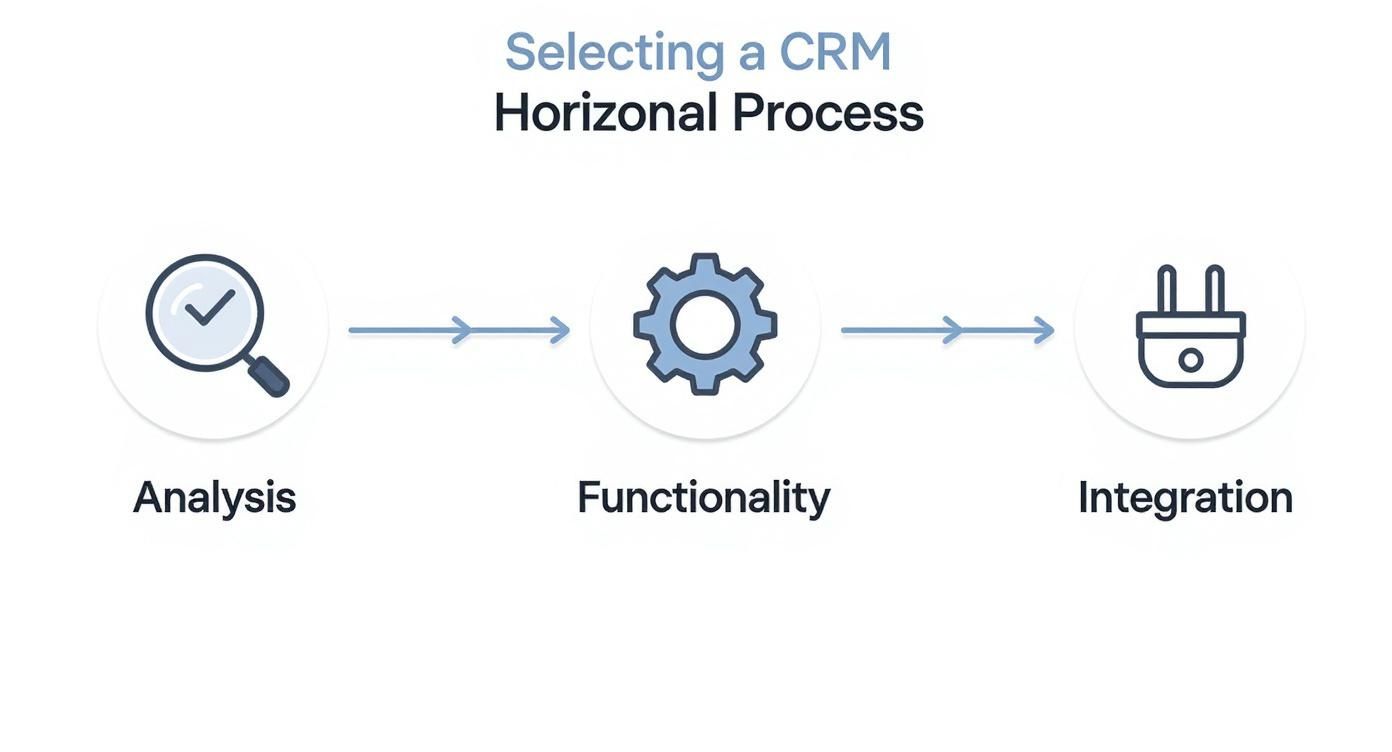
The diagram emphasizes that success depends on a consistent passage of each step, where functionality and integration are chosen based on a deep analysis of needs.
We don't just show which buttons to press. We explain how exactly CRM will facilitate the daily work of each employee and help them earn more. After launch, we stay in touch, answer questions, and help "fine-tune" the system so that it becomes a truly indispensable assistant for your team.