
 Telegram
A domain name is essentially your website's unique address on the Internet. Something like moveiton.net or google.com. It is a simple and clear name that replaced complex numerical IP addresses to make the Internet user-friendly.
What is a domain name and why is it needed
Imagine the Internet is a huge city, and each website is a separate building. To find the right building, you need its postal address. In the digital world, the domain name plays this role. Without it, you would have to memorize long combinations of numbers known as IP addresses (for example, 172.67.143.23). You must agree, that would be completely inconvenient.
The domain name turns this technical chaos into a logical and simple system. It solves several important tasks at once:
- Simplifies access. People just enter the site name in the browser without worrying about how everything works "under the hood."
- Builds a brand. A memorable name becomes a key part of your digital identity and makes your company recognizable.
- Strengthens trust. Admit it, a professional domain like
vashakompania.cominspires much more trust than a free address on a third-party platform.
How the connection between the domain and the site works
Every time you enter a domain name into the browser's address bar, an instant process is launched. A special system called DNS (Domain Name System) works like a global phone book. It finds the name you entered and lightning-fast converts it into the corresponding IP address of the server where the site files are physically stored.
It's very similar to how your smartphone works: you select "Maria" in the contacts, and the phone dials her number +380 XX XXX XX XX. DNS does the same: you enter
example.com, and the system finds the right server by its digital "address."
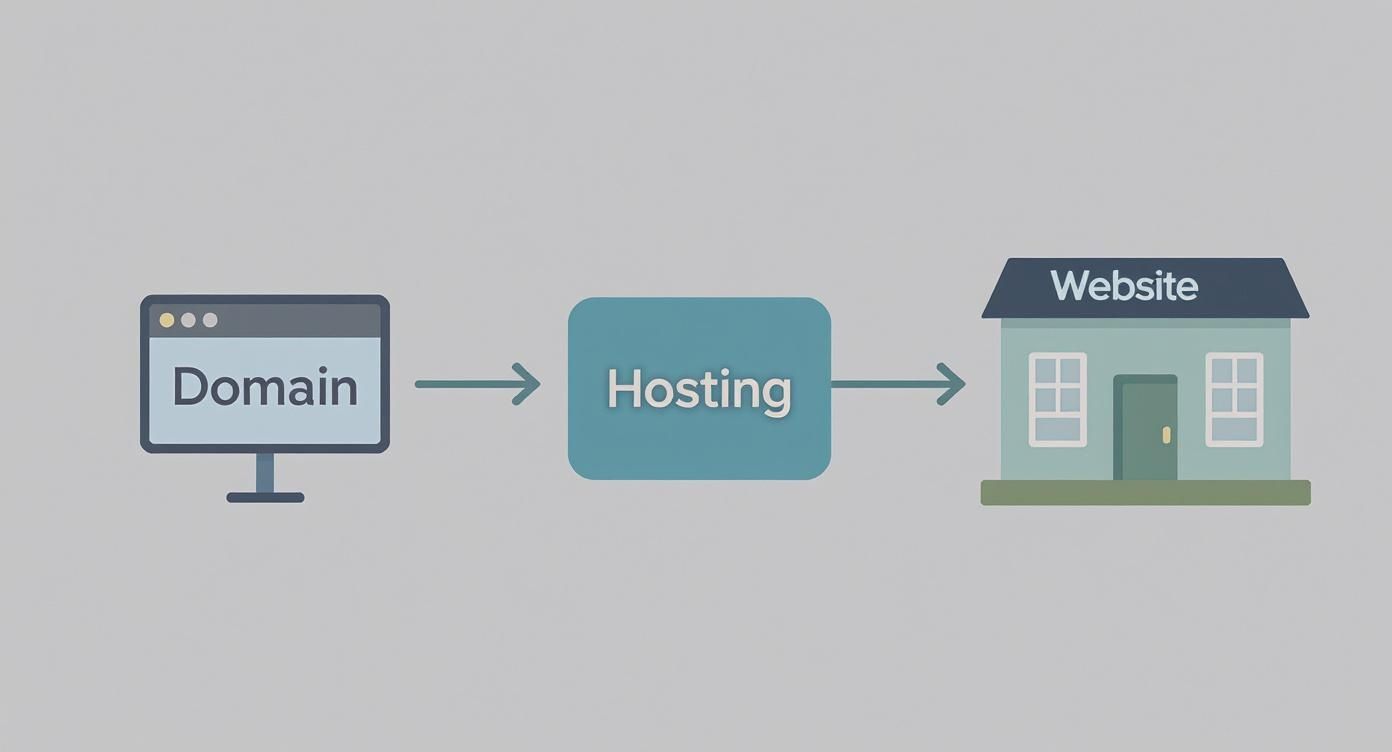
As soon as the IP address is found, your browser connects to the server (hosting) and loads the page. Thus, domain, hosting, and website are an inseparable trio:
- Domain name — this is the address of your "house."
- Hosting — this is the land plot and the house itself where the site is stored.
- Website — this is everything inside: texts, images, furniture, and communications.
Without any of these three elements, your online presence is simply impossible.
Anatomy of a domain name
To better understand how a domain name is structured, let's break it down using the example blog.example.com.ua. Each part has its own role and hierarchy, just like a postal address with a country, city, street, and house number.
Anatomy of a Domain Name
| Component | Example | Explanation |
|---|---|---|
| Subdomain (Third-level domain) | blog | A part of the main domain used to create separate sections of the site (blog, forum, store). |
| Second-level domain | example | The unique name of your site that you come up with and register. This is the core of your brand. |
| Top-level domain (TLD) | com | Indicates belonging to a certain category (e.g., .com for commercial organizations, .org for non-profits). |
| Country code TLD (ccTLD) | ua | Indicates geographical belonging to a country. In our case — Ukraine. |
Understanding this structure will help you approach the choice of a name for your own project professionally.
A brief history of the Ukrainian domain
A domain is not just a technical tool, but also a part of the national digital space. For example, the Ukrainian domain zone .ua was officially delegated as early as December 1, 1992. Its popularity grew rapidly, and in 2012, the number of registrations exceeded the mark of 600 thousand.
By the end of 2021, over 560 thousand domain names were registered in the .ua zone, and the system itself switched to modern cloud technologies to ensure maximum stability and reliability.
How a domain actually works: from request to site loading
Every time you type a site name into your browser and hit Enter, a complex but incredibly fast process starts behind the scenes. Imagine the Internet is a huge global postal service. You want to send a request, but instead of streets and houses, there are servers and IP addresses. You need someone who knows the exact route.
This "postman" is the Domain Name System (DNS). It is, essentially, the Internet's giant address book. It translates site names that are convenient for us into the language that computers understand — a set of numbers known as an IP address. Without DNS, we would have to memorize something like 172.67.149.53 instead of moveiton.net. Not very convenient, right?
How your request finds its way
So, you typed moveiton.net into the search bar. Your browser has no idea where this site is physically located. Therefore, it starts a real investigation, contacting a chain of specialized DNS servers.
The request covers this entire path in a matter of milliseconds, passing through several stages:
- Recursive DNS server. This is your first assistant, usually provided by your ISP. It receives the request and checks if it happens to know the required IP address (maybe someone searched for it recently).
- Root server. If there is no answer, the recursive server knocks higher — to one of the 13 root servers in the world. It doesn't know the exact IP, but it gives a hint: "Contact the server responsible for the
.netzone." - TLD server. This is the Top-Level Domain server that manages a specific zone (
.com,.net,.ua, etc.). It also doesn't have the full address, but it definitely knows who does and directs the request to the final instance. - Authoritative NS server. Finally! This is the end of the route. This specific server stores exact information about which IP address is assigned to the domain
moveiton.net. It gives this address back through the entire chain.
Once your browser has received the IP address, it knows exactly which server to connect to and starts loading the page.
This diagram perfectly illustrates how servers pass the request to each other, gradually narrowing the search until they find the right "apartment" in the boundless Internet space.
How the domain and hosting find each other
But how does DNS know which NS server is the "authority" for your domain? It's simple: you tell it yourself.
When you buy hosting for a site, the provider gives you the addresses of its name servers. You enter these NS records in your domain settings at the registrar.
It's like leaving a note for the postman on the door: "Deliver all letters for this address to that house across the road." NS records are a direct instruction for the DNS system on where to look for all the information about your site.
Naturally, for smooth operation, this entire infrastructure must be reliable. Large projects, such as the Volia company data center, rely on stable DNS and powerful hosting so that their services are available 24/7.
In short: a domain is an address, hosting is a house, and site files are the furniture inside. All these elements are inextricably linked and work together for the user to see your site.
What types of domains exist and their purposes
The world of domain names is much richer than it might seem at first glance. To choose the perfect address for your site, you should understand how they are classified. Each type of domain has its special purpose, which hints to both users and search engines what your resource is about.

All this variety can be roughly divided into several key categories, each of which is best suited for certain tasks.
Top-level domains (TLD)
This is, so to speak, the top of the domain hierarchy — the part that comes after the last dot (for example, .com or .ua). They, in turn, are divided into two large groups.
-
Generic Top-level Domains (gTLD). These are international domains without geographical binding. The most famous among them are .com (for commerce), .org (for organizations), and .net (for network projects). They are great for businesses planning to enter the global market.
-
Country Code Top-level Domains (ccTLD). These domains are assigned to specific countries. You know the examples well:
.ua(Ukraine),.pl(Poland),.de(Germany). Using them is a powerful signal to both search engines and people that your business is focused on a local audience.
Choosing between gTLD and ccTLD is a strategic decision. If your clients are primarily in Ukraine, a
.uaor.com.uadomain will help gain their trust faster and improve positions in local search results.
Second- and Third-level domains
In addition to the "top," there are narrower categories that allow for even more accurate site address description.
Second-level domains often combine features of global and national extensions, for example, .com.ua or .org.ua. This is the most popular choice in Ukraine because it combines the worldwide recognition of .com with clear geographical binding.
An interesting feature of the Ukrainian domain space is the development of regional domains, such as .kyiv.ua or .lviv.ua, which became available in 2015. By the beginning of 2022, their number grew to 24.5 thousand and continues to increase, indicating a demand for short and geographically precise addresses.
Subdomains (or third-level domains) are "branches" of your main domain created for separate sections of the site. For example, blog.example.com or shop.example.com. They allow you to logically structure a large project without spending money on buying new domains.
New thematic domains (new gTLD)
Over time, hundreds of new domain zones appeared, helping instantly understand the site's field of activity. They make the address more creative and informative.
- .shop — for online stores.
- .agency — for marketing and creative agencies.
- .photography — for photographers' sites.
- .tech — for technology startups.
Such domains allow you to stand out among competitors and give the user a clear idea of what they will find on the site even before clicking the link.
To better understand which domain zone is right for you, let's look at the comparative table.
Comparison of Popular Domain Zones
This table will help compare different types of domain zones by their purpose, advantages, and typical usage scenarios.
| Domain Zone Type | Examples | Best Suited For | Advantages |
|---|---|---|---|
| Generic (gTLD) | .com, .org, .net | International business, global projects, non-governmental organizations | High recognition, global user trust, versatility |
| National (ccTLD) | .ua, .de, .pl | Local business, sites targeting a specific country | Clear geographic binding, better local search ranking |
| Regional | .kyiv.ua, .lviv.ua | Business with city or region binding (cafes, service centers) | Strengthens local identity, helps attract local customers |
| Thematic (new gTLD) | .shop, .tech, .agency | Specialized niches, creative projects, startups | Informativeness, uniqueness, helps stand out in the market |
As you can see, each group of domains has its strengths. The choice depends solely on your business goals: whether you plan to work globally or focus on customers from your hometown.
How to choose the ideal domain name for your business
Choosing a domain name is not just a technical step. It is one of the first, and perhaps the most important, strategic decisions for your online business. How easily customers find you, remember you, and whether they trust you depends on it. A correctly chosen name becomes a powerful asset, while a poor one can seriously complicate promotion for years to come.

So, let's figure out what you should pay attention to in order to find that perfect address for your site.
Simplicity and Conciseness
The main rule I always advise clients: a domain should be short, clear, and easy to pronounce. Just imagine dictating it to someone over the phone. If you have to clarify "written with a hyphen" or "there are two letters 's'," that's already a red flag.
What to avoid so as not to confuse people:
- Numbers and hyphens. Names like
top-mebli-24.com.uaare poorly perceived by ear and are easy to type incorrectly. - Complex words. If your brand name contains words with ambiguous spelling, users will guaranteed make mistakes.
- Double letters. The domain
expressstyle.uais very easy to confuse withexpresstyle.ua. Do not create unnecessary problems for yourself or your customers.
The ideal domain is the one that a person heard, immediately remembered, and error-free entered into the address bar. Period.
Keywords and Brand
There is an opinion that a domain with keywords, for example remont-kvartyr-kyiv.ua, gives advantages in SEO. Partially this is true, but this approach has serious drawbacks. First, the name looks template-based and cheap. Second, it limits your development — what if you want to handle offices too or enter another city's market?
A much better strategy is to create a unique, branded name that will eventually be associated specifically with you. Remember Rozetka — once this word meant nothing, and today it is one of the most powerful brands. If you are building a long-term project, such as a corporate site or a business card site for a company, always bet on the brand.
Brand Protection and History Check
Before clicking the "Register" button, be sure to check the domain's past. Sometimes names with bad karma end up in free sale: they might have hosted sites with viruses, adult content, or been under search engine filters. Use a service like the Wayback Machine to make sure you aren't buying a "pig in a poke."
And another important point — protecting your brand. If you register vashbrend.com.ua, it would be very wise to immediately buy other popular zones as well: vashbrend.ua, vashbrend.com. This way, you protect yourself from competitors who might create a clone site and intercept your customers. This is a small investment that will save you a lot of nerves and money in the future.
How to register and manage your domain
Alright, the perfect name for your project has been chosen. Now it's time to turn this idea into a real address on the Internet. The first step on this path is to find a reliable partner, namely a domain name registrar. This is a company with official accreditation that has the right to assign the chosen name to you.

Usually, everything is quite simple: you check if the domain is free, fill in your contact details, and pay for it for a certain period — most often from one to ten years. For most popular zones like .com or .com.ua, this is quite enough.
But there are exceptions. For example, to register a prestigious domain in the .UA zone, you will have to provide a certificate of registration of the corresponding trademark. This makes such a domain truly exclusive and protected by law.
How to "bind" a domain to a site
When the domain is already yours, it doesn't lead anywhere yet. For the site to work at the new address, the domain needs to be "linked" to the hosting. This is done by changing the NS servers (Name Servers) in the domain control panel — their addresses will be provided by your hosting provider.
Imagine you are simply informing the post office of your new address. After updating the records, which can take up to 48 hours, your domain will finally start pointing to the server where the site is located. By the way, if issues with Google indexing arise after launch, our detailed Google Search Console guide will help you set everything up quickly.
Important to remember: a domain name is registered for a specific period. Missing its renewal date is one of the most expensive mistakes a business owner can make.
If you didn't manage to renew the domain on time, it goes through several "freeze" stages:
- Grace Period: Usually around 30 days, during which you can still renew the domain at the standard price. However, the site will not work during this time.
- Redemption Period: The next 30 days. The domain can still be recovered, but at a significantly higher price.
- Pending Deletion: After this period, the domain is permanently deleted and becomes free for registration by anyone.
The best way to avoid such a situation is to immediately enable auto-renewal in the registrar's account. And don't forget to set up two-factor authentication to protect your account. This will keep your most valuable digital asset safe.
Frequently Asked Questions about Domain Names
Even after understanding the basics, there are always small but important nuances. Let's quickly go over the most frequent questions to finally dot all the "i's."
Can I change the domain after registration?
In short — no. Once a domain name is registered, it can no longer be edited like text in a document. It is a unique entry in the global database and is immutable.
If you suddenly realize that the current name no longer suits you, there is only one way out — register an entirely new domain. Then you will have to move the whole site to it and, very importantly, set up a 301 redirect from the old address to the new one. This will help preserve both traffic and your search ranking positions.
What is the difference between domain and hosting?
This is probably the most popular question among beginners. The easiest way to explain it is through the familiar house analogy:
- Domain — this is your unique postal address (
example.com) by which you can be found. - Hosting — this is the physical plot of land and the house itself where all your "things" (site files: images, texts, code) are stored.
These two concepts are inextricably linked. An address without a house leads nowhere, and a house without an address no one will find.
So remember: a domain is just a name pointing to the server, and hosting is the server where your site "lives."
What to do if the desired name is already taken?
Don't despair, it's not the end. Usually, there is a way out. Try to be a bit creative: add a word describing your activity (shop, agency, art) or city. Another option is to check the same name but in a different domain zone. If .com is taken, maybe .net, .org, or local .com.ua are free.
Looking for a partner to help you through the entire journey from idea to site launch, including choosing the perfect domain? Moveiton Web Studio creates comprehensive solutions for business. We will not only develop a modern and fast site for you but also advise on how to promote it correctly. Contact us for a consultation at https://moveiton.net/en.