
 Telegram
Strategic planning is the foundation without which your Google Ads money will simply go down the drain. Before clicking the "Launch Campaign" button, you need to clearly understand where we are going and how we will measure success. This is not a formality, but a way to avoid chaos and focus on real results.
Defining Goals and Key Performance Indicators (KPIs)
You need to start with measurable goals. Without them, you will be optimizing campaigns at random, focusing on clicks rather than what really matters for the business — conversions.
KPIs will be different for every business. An online store will track the number of transactions and their value, while a service center repairing equipment will track the number of forms filled out on the site, i.e., leads.
It is very important to combine short-term goals, such as getting leads or traffic, with long-term ones, such as increasing customer loyalty and encouraging repeat purchases. This creates a healthy balance between quick wins and stable brand growth.
Here are some examples of KPIs worth tracking:
- Sales Growth (%) — to understand if advertising is bringing profit.
- ROAS (Return on Ad Spend) — shows the return on investment in advertising.
- Cost Per Lead (CPL) — a key metric for B2B and service businesses.
To keep your finger on the pulse, check these metrics at least once a week. This will help you notice problems in time and adjust the course. For convenience, you can set up a dashboard in Google Data Studio (now Looker Studio), where all the data will be gathered in one place.
- Weekly reports should include CTR, CPA, and the number of conversions.
- Monthly analyses — ROAS and general traffic trends.
Business KPI Example
Let's imagine a small coffee shop in the city center. For it, key indicators will be:
- Number of online table bookings.
- Percentage of returning customers (can be tracked via CRM).
- Customer Acquisition Cost (CAC).
Practical Insight: Don't try to track everything at once. Choose 3-5 key metrics that best reflect the health of your business. This is enough to see the full picture without unnecessary noise.
In-depth Target Audience Analysis
Who is your customer? The answer to this question is the key to creating ads that "hook". Don't limit yourself to dry data from Google Analytics. Conduct several real interviews with customers to understand their "pain points" and needs.
The best sources of information are Google Analytics, data from your social media pages, and direct surveys. Based on this data, create a detailed buyer persona — a portrait of the ideal customer, possibly even with a photo and a description of their daily problems. This will help write texts that speak the language of your audience.
What to pay attention to:
- Demographics: age, gender, city of residence.
- Interests and behavior: what they are interested in, what sites they visit, how they search for information.
- Problems and motivation: what bothers them and what benefit they want to get from your product.
Expert Tip: It's better to have 2-3 very precise, well-developed audience segments than ten blurred and irrelevant ones. Quality always beats quantity.
Competitor Research
See what your competitors are doing. This is the easiest way to understand which keywords and offers are already working in your niche. Google Ads has a great tool — the "Auction Insights" report. It will show who else is fighting for your audience, what their impression share is, and how often they win auctions.
When analyzing their ads, pay attention to:
- Keywords in headlines and descriptions.
- Unique Selling Propositions (USPs) that you might be lacking.
- Dynamics — how often they change their creatives and promotions.
Main Rule: Look for weaknesses in competitors' communication. Maybe they focus on price, while you can offer better service or fast delivery. Fill these gaps with your advantages.
Designing a Logical Account Structure
Proper account architecture is like order on a desktop. It simplifies budget management, result analysis, and further scaling. From the start, introduce unified rules for campaign and ad group names.
Here is a basic approach to structuring:
- Separate campaigns by type: Search, GDN (Google Display Network), Shopping, Remarketing.
- Create ad groups based on tightly related keywords.
- Test multiple ad variants in each group with different calls to action and messages.
To avoid getting confused, use labels for marking, for example, seasonal promotions or campaigns for different regions. This will make life much easier when the account grows.
Testing Hypotheses Before Launch
Don't invest your entire budget in one idea. Before a full launch, formulate and test at least two or three advertising hypotheses. This significantly reduces the risk of wasting money and often opens up unexpected opportunities.
What you can test:
- Different headlines — one more emotional, another focused on benefits.
- Different calls to action (CTA): "Buy now" vs. "Learn more".
- New audience segments you hadn't thought of before.
- Different visual formats: static images vs. short videos.
A/B testing is your best friend. It allows you to weed out weak ideas and keep only the ones that work on a small budget.
Resource Assessment and Role Distribution
Even the best strategy won't work without a team to implement it. Clearly define who is responsible for what. This can be one person or a whole team, but roles must be clear.
- Marketer — develops the strategy, analyzes the market.
- PPC Specialist — sets up campaigns, monitors bids.
- Analyst — responsible for reports, dashboards, and conversion tracking.
- Copywriter/Designer — creates ad texts and creatives.
Documenting Your Strategy
Gather all your plans, goals, KPIs, and audience descriptions in one document. This is extremely useful, especially when new people join the project. They will be able to quickly get up to speed without asking hundreds of questions.
What should be in the document:
- Main business goals and KPIs.
- Detailed description of target audiences.
- Advertising account structure.
- Planned budget and launch schedules.
Interested in deeper tips? Check out our additional tips on online advertising for business in Ukraine.
A well-thought-out strategy is not a waste of time, but an investment that will pay off with a saved budget and better results.
If you apply these steps, you will see a noticeable increase in conversions within the first month of your campaigns running.
Creating and Launching Advertising Campaigns
So, the strategy is thought out, keywords are collected — it's time to move on to the most interesting part, launching the ads. At this stage, your ideas turn into real ads that potential customers will finally see. A correctly set up start is a guarantee that the budget won't "burn" in the first days but will start working effectively.
The transition from theory to practice always requires attention to detail. Each type of campaign has its own specifics, and understanding these nuances is a direct path to achieving your goals, whether it's a flow of leads or direct sales from the site.
This diagram well illustrates what the launch preparation process looks like: from setting goals to competitor analysis.
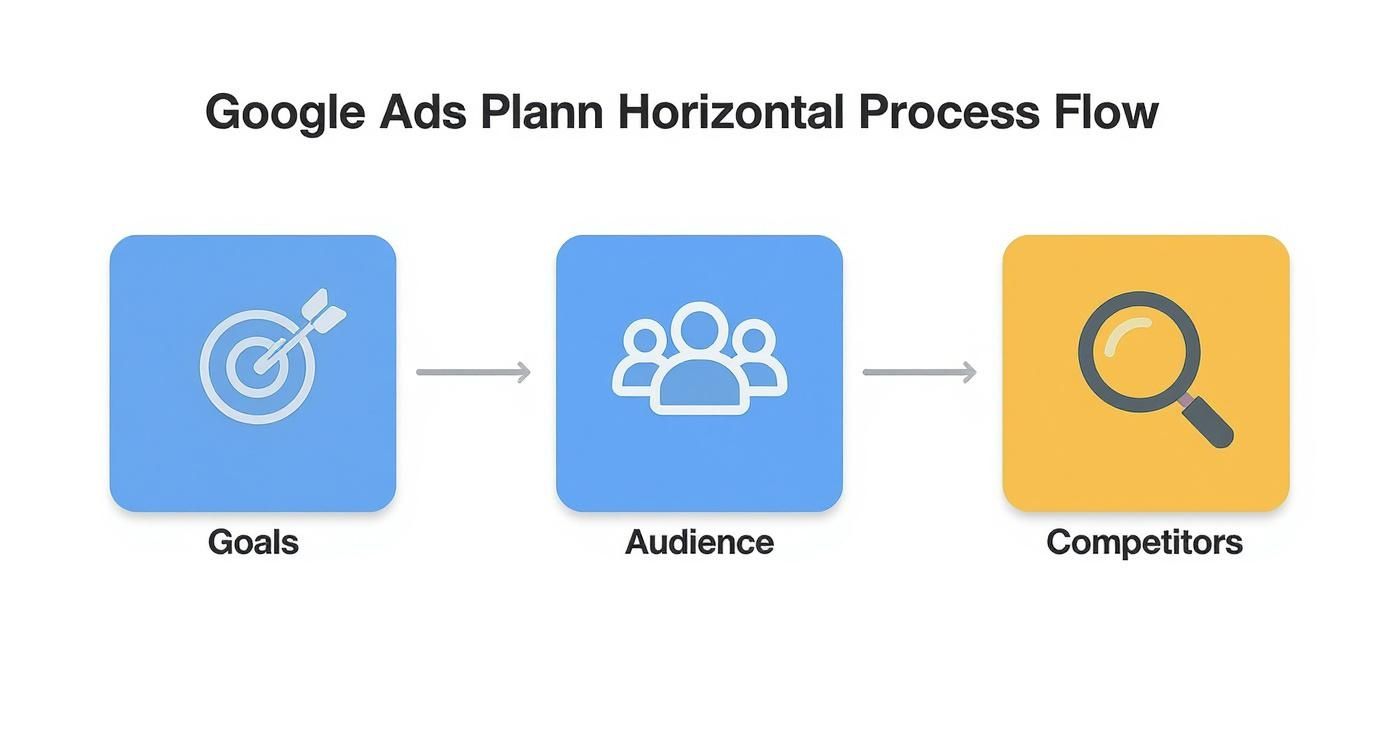
As you can see, each step logically follows from the previous one. This is the solid foundation on which the success of your advertising will rest.
Search Campaigns: Catching "Hot" Customers
Search campaigns are a Google Ads classic. The fastest and most reliable way to get targeted traffic. Why? Because you work with already formed demand — you show ads to those who are looking for your product or service right now. The main thing here is maximum relevance.
A key point to sort out immediately is keyword match types:
- Exact Match
[keyword]: the ad is shown only for this specific query. Ideal for high-conversion phrases, but reach will be minimal. - Phrase Match
"keyword": allows showing ads for queries containing your phrase. This is the middle ground between control and reach. - Broad Match
keyword: gives maximum reach, but be careful — it can bring a lot of irrelevant traffic. It should only be used in combination with automated bidding strategies and when you already have experience.
Practical Tip: At the start, bet on phrase and exact match for main commercial queries (for example, "buy baby stroller kyiv"). This will protect the budget from non-targeted clicks until you collect enough negative keywords.
And remember: the quality of the ad directly affects the cost per click. Your headlines and descriptions should clearly match the user's query and contain your unique selling proposition (USP).
Display Network and Video: Working on Awareness
If your goal is not instant sales but building a strong brand, then your best friends are the Google Display Network (GDN) and YouTube video campaigns. They allow you to reach a huge audience that is not searching for you specifically yet but might be interested.
In GDN, you can show bright banners to people based on their interests, demographics, or online behavior. For example, a sports nutrition manufacturer can place ads on sites about fitness and a healthy lifestyle.
Regarding video, YouTube is still a giant platform. At the beginning of the year, potential ad reach here was 68.5% of all internet users in Ukraine. Although it decreased by 11.1% over the past year, which is likely due to migration and changing habits. This only emphasizes how important it is to carefully plan media budgets. More details can be found in the full report on digital trends in Ukraine.
Shopping Campaigns and Performance Max: Must-haves for E-commerce
For any online store, Shopping Ads and Performance Max (PMax) are simply a necessity. They show product cards with a photo, price, and name directly in search results. The click-through rate of such ads is significantly higher than that of regular text ads.
To launch them, you will need a Google Merchant Center account. There you upload a feed — a file with all the information about your products.
Performance Max is essentially an "all-in-one" campaign. It uses artificial intelligence to show your ads across all Google platforms: from Search to YouTube and Gmail. It requires minimal manual intervention, but its success requires high-quality creatives (video, banners, texts) and clearly set audience signals.
Remarketing: Bringing Back Those Who Almost Bought
Not all site visitors make a purchase on the first visit. Remarketing is your tool to "catch up" with those who have already shown interest and gently return them to the site to complete the order.
Create different audience lists for remarketing — it's much more effective:
- Everyone who has been to the site in the last 30 days.
- Those who added a product to the cart but didn't pay.
- Users who viewed a specific product category.
Prepare a specific message for each group. For those who abandoned the cart, you can offer a small discount or remind them about free shipping. The effectiveness of remarketing directly depends on the quality of the landing page. We can help you with developing a converting landing page, which will significantly strengthen the results of your advertising efforts.
Keyword Selection and Language Strategy
Keywords are the foundation on which your entire search advertising stands. Fail here, and the budget will simply go down the drain. You will pay for clicks from people looking for something completely different from what you offer. Therefore, any competent Google Ads setup starts precisely with an in-depth dive into the world of your audience's queries.
The main task is not just to collect a thousand keys, but to understand the intent hidden behind each query. This will allow you to create ads so accurate that the user simply cannot pass by.

Tools and Semantics Collection Process
There are both free and paid tools for working with the semantic core. Google Keyword Planner is your starter kit, built right into the advertising account and costs nothing. For primary analysis and finding ideas — exactly what you need.
Start with a simple "brainstorming": jot down 5-10 basic phrases that you think customers use to search for your product or service. Put them into the Planner, and it will give hundreds of similar options, along with forecasts for frequency and competition level.
If you want to dig deeper, look towards paid services like Ahrefs or Serpstat. Their main advantage is the ability to peek at competitors. This is a real find, as you see exactly which queries are already bringing them real customers.
Practical Tip: Never ignore the "long tail" — low-frequency but very specific queries. Phrases like "buy red baby stroller with delivery in Lviv" might have only a few impressions per month, but their conversion rate breaks records. The person already knows exactly what they want.
Grouping Keywords by Intent
When you have a large list of keys, they must be sorted. This is critical for ad relevance. The easiest way is to divide them by what exactly the user wants to do:
- Informational queries: "how to choose a laptop", "iPhone 15 review". These people are still "cold"; they are gathering information and comparing.
- Commercial queries: "buy laptop kyiv", "iPhone 15 price". These are your "hot" customers. They are ready to pull out their wallets.
- Navigational queries: "Rozetka store website". The person is looking for a specific brand or site they already know.
Create a separate ad group for each such group. For commercial ones, write about prices and promotions and call to action. For informational ones — offer a useful article or video review to win trust.
Negative Keywords: Your Main Filter
Negative keywords are your best friend in budget saving. They allow you to cut off all non-targeted traffic by telling Google which queries you do not want your ads to show for.
If you sell new furniture, your first negative keywords are "used", "repair", "free", "DIY".
Regularly check the "Search Terms" report in the Google Ads account. There you will see real phrases by which people navigated to your site. This is an inexhaustible source for replenishing the negative keyword list.
Competent use of negative keywords can easily save up to 30% of the advertising budget. And this is not a marketing exaggeration, but the reality of many projects.
Language Strategy for Ukraine: New Realities
Language settings in Google Ads deserve special attention, as the situation in Ukraine has changed dramatically. If previously one could orient mostly on Russian-language queries, today such an approach is a guaranteed loss of a huge part of the audience.
The numbers speak for themselves. In 2021, 56.07% of search queries in Ukrainian Google were in Russian. Now this share has dropped to 40.01%. Ukrainian dominates, especially in the west (81%) and the center (67%). But the most interesting things happen in the south and east: the share of Ukrainian queries here jumped from 20-22% to 41-42%. This is a huge shift, which can be read about in more detail in the analysis of linguistic preferences of Ukrainians.
What does this mean for you? Simple: semantics must be collected in both languages. Be sure to create separate advertising campaigns for Ukrainian and Russian queries. This will allow you to flexibly manage bids and, most importantly, write the most relevant ad texts for each language group. Ignoring this trend today means consciously giving up customers.
For a better understanding of how this might look in practice, let's look at the table.
Example of Language Strategy Adaptation for Regions
This table demonstrates how keywords and campaign settings can be distributed depending on the region, taking into account current language trends.
| Region | Main Campaign Language | Additional Campaign Language | Note |
|---|---|---|---|
| West | Ukrainian | Russian (low priority) | Main focus on Ukrainian semantics. Russian-language can be tested with a minimum budget. |
| Center/North | Ukrainian | Russian (medium priority) | We create two full-fledged campaigns. Budget for Ukrainian can be higher (e.g., 60/40). |
| South/East | Ukrainian and Russian | - | Here it is worth launching two parallel campaigns with approximately the same budget and analyzing the results. |
This approach will allow you not only to reach the maximum target audience but also to speak to them in the language they find convenient, which significantly increases the chances of success.
Measuring Success: How to Set Up Conversion Tracking
Launching advertising without set up conversion tracking is like driving at night on an unfamiliar road without headlights. You see the car moving (there are clicks, impressions), but exactly where — is unclear. This is a guaranteed way to waste the budget and not get results.
Properly set up analytics turns advertising from chaotic expenses into a predictable tool for attracting customers. You start relying on clear data rather than guesswork, and each of your decisions becomes balanced.
Why GA4 and GTM are Your Mandatory Toolkit
For serious work with analytics, you will need two key Google products. You can't go anywhere without them today.
- Google Analytics 4 (GA4): This is the brain of your analytical system. It collects all data about user behavior on the site, records events, and helps see the full customer journey, from the first click to purchase.
- Google Tag Manager (GTM): And these are your "hands". GTM is a mediator that allows you to independently add tracking codes (tags) to the site without bothering a developer every time.
Believe me, using GTM fundamentally simplifies life. Instead of waiting weeks for a programmer to add code for tracking a new button, you can do it yourself in 15 minutes. This gives flexibility, speed, and full control over the situation.
Main Idea: Don't limit yourself to simple page view tracking. Your goal is to record every action that has value for the business: form submission, click on a phone number, adding a product to the cart, and, of course, placing an order.
From Setting Up Events to Importing into Google Ads
It all starts in Google Analytics 4. This is where you determine which actions on your site are valuable. These can be standard events, like purchase, or unique ones created for your tasks, say, form_submission.
Once events are configured (ideally via GTM), the next step is to mark the most important ones as conversions. This is a direct signal to Google that these specific actions are your business goals.
Here is what the traffic acquisition report looks like in Google Analytics 4.
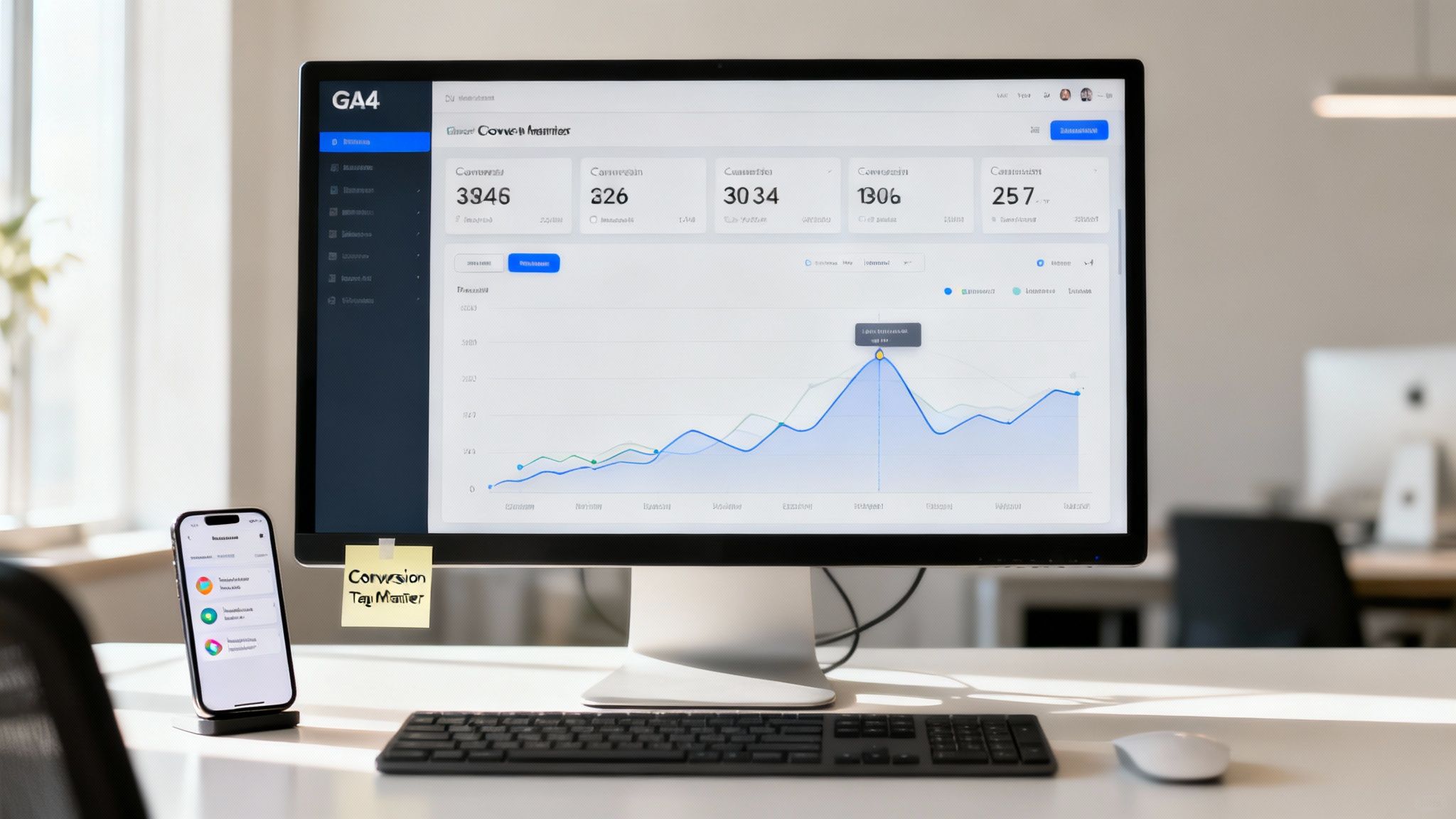
This screen shows which channels users come from. This allows you to clearly understand which advertising works and which does not.
Next, you link your Google Ads and GA4 accounts. This connection allows importing set up conversions directly into the advertising account. This is critical! It is after this step that Google Ads smart strategies start to "see" your most valuable customers and independently optimize impressions to bring more such people.
By the way, if you want to understand more deeply what conversion is and how to really increase it, we have a detailed article about it.
Which Metrics to Monitor and How Often
Once campaigns are launched, it's easy to drown in an ocean of data. To prevent this, focus on key metrics and check them with different frequencies.
Daily Check (5-10 minutes):
- Clicks and CTR (Click-Through Rate): We check if the ads are working at all and if they are interesting to people. A sudden drop in CTR could mean the creative is "burned out" and it's time to update it.
- CPC (Cost Per Click): We monitor so the cost per click doesn't skyrocket and stays within the planned budget.
Weekly Analysis (Deeper Dive):
- Number of Conversions: This is the main indicator. How many target actions did we get per week?
- CPA (Cost Per Acquisition): How much does one lead or sale cost us? Does this figure fit into our unit economics?
- Search Terms Report: Be sure to check which real queries people see ads for. This is a gold mine for finding new negative keywords and preventing non-targeted spending.
Monthly Evaluation (Strategic View):
- ROAS (Return On Ad Spend): Return on investment in advertising. If you spent 1,000 UAH and got orders for 5,000 UAH, your ROAS is 500%. For any e-commerce, this is a key metric.
- General Dynamics: We compare results with the previous month. Are we growing or falling? We analyze trends and plan how to scale successful campaigns or optimize lagging ones.
This approach will allow you to keep your finger on the pulse, react in time to any changes, and make decisions that truly lead to the growth of your business.
Budget and Bidding Strategies: How to Make Every Hryvnia Work for You
Effective budget management is what separates profitable advertising campaigns from a leaky bucket where money is simply drained. When you know how to get the most out of every hryvnia, your Google Ads turns from an expense item into a powerful investment. And this is where bidding strategies come onto the stage.
Choosing the right strategy is not a lottery. It depends on your business goals, the amount of conversion data you have already collected, and your willingness to trust Google's algorithms. There is no universal pill, but there are clear principles that will help not to make a mistake.
Manual Management or Autopilot?
Once, PPC specialists lived in a world of manual bidding. We set the maximum cost per click (CPC) for each keyword ourselves. This gave full control but required titanic efforts and constant monitoring. We literally lived in accounts.
Today, automated strategies rule the ball. They use machine learning to analyze dozens of signals in real-time — time of day, device, location, search history — and set the optimal bid for each individual auction. Your task is only to clearly tell the system what you want to achieve.
Don't be afraid to trust automation. Google's algorithms have access to volumes of data that a human is simply physically unable to grasp. The main thing is to correctly "teach" them by providing enough high-quality conversion data.
For the start, while you have very little statistics (less than 15-20 conversions per month), the "Maximize Clicks" strategy might be a good option. It will help quickly collect primary data and understand what is happening in general. But once you accumulate enough information, it's time to move to a higher level.
Smart Strategies for Maximum Results
When your account has "matured" and accumulated enough conversion data, truly powerful opportunities open up for you. Smart Bidding strategies focus not on clicks but on what really matters for business — on results.
Here are the three most popular ones:
- "Maximize Conversions": The system will try to get as many conversions as possible within your daily budget. Ideal for lead generation, when each request has approximately equal value for you.
- "Target CPA" (tCPA): You tell Google: "I am ready to pay no more than N hryvnias per conversion." The system will try to stay within these limits. A great choice when you clearly know your unit economics.
- "Target ROAS" (tROAS): This is advanced level for e-commerce. You set the desired return rate (e.g., 500%), and the system optimizes bids so that every invested hryvnia brings you five.
Keep in mind that for tCPA and tROAS to work effectively, a stable flow of conversions is needed — at least 30-50 per month at the campaign level. Without this, it will be difficult for the algorithm to learn, and results may be unstable.
How to Allocate Budget and Not Pour It Down the Drain
Correct budget allocation between campaigns is a true art. You shouldn't divide it equally "to all sisters." The largest share should be received by your "workhorses" — campaigns that bring the best result (lowest cost per conversion or highest ROAS).
However, today's market throws new challenges at us. The average cost per click in Ukraine has increased by 19% over the last three years. This means that every mistake in settings costs more. For a business with a budget of $10,000 per month, this could turn into a loss of $2,500–$4,000 monthly.
Another serious threat is fraud, or invalid traffic. Its level in Ukraine reaches 14–17%, and in such competitive niches as law or construction, it can exceed 25%. This means that almost every fifth click you pay for might be "junk." More on how to protect your money can be read in a deeper analysis of hidden budget drain points.
To protect your investments, regularly check the search terms report and ruthlessly add irrelevant queries to the negative keyword list. And if you work in a highly competitive niche, it is worth considering using specialized services for protection against click fraud.
For better understanding, let's compare which strategy is best for which goals.
Comparison of Automated Bidding Strategies
This table will help choose the optimal bidding strategy depending on the goals of your advertising campaign.
| Strategy | Main Goal | When to Use | Data Requirements |
|---|---|---|---|
| Maximize Conversions | ... |