
 Telegram

SEO audit is essentially a full “technical check-up” of your website. It helps uncover all issues — technical, content, and backlinks — that stop you from reaching top positions on Google.
Simply put, it’s like a detailed medical diagnosis for your web property. We examine its “health” from A to Z, then create a clear “treatment plan” to attract more search visitors.
Why success is impossible without an SEO audit
Imagine your website is a race car. It may look great, but without regular under-the-hood checks, you’ll never know a tiny malfunction is keeping you from winning. An SEO audit is exactly that analysis for your site.
This isn’t just box-ticking. It’s a deep study showing how search engines — especially Google — see and evaluate your site. The audit clarifies why competitors outrank you, where you’re losing valuable traffic, and which hidden growth opportunities you’ve missed.
How search works — and what the audit has to do with it
To grasp the audit’s importance, recall how Google works. Its bots constantly crawl billions of pages, add them to a massive database (indexing), then rank them in a specific order using hundreds of factors.
Google illustrates this continuous process with the following diagram:

What does this image tell us? If Google encounters technical barriers on your site during crawling or indexing, it may simply not include your pages in search results. An SEO audit uncovers these barriers.
Ignoring regular checks means consciously losing potential customers who won’t find you. The data backs this up. According to IT Rating UA, over 65% of Ukrainian websites that lost traffic in 2023–2024 did not run a professional audit in the past 12 months. As a result, about 40% of them had critical errors that directly affected visibility.
An audit isn’t a one-off event but an ongoing process. Google updates its algorithms hundreds of times a year, and what worked yesterday may become a roadblock today.
Thus, regular seo audit helps you:
- Identify critical issues before they impact your business.
- Adapt to changes in search algorithms and stay competitive.
- Create a clear roadmap for continued optimization and growth.
An audit is the diagnosis. The treatment comes next: SEO services with a work plan and reporting.
What a comprehensive SEO audit includes
A full SEO audit isn’t just a checklist scan. Think of it as a complete vehicle diagnostic before a long trip. You wouldn’t check only the oil while ignoring the brakes and engine. Likewise, to see the full picture, you must thoroughly review all key “systems” of the site.
A superficial look yields superficial results. The real value lies in understanding how different site elements interact. A trivial technical error can nullify your content efforts if Google simply can’t crawl it.
Technical audit: the foundation of search visibility
This is the base without which nothing else works. A technical audit checks how easily crawlers can “read” and understand your site. If they struggle, your pages may never appear in search results.
Primary checks include:
- Crawling and indexing. Is your site open to Googlebot? Are there errors in
robots.txtor meta tags accidentally blocking important sections? - Load speed. Numbers speak for themselves: according to Google, 53% of mobile users leave if a page takes longer than 3 seconds to load. Slow sites lose traffic and customers.
- Mobile responsiveness. Google has long used mobile-first indexing — your site is judged primarily by its mobile version. If it’s inconvenient on a phone, expect rankings to drop.
- Site structure and URLs. Logical hierarchy and clean, “human-readable” URLs help both users and search engines navigate your site.
Content audit: do you answer user intent?
Content is why people visit your site. This stage evaluates how well your text, images, and video meet audience expectations and search engine requirements. Quality content is more than error-free prose.
It delivers precisely what users want — matches search intent, is unique, expert, and well-structured. Google wants to show the best answers. Your job is to provide them.
We review:
- Relevance and uniqueness. Does the page address key queries? Is it original, not copied?
- Depth of coverage. Is the topic covered thoroughly enough so users won’t look elsewhere?
- On-page optimization. Proper use of headings (H1–H6), meta tags (title, description), and image attributes (alt).
Backlink profile audit: your reputation in Google’s eyes
External links pointing to your site are like real-life recommendations. The more authoritative websites link to you, the higher your domain authority in Google’s view. Quality matters far more than quantity.
A single link from a respected industry portal outweighs hundreds from spammy forums or directories. Backlink analysis shows the true picture and guides a strategy for building a healthy link profile.
Usability and UX analysis
Consider this: your site is technically excellent and full of expert content, yet users leave without buying. Why? Because it’s inconvenient. UX analysis checks how easily visitors find information, place orders, or submit forms.
To clarify the differences, see the table below.
Comparison of SEO audit types
This table highlights key differences between main SEO audit types, their goals, and core metrics.
| Audit type | Primary goal | Key metrics to check |
|---|---|---|
| Technical | Ensure site accessibility to crawlers and fast performance. | Load speed, mobile-friendly, indexing status, broken links, correct robots.txt and sitemap.xml. |
| Content | Assess content quality, relevance, uniqueness, and alignment with user intent. | Keyword rankings, text uniqueness, bounce rate, time on page, meta optimization. |
| Backlink | Analyze quality and quantity of external links and detect toxic backlinks. | Domain authority (DR/DA), number of referring domains, anchor profile, dofollow/nofollow ratio. |
| UX/Usability | Improve user interaction, making the site convenient and intuitive. | Conversion rate, pages per session, click heatmaps, user path analysis, exit rate. |
Each audit type has its focus, but they’re tightly interconnected.
A comprehensive approach covering all components produces the best results. Studies show over 60% of business owners choose comprehensive audits to uncover technical issues, analyze competitors’ strategies, and evaluate content effectiveness. As a result, about 45% of sites that completed a comprehensive SEO audit saw rankings increase by 15–30% within the first 3 months after changes.
Each direction is a vital part of a single mechanism. Only combined analysis exposes non-obvious issues and reveals real growth opportunities.
How to run an SEO audit yourself: a step-by-step plan
Conducting an SEO audit isn’t about randomly hunting for errors. Think of assembling furniture: follow the steps, and you’ll get a sturdy result. This section is your detailed roadmap to systematize the process.
And a good audit starts not with the site — but with the business. First, define where you’re going.
Preparation: set goals and gather data
Before diving into technicalities, lay a solid foundation. This ensures a focused analysis that produces concrete outcomes instead of a never-ending error list.
1. Define business goals. What do you truly expect from the audit? “Increase traffic” is too vague. Be specific. For example:
- Increase leads by 20% over the next 6 months.
- Get key commercial queries into the top 5 results.
- Reduce bounce rate on service pages.
Clear goals set priorities. If leads are central, scrutinize lead-capture pages more than blog posts.
2. Collect access to key tools. Deep analysis needs first-party data. Ensure full access to:
- Google Analytics 4 (GA4): user behavior, acquisition, and conversions.
- Google Search Console (GSC): Google’s view of your site — indexing, positions, clicks, and technical issues.
Without these, any audit is incomplete — like diagnosing a patient without tests. For details, read our Google Search Console guide for business.
3. Do a quick market and competitor scan. You don’t operate in a vacuum. Review 3–5 top competitors: what do they do well? How is their site structured? What content do they publish? This sets benchmarks and inspires strategy ideas.
The core audit: step-by-step
Preparation done — time for the “patient exam,” moving logically from technicals to content and off-site signals.
Imagine it as sequential checks of key systems, each influencing the next.
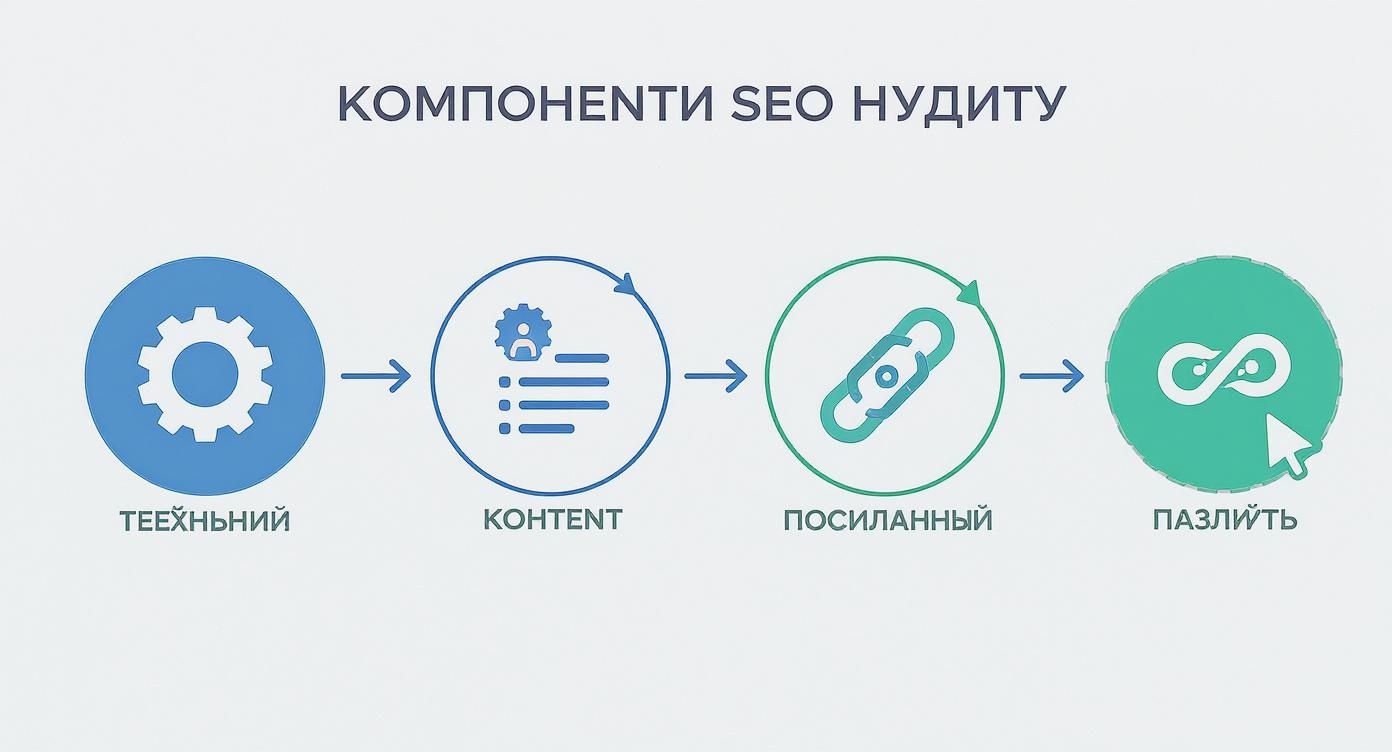
As you can see, the audit is multilayered — from the technical base to UX analysis.
Step 1: Crawl and technical analysis Run a full site “scan” using tools like Screaming Frog or Netpeak Spider. Like an X-ray, they reveal technical issues:
- Broken links (404s): dead-ends that frustrate users and waste crawl budget.
- Duplicate pages and meta tags: confuse search engines over which version to show.
- Indexing issues: ensure key pages aren’t blocked in
robots.txtor vianoindex. - Load speed: test key pages with PageSpeed Insights. Slow sites lose customers.
Step 2: Deep content review Evaluate whether your content satisfies both users and search engines.
- Keyword coverage: does your semantic core cover all essential topics? You may be missing entire query groups.
- Content quality: identify thin or outdated content — update, expand, or prune.
- Page optimization: verify titles, descriptions, and H1s on priority pages — basics often overlooked.
Content isn’t just words; it’s the user’s answer. If it’s incomplete, unclear, or inconvenient, users will find it elsewhere — at your competitors.
Step 3: Backlink profile checks Analyze who links to you and how. Ahrefs or Semrush are ideal. Assess donor quality and flag toxic, spammy links that can drag you down.
Final stage: structuring the results
Collecting data is only half the job. Now turn the chaos into an action plan.
1. Create a report and prioritize. Group findings by category (technical, content, links). Assign priorities:
- High: critical issues that block indexing or break UX (e.g., a broken cart).
- Medium: significant but not immediate impact (e.g., slow load times).
- Low: minor issues to fix later (e.g., missing alt tags on a few images).
2. Draft technical briefs. Turn findings into clear tasks. Dev briefs should include URLs, problem descriptions, and expected outcomes. Writer briefs — pages to update, target keywords, and structural tips.
This turns a DIY SEO audit from chaos into a managed strategy — each step logically leads to measurable gains in search visibility.
Tools and a checklist for an effective audit
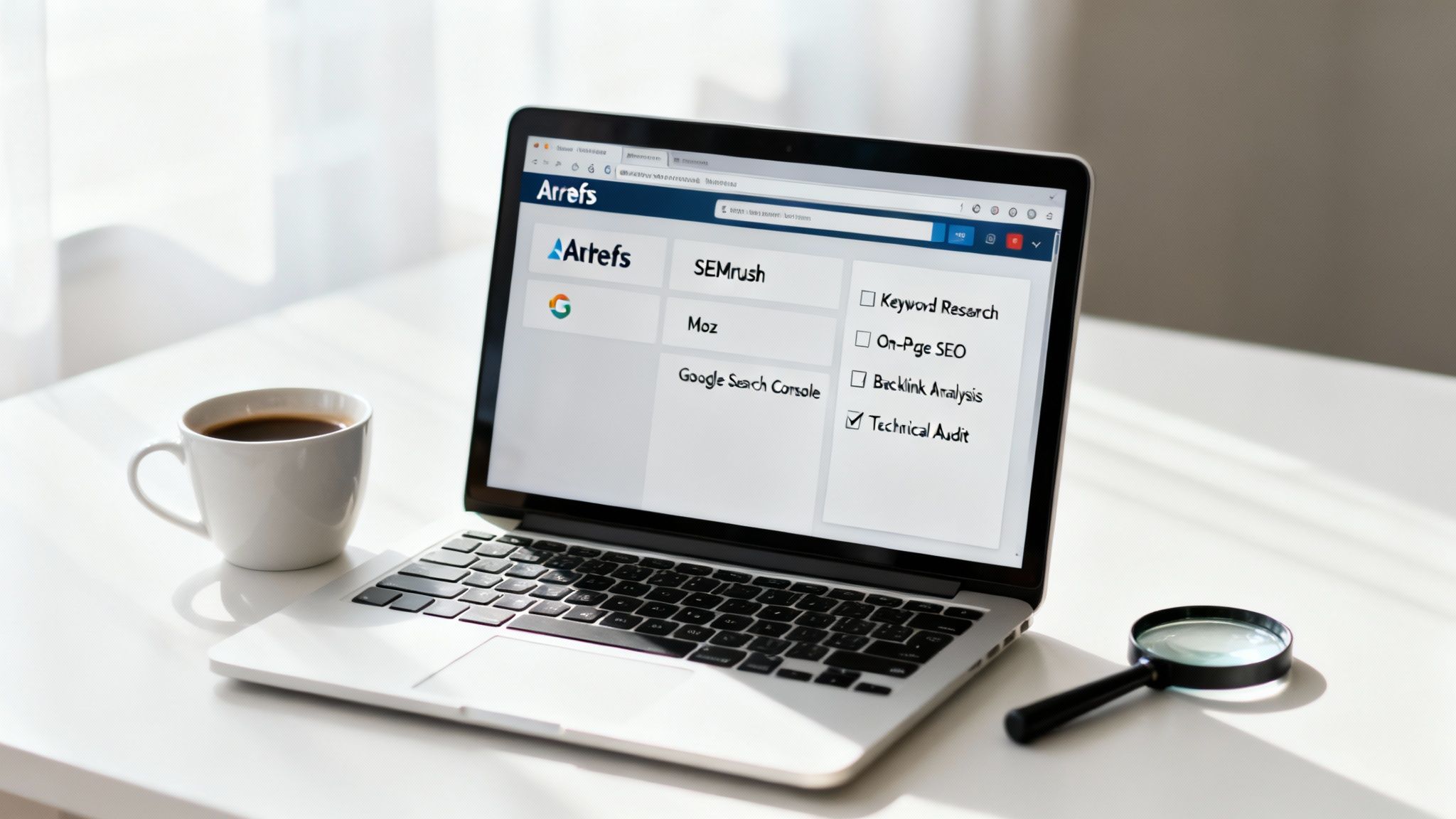
To run a truly high-quality SEO audit, you need two things: the right toolset and a clear plan. Think like a detective: you need a magnifying glass for details and a map to assemble the bigger picture. We’ll cover both — tools first, then key checkpoints.
Tools fall into free and paid categories, each with a role. Pros combine several platforms to see the full picture.
Must-have tools
The foundation is Google’s free tools — first-party data you shouldn’t ignore.
- Google Search Console. Your command center: how Google sees your site, which pages are indexed, what queries bring users, and critical technical alerts.
- Google PageSpeed Insights. Essential to test load speed with actionable, though sometimes demanding, dev recommendations for desktop and mobile.
- Mobile-Friendly Test. A quick check to ensure smartphone usability — a key ranking factor today.
Professional platforms for deep analysis
When Google’s data isn’t enough, turn to pro SEO suites. They crawl thousands of pages, analyze competitors, and detail backlinks.
- Screaming Frog SEO Spider. A desktop “crawler” mimicking search bots. It scans every page and finds broken links, meta issues, duplicate content, and more.
- Ahrefs or Semrush. Swiss-army knives for SEO: backlink audits, keyword research, and competitive intelligence — who links to you, what rivals rank for, and where you’re losing ground.
Remember: tools are means, not solutions. They gather data; interpreting it, finding root causes, and proposing effective changes is the specialist’s job. Even the priciest tool is useless without knowing what to look for.
For orientation, here’s a tool summary.
Core tools for an SEO audit
A quick overview of key free and paid tools, their purpose, and main functions for quality SEO analysis.
| Tool | Type (Free/Paid) | Primary purpose |
|---|---|---|
| Google Search Console | Free | Index monitoring, search traffic analysis, error detection. |
| PageSpeed Insights | Free | Site speed analysis and optimization recommendations. |
| Screaming Frog | Paid (free tier available) | Deep technical crawl and error detection. |
| Ahrefs / Semrush | Paid | Backlink analysis, keyword research, competitor analysis. |
The specific toolset depends on the audit depth. Free options often suffice for a basic check.
Practical checklist: what to verify and how
Armed with tools, move to action. To avoid omissions, follow a structured checklist split into three blocks.
H3: Technical audit
- Indexing. Does Google see all key pages? Check the Coverage report in Search Console.
robots.txtandsitemap.xml. Are they configured correctly? Nothing accidentally blocked?- Load speed. Use PageSpeed Insights to test core page types: homepage, category, product/service page. Aim for “green.”
- Mobile version. Is it convenient on smartphones? Do elements shift? Are buttons easy to tap?
- Broken links (404s). Crawl with Screaming Frog to find all non-working links.
- Duplicate pages. Detect full/partial duplicates and identical
title/description. - Security (HTTPS). Ensure a valid certificate and HTTPS everywhere.
H3: Content audit
- Meta optimization. Are
titleanddescriptionunique, informative, and relevant on priority pages? - Heading structure. Is there a single H1? Are H2–H6 used logically to structure the text?
- Content quality. Does it solve user problems? Is it expert, comprehensive, and clear?
- Uniqueness. Check for plagiarism. Copied content risks filters.
- Image optimization. Are
altattributes filled for important images? They aid both crawlers and visually impaired users.
H3: Backlink profile audit
- Link dynamics. Is growth smooth? Any sudden spikes or drops?
- Donor quality. Which sites link to you? Do you have authoritative, topical donors or mostly spammy directories?
- Anchor profile. Review anchor texts. Too many exact-match commercial anchors (“buy apartment kyiv”)?
- Toxic links. Identify and list spammy or irrelevant links that may harm reputation.
Of course, this is just the tip of the iceberg. A full SEO audit may include dozens of additional checks. But even this basic checklist can uncover up to 80% of common issues blocking deserved top rankings.
Turning audit results into a growth strategy
Receiving an seo audit report is like finding a treasure map. Interesting on its own — but the real treasure comes when you use it. The list of errors and recommendations isn’t a verdict; it’s the starting gun for a strong push forward.
The magic begins when raw data becomes a clear, prioritized action plan.
Key rule: don’t try to fix everything at once. That path leads to chaos. Think strategically and prioritize by impact vs. effort.
Task prioritization is the key to effectiveness
Expect a long task list after the audit. To avoid drowning, categorize issues by “impact/complexity.”
-
Critical and easy to fix. Priority #1. These “burning” issues seriously harm performance yet are relatively quick to solve. For example, a key section accidentally blocked from indexing or a broken “Buy” button on the homepage. Fix immediately.
-
Critical and hard to fix. Time-, budget-, and effort-intensive — but with a huge SEO impact. Think restructuring the site or migrating to HTTPS. Plan carefully and add to your long-term roadmap.
-
Non-critical but easy to fix. Small, helpful improvements to run in parallel: add missing image alts, fix a few broken links — minor on their own but cumulative over time.
This approach secures quick wins to motivate the team while systematically tackling foundational challenges.
Using the audit to build relevant content
Audit insights are gold for content strategy. You’ll discover not only what’s broken but what’s missing. Competitors might be capturing traffic from entire query clusters you haven’t considered.
An audit turns hunches into facts. Instead of “We should probably write about X,” you’ll know, “Competitors win queries Y and Z; we don’t. We need content that covers this better than they do.”
This is especially important in the era of Google’s AI Overviews. The audit shows whether your content is structured, expert, and authoritative enough to appear in these new answer blocks. It’s no longer just about keywords — it’s about delivering the most complete, precise answers.
Finding new growth points
Every audit item is a potential growth lever. Slow pages? Speed them up for better rankings and fewer bounces. Clumsy mobile navigation? Fix it to boost mobile conversions as their share keeps growing.
A high-quality seo audit lets you see through both a crawler’s and a human’s eyes — revealing non-obvious issues that may have throttled growth for years.
Stats support this: according to Luxeo Team, over 70% of clients who ordered an audit used the data to optimize content for AI Overviews and improve UX. Over 60% of sites that implemented audit changes saw traffic grow by 25–50% within the first 6 months.
In short, an audit isn’t just an error list — it’s a strategic roadmap showing where to invest for maximum ROI. This mindset turns a one-off check into an ongoing improvement process, since seo optimization is a fast path to site growth that requires constant attention and analysis.
Common mistakes and the cost of an SEO audit in Ukraine
Even the most thorough seo audit can fail if you step on the same rakes. Many site owners see only the tip of the iceberg — the obvious — and miss what’s submerged and far more dangerous. Knowing these pitfalls is the first step to avoiding wasted budgets.
A top mistake is a superficial approach. Many run a site through an online tool, grab an automated report, and stop. But a tool is only a thermometer: it shows the “temperature” but not the cause. It flags broken links but won’t explain how they hurt the customer journey.
Another common trap in 2024 is ignoring mobile. Checking only on desktop isn’t just a mistake — it’s fatal. Google assesses your resource through mobile users’ eyes; your mobile experience determines your search fate.
How much does a quality SEO audit cost
There’s no single answer. The cost of an seo audit in Ukraine isn’t fixed — it depends on several parameters that define scope and depth.
Think of audit spend as an investment in your online business foundation. Quality analysis pays back through increased traffic and, most importantly, sales.
Key price drivers:
- Site size and complexity. Auditing a one-page landing vs. a store with 10,000 products are entirely different tasks.
- Depth of analysis. A surface-level technical check is one thing; a comprehensive audit covering competitors, content, UX, and backlinks is another — requiring more time and expertise.
- Niche competition. In “red oceans” (finance, real estate, gambling), analysis is harder and deeper.
Prices vary widely. A basic audit for a small brochure site may start at $200–$300. For a mid-size corporate site or online store, comprehensive audits typically range from $500–$1500 and higher.
Choosing the right vendor is crucial. Consider more than price — look at experience, real case studies, and methodology. To understand professional standards, learn how an SEO agency works and what it offers. This helps you make an informed choice and find a partner invested in your growth.
Frequently asked questions about an SEO audit
We frequently speak with business owners and marketers; certain audit questions arise almost every time. Here are the most popular ones to clear doubts.
How often should I run an SEO audit?
It depends. For large online stores or news portals with constant changes, consider light quarterly checks and a full in-depth seo audit once a year.
For small corporate sites with infrequent changes, one comprehensive analysis every 6–12 months is enough. Exception: if traffic suddenly drops, run an audit immediately — don’t wait.
Can I audit the site myself?
Yes, a basic check is doable in-house. Tools like Google Search Console and PageSpeed Insights will surface obvious issues — broken links, slow pages, or mobile problems.
But that’s only the surface. Deep competitive, backlink, and technical analysis requires paid tools and experience. DIY audits often show “symptoms”; specialists find and fix the “disease.”
How long does an audit take?
It varies. A quick check of pressing issues (an express audit) may take just 2–3 business days.
A full, comprehensive seo audit of a large site — from technicals to content, competitors, and UX — typically takes 1–3 weeks.
How is an audit different from SEO promotion?
Think of your site as a car. The audit is a full diagnostic revealing what’s broken. SEO promotion is the repair and tuning.
In short, the audit is step one — it answers “what to do?” with a detailed report and action plan. Promotion is executing the plan: content optimization, link building, and technical improvements. One without the other doesn’t work; promoting blindly is just wasting money.
Ready to turn analytics into real results? Moveiton will run a comprehensive SEO audit, uncover hidden growth opportunities, and craft a clear strategy to bring new customers. Request a free consultation at moveiton.net — let’s take your business to the next level together.