Telegram
 Catalog Website and CRM System for the M2 Group Real Estate Agency
A real estate catalog website with a CRM system and AI-assisted catalog management for the M2 Group agency in Kyiv.
m2group.com.ua
About the client
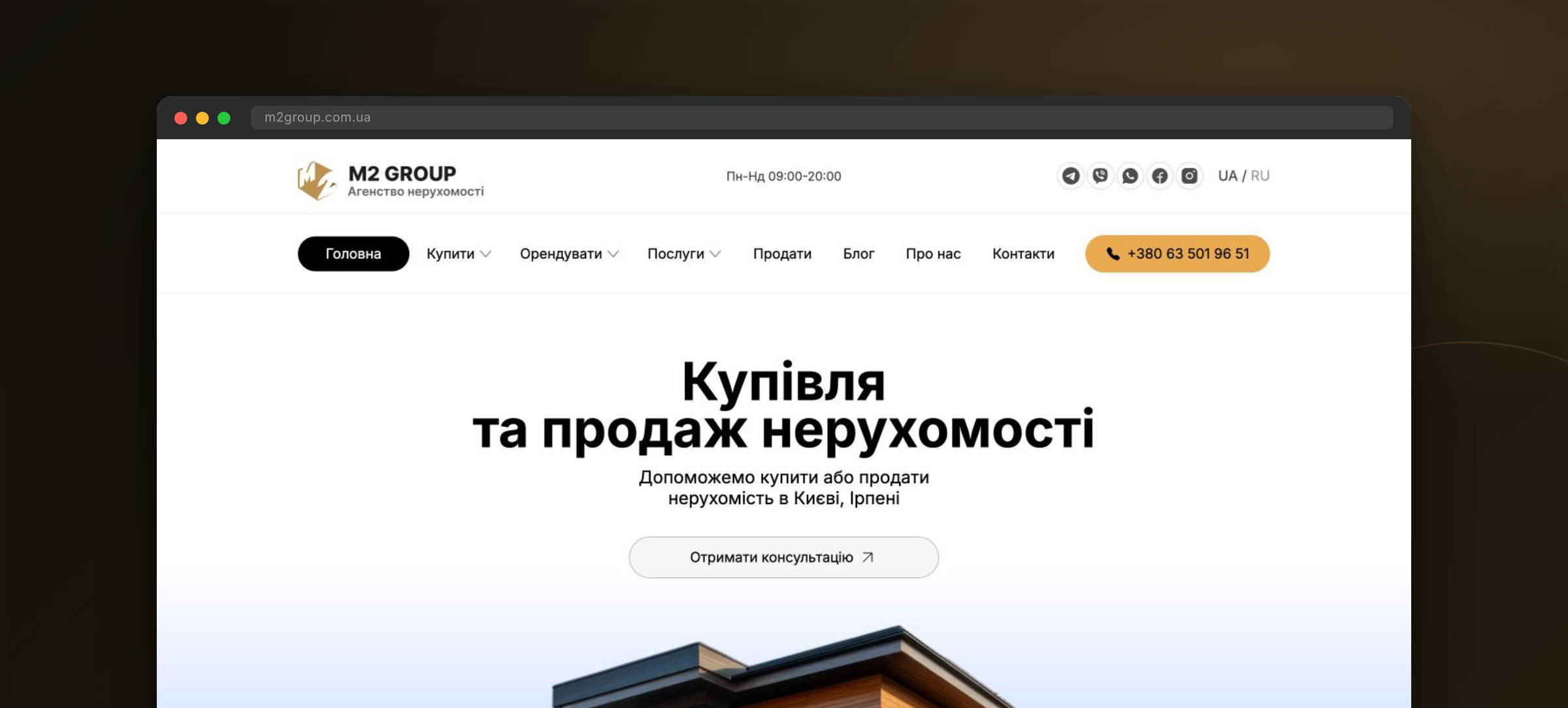
M2 Group is a full-cycle real estate agency based in Kyiv. The team helps clients buy, sell or rent apartments, houses, townhouses and commercial premises in Kyiv and its suburbs — Irpin, Bucha, Boryspil — and supports each deal from the first shortlist to the signed contract. Before the project, listings lived in Excel and messengers, every website card had to be filled in by hand, and requests from different channels got lost: there was no single place to see a client, their request and the properties offered to them.
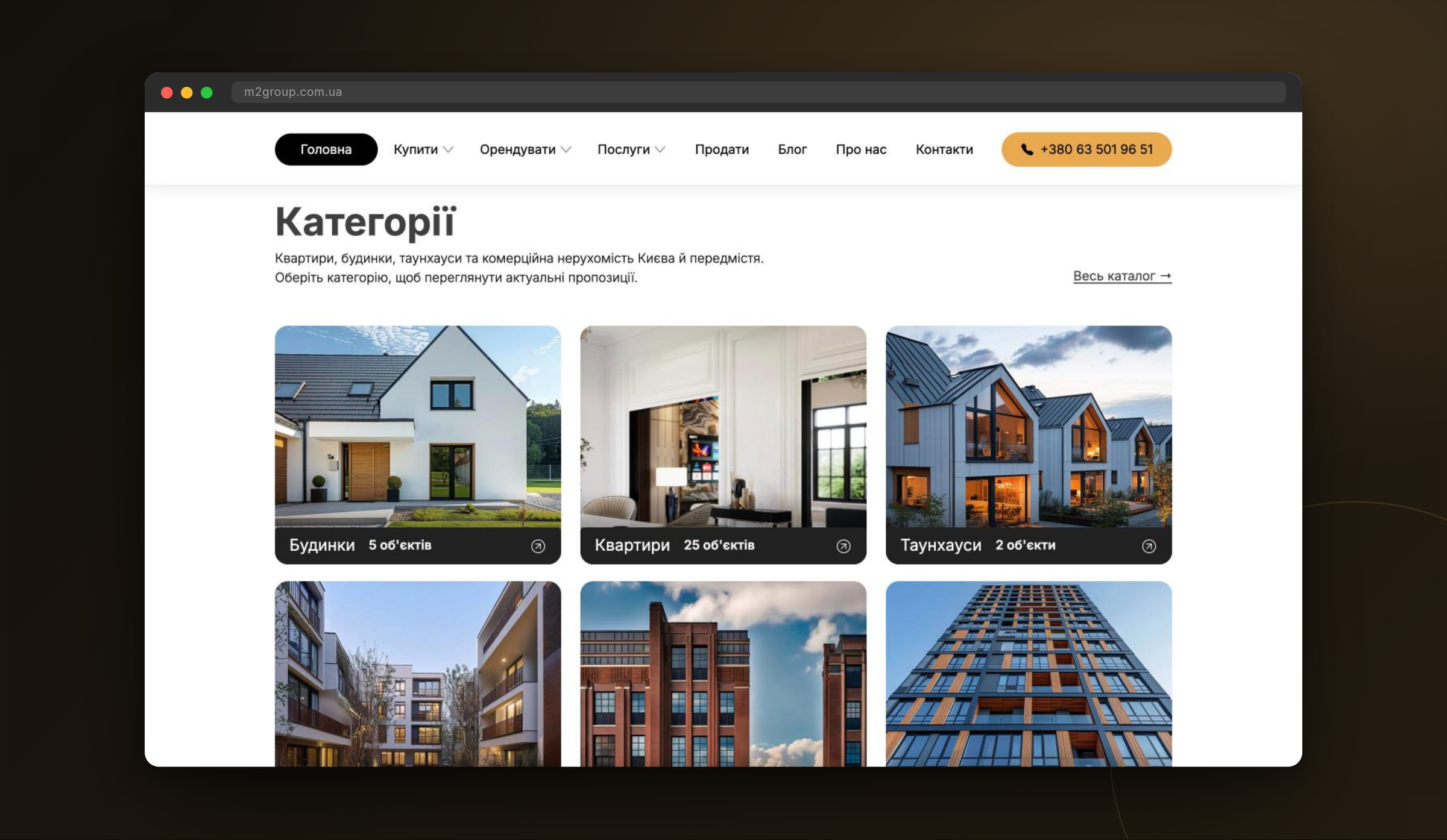
Goals
Replace Excel and messengers with one system: a public catalog for clients and a CRM for realtors, connected to each other, plus a fast way to add listings without filling in dozens of fields by hand.
Catalog website from scratch
Flexible dictionaries
CRM for realtors
No lost requests
AI-assisted listings
Prices and photos
Key solutions
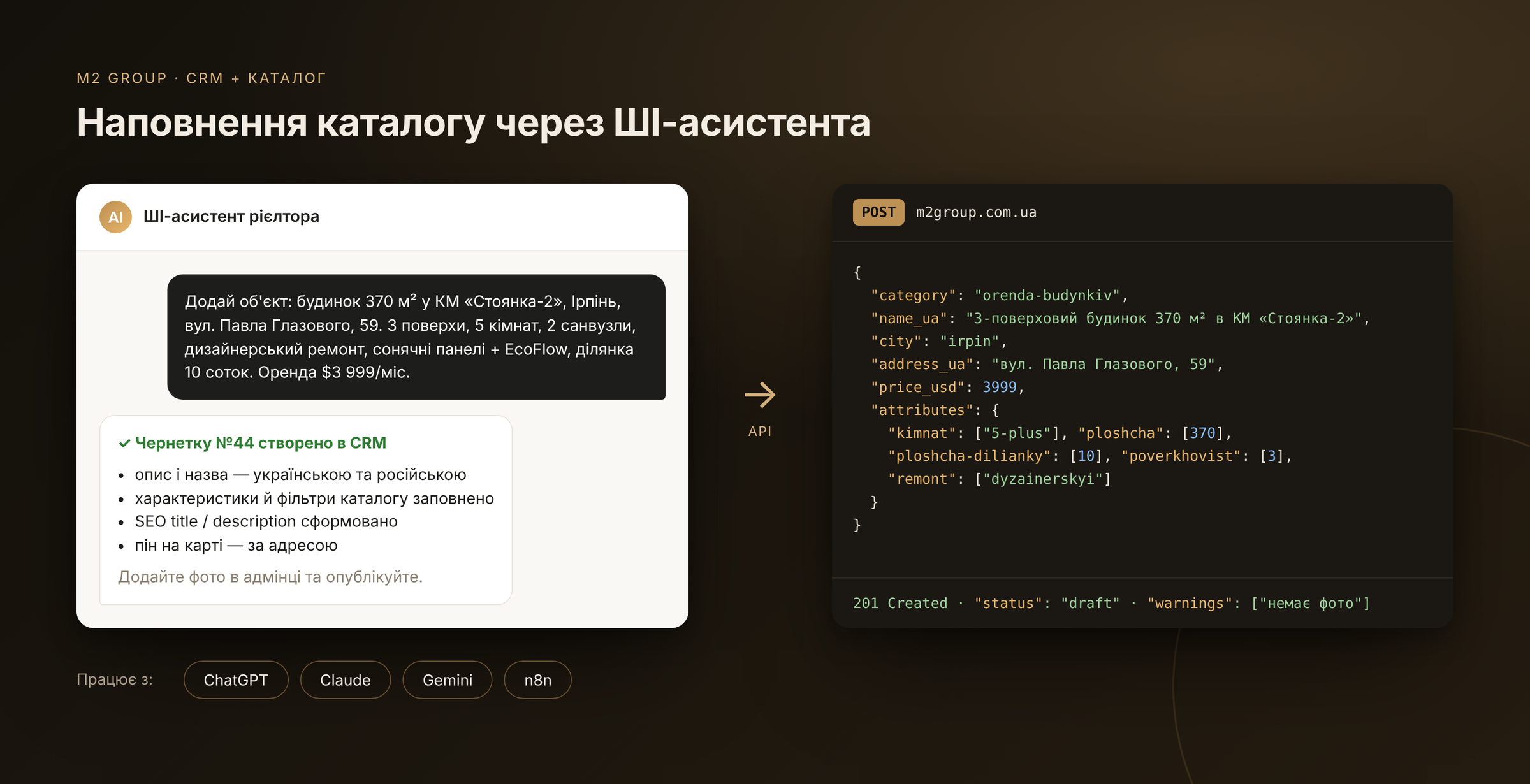
AI-assisted catalog management
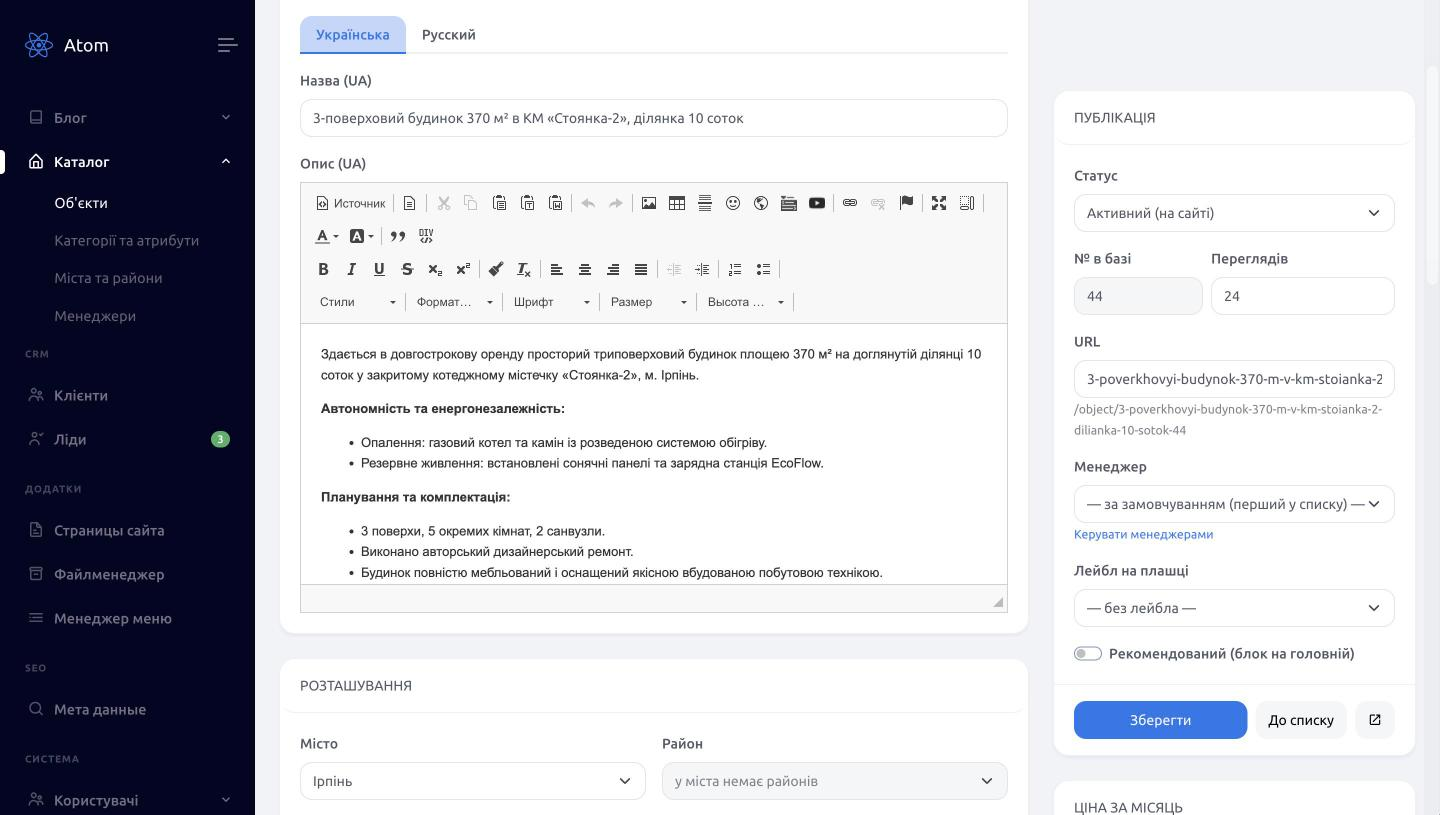
The project's main advantage. A realtor describes a property in plain words in ChatGPT, Claude or Gemini (or triggers an n8n workflow), and the assistant uses the secured catalog REST API to pick the category, city, district and residential complex, fill in the filter attributes, write the title and description in Ukrainian and Russian and generate the SEO title and description. A new complex or district that is not in the dictionary yet is created automatically, and the assistant reports what is still missing (photos, for example). The listing lands in the CRM as a draft — a person reviews and publishes it. The same assistant can find a listing by its database number and update the price or status.
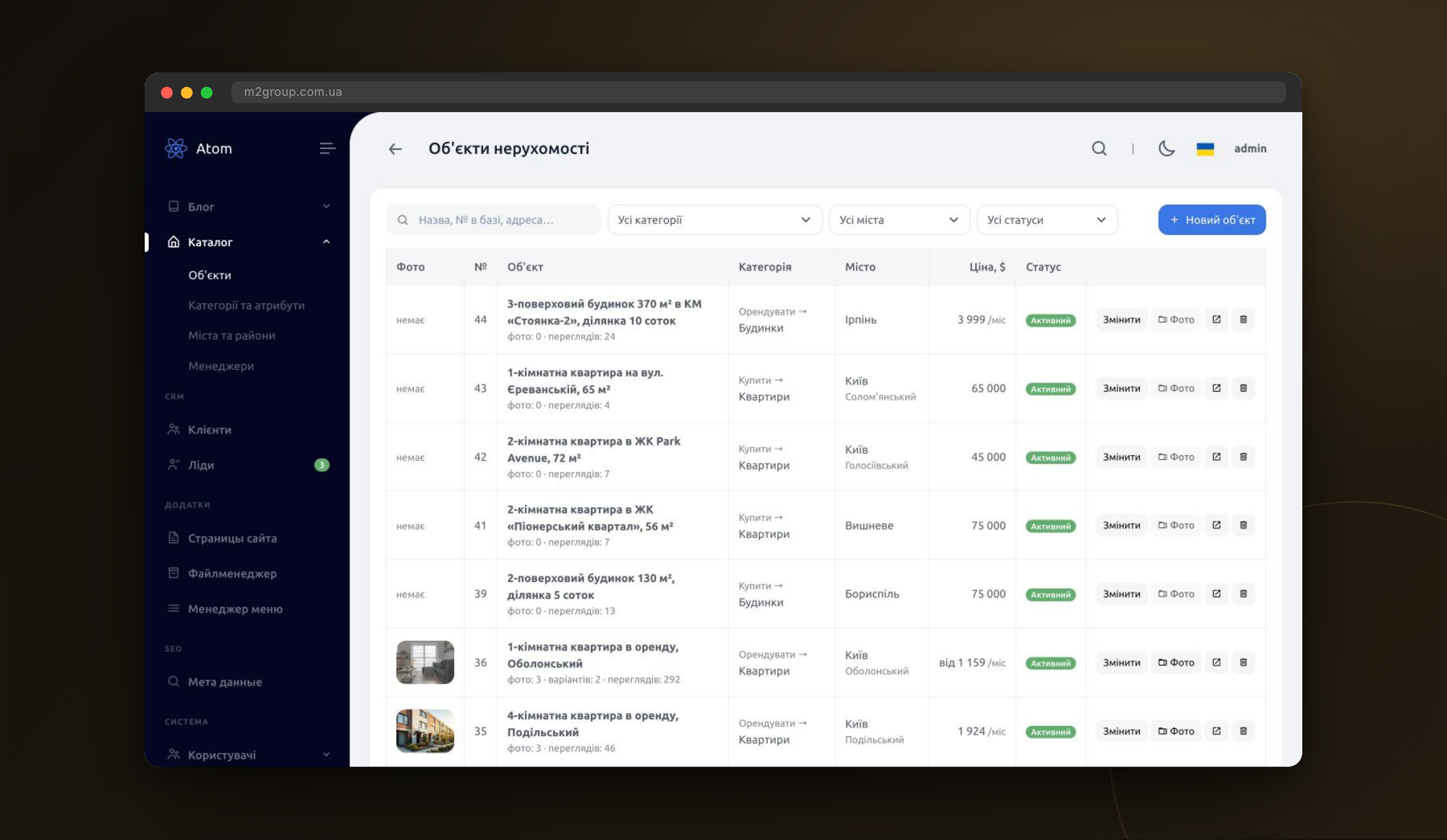
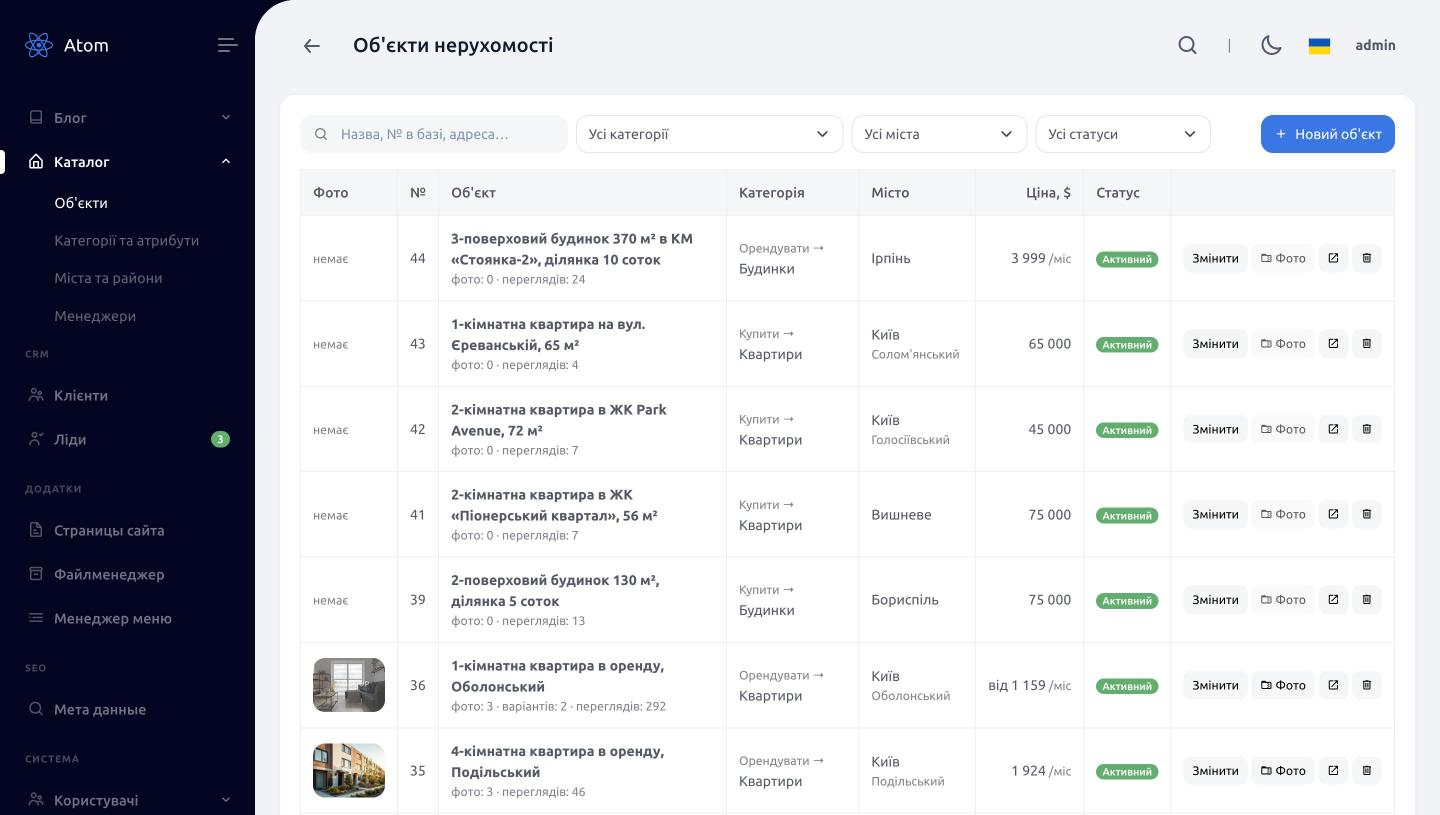
AI-created listings in a familiar admin panel
Everything the assistant creates shows up in the CRM listings table next to manually added properties: search by title, address or database number, filters by category, city and status, photo and view counts. Listings without photos stand out right away in the Photo column, so the realtor knows which ones still need pictures before publishing.
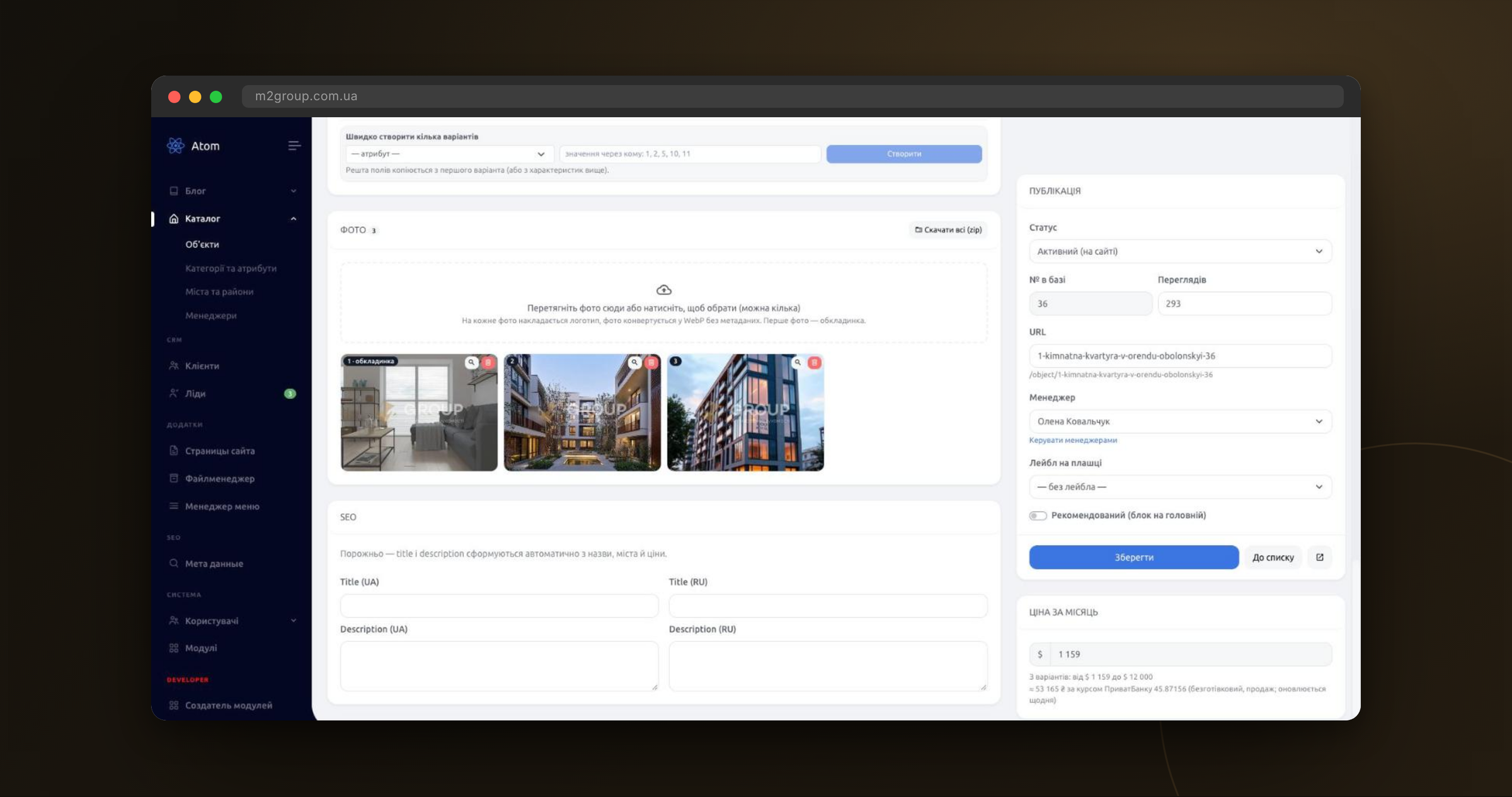
Photos: watermark and optimisation on upload
Realtors simply drag photos from a phone or camera — up to 25 MB each, several at once. The server does the rest: it rotates the image by its EXIF orientation, converts CMYK to sRGB, scales it down to 2000 px on the long side, places a semi-transparent M2 Group logo in the centre (60% of the width, no more than 30% of the height) and saves it as WebP without metadata, so geolocation and camera data never reach the website. A light 900 px preview is prepared for catalog cards, and a 1200×630 JPEG og:image for social networks and messengers is generated on the first page view. Originals without the watermark are kept in a folder closed to the web: if the agency changes its logo, every photo is rebuilt without re-uploading. Photo order is changed by drag and drop (the first one is the cover), and the «Download all (zip)» button exports an archive for posting on other platforms — already watermarked.
Attributes and filters for every category
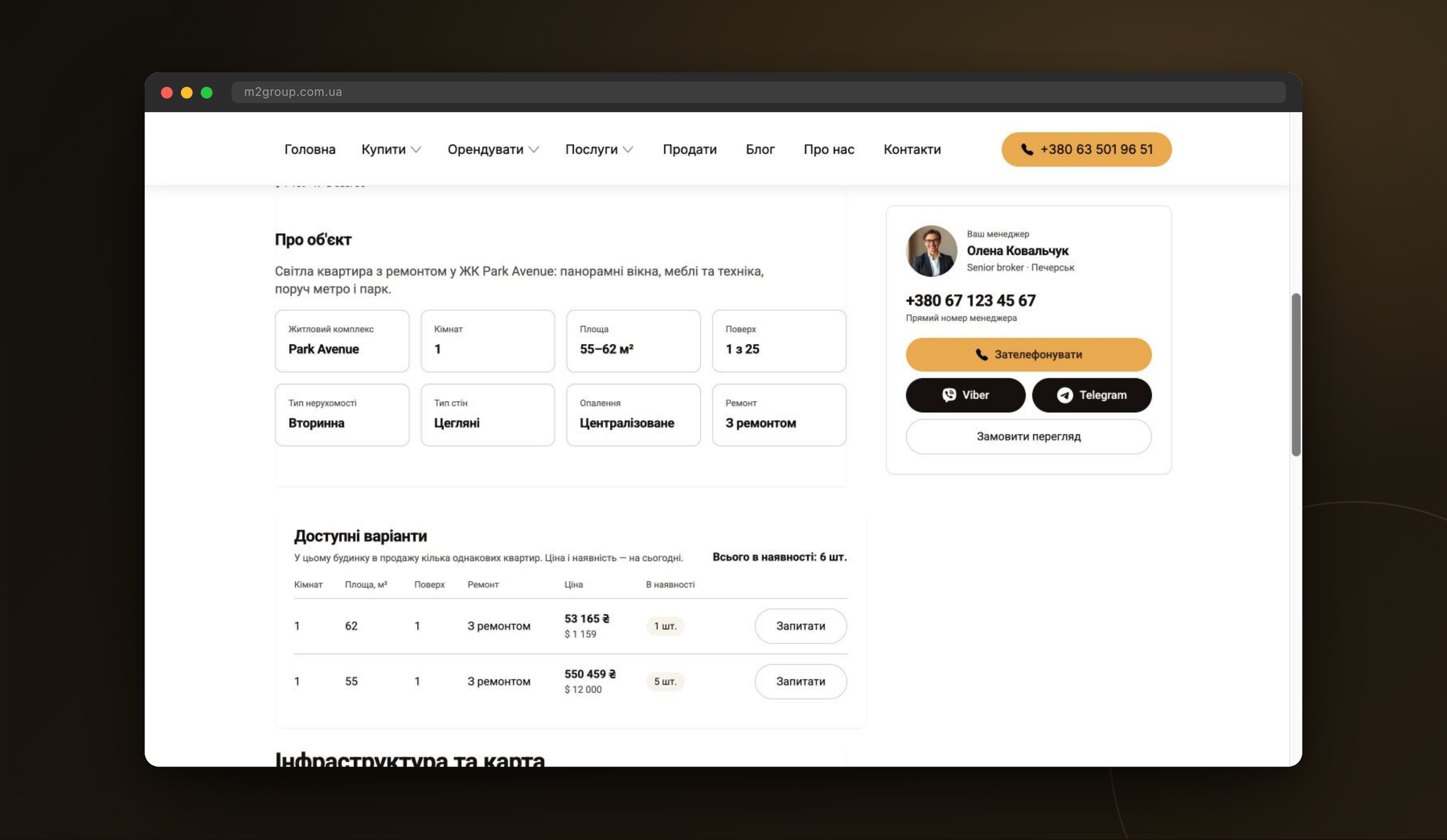
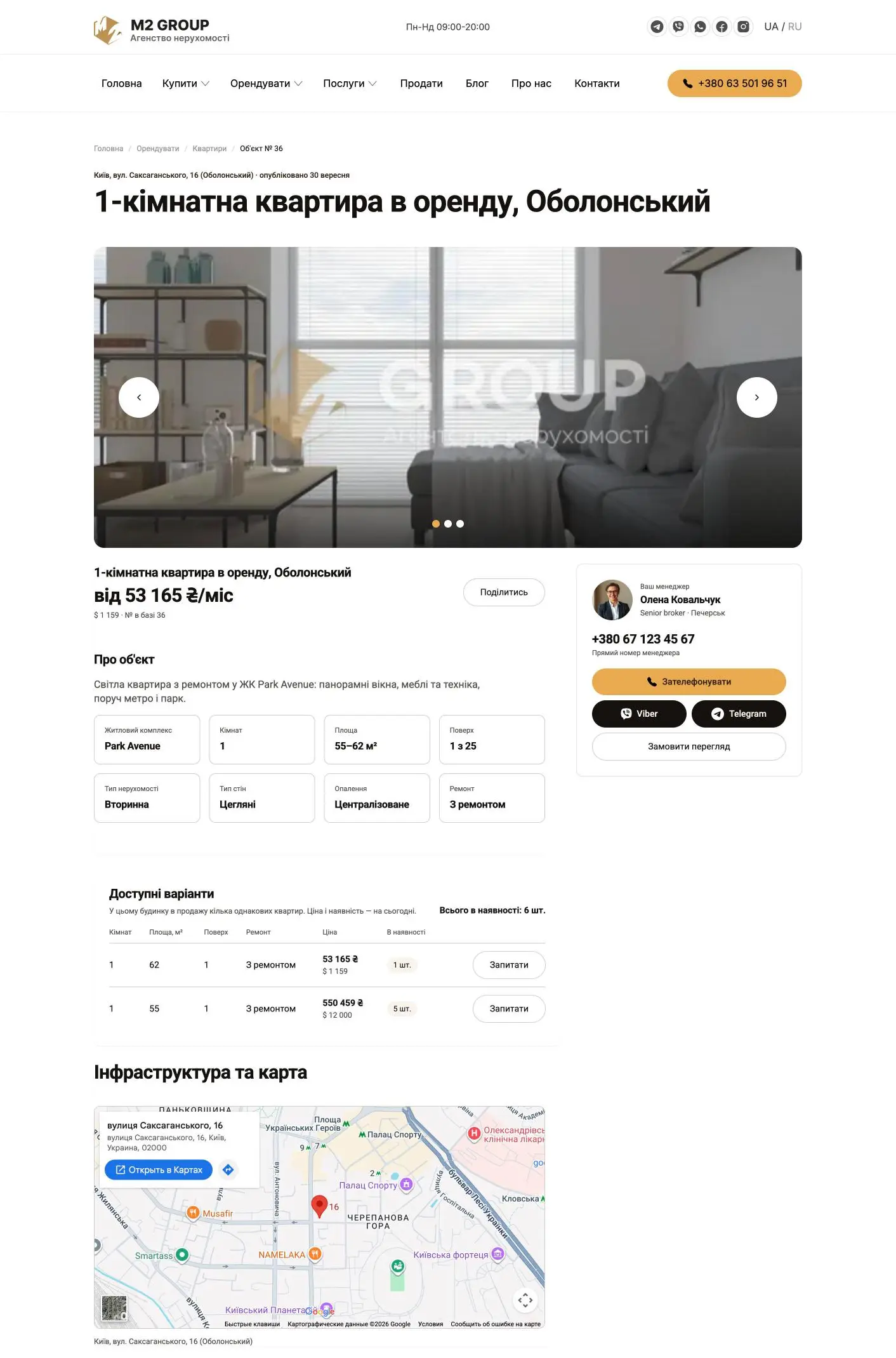
Apartments, houses, townhouses and commercial properties need different parameters, so attributes are not hard-coded: the agency adds them to the dictionary and binds them to categories. Each binding defines whether the attribute is a catalog filter, an extra filter, a row on the property page or a badge on the card. New-build listings support variants — several identical apartments in one building, each with its own area, floor, price and stock.
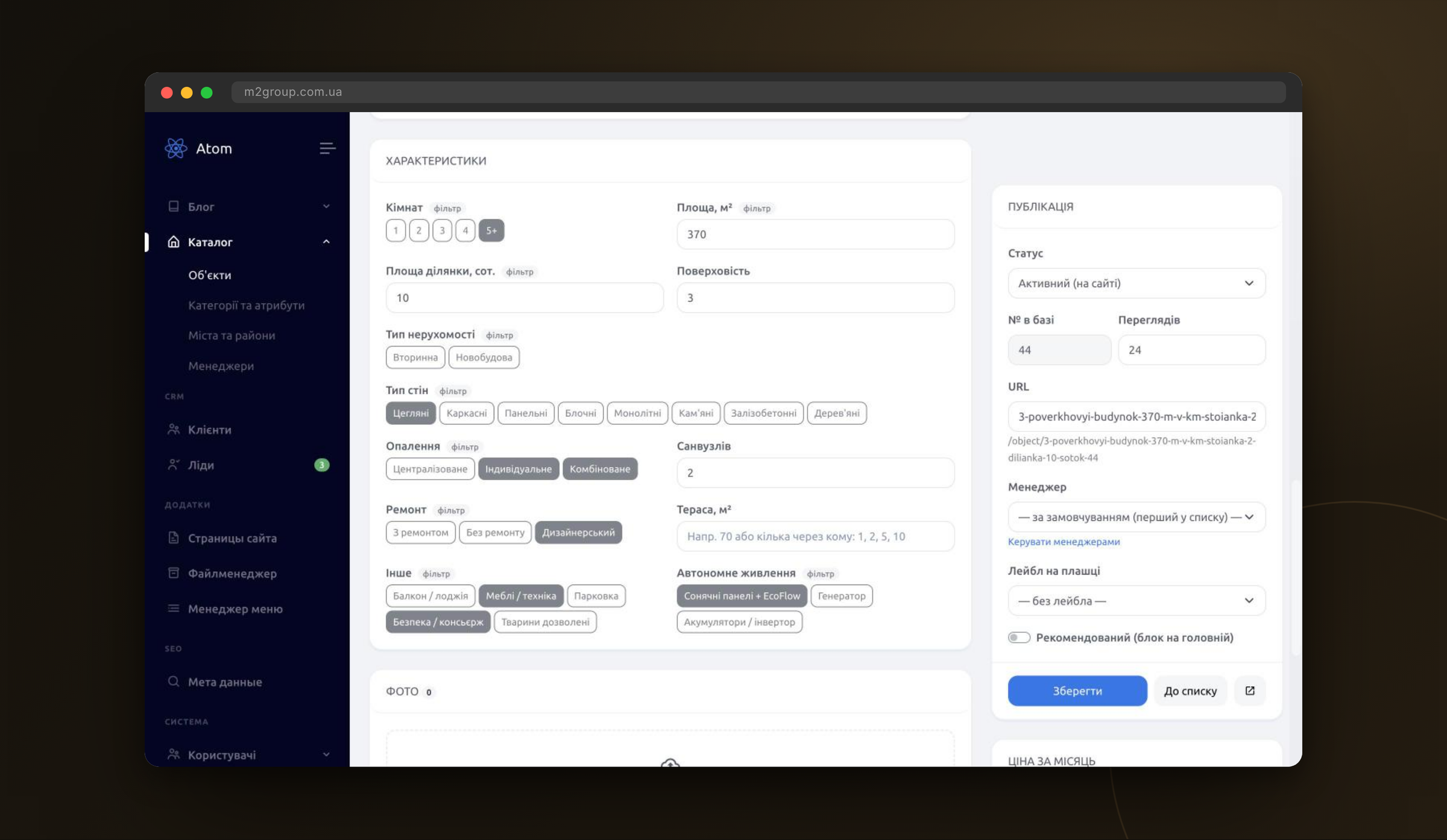
Real estate agency CRM: two deal pipelines
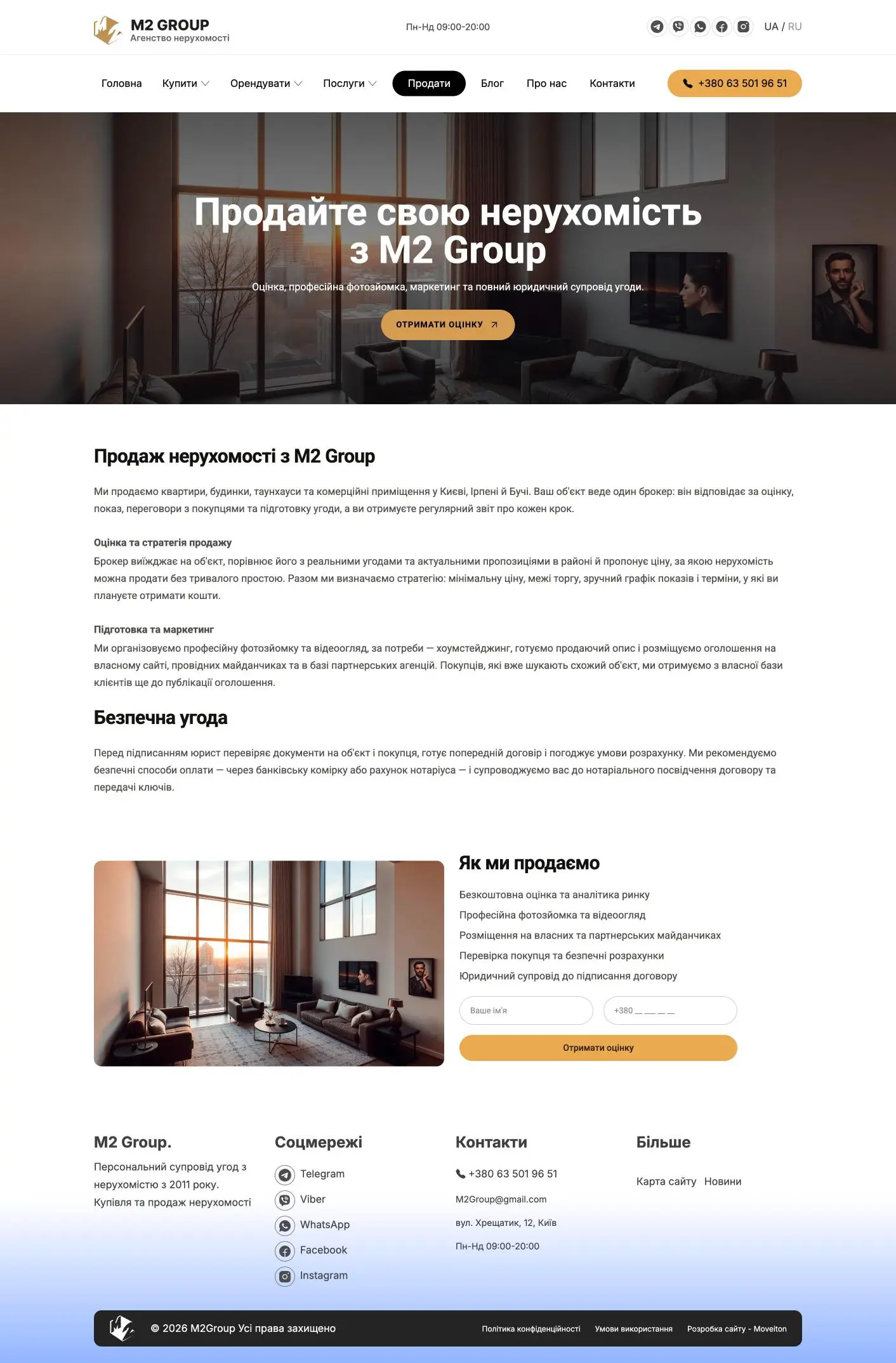
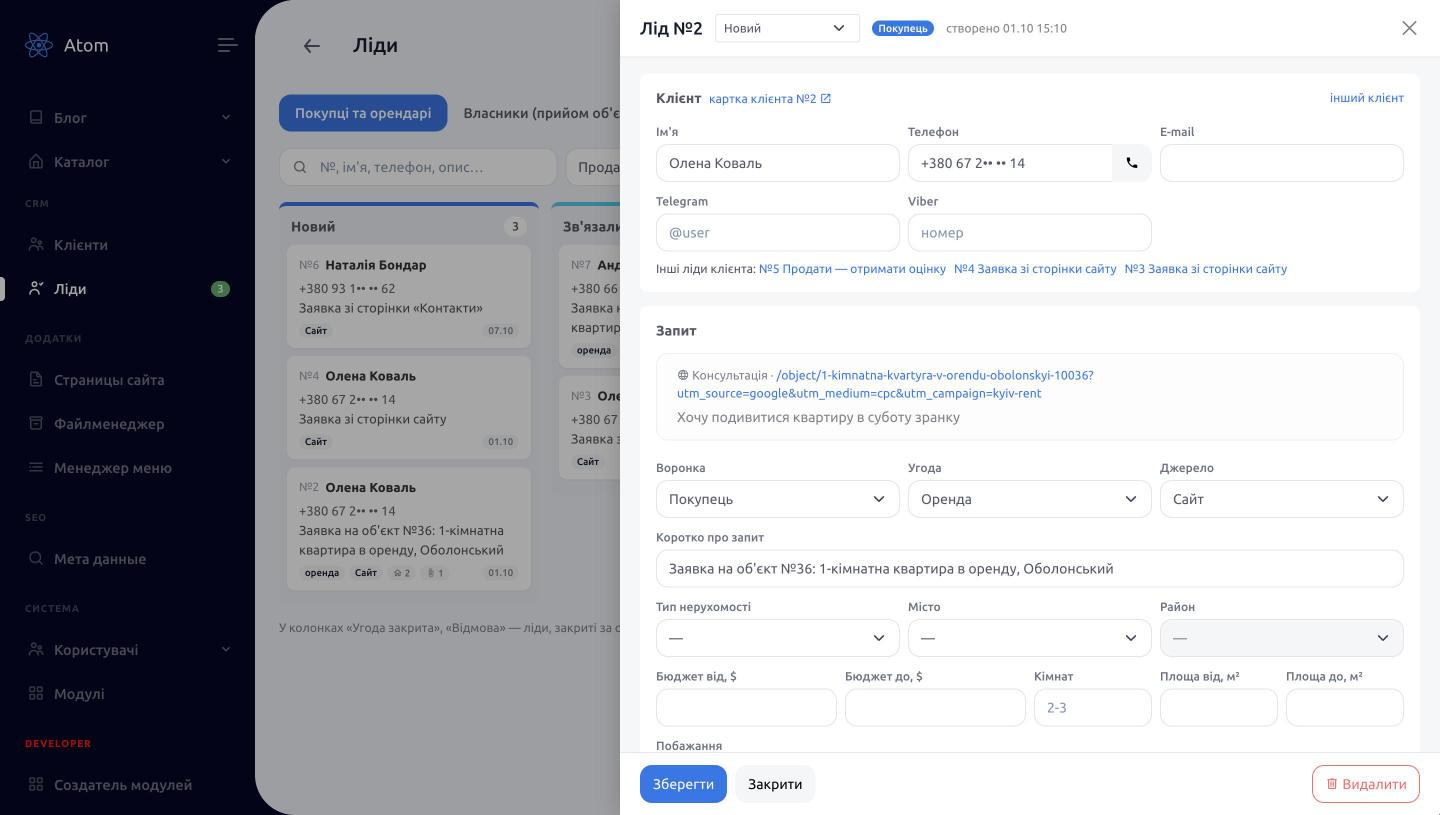
Buyers and tenants move through their own pipeline — from New through shortlisting, viewing and negotiation to deposit and a closed deal — while owners have theirs: inspection and valuation, contract, listed in the catalog, sold or rented. Every website form knows which pipeline a request belongs to: «Get a valuation» on the Sell page creates an owner lead. The lead card shows the page the request came from, its source and UTM tags (first touch is kept for 30 days and a new ad click overrides it), and several managers get a Telegram notification instantly. When a lead is lost, the CRM asks for the reason.
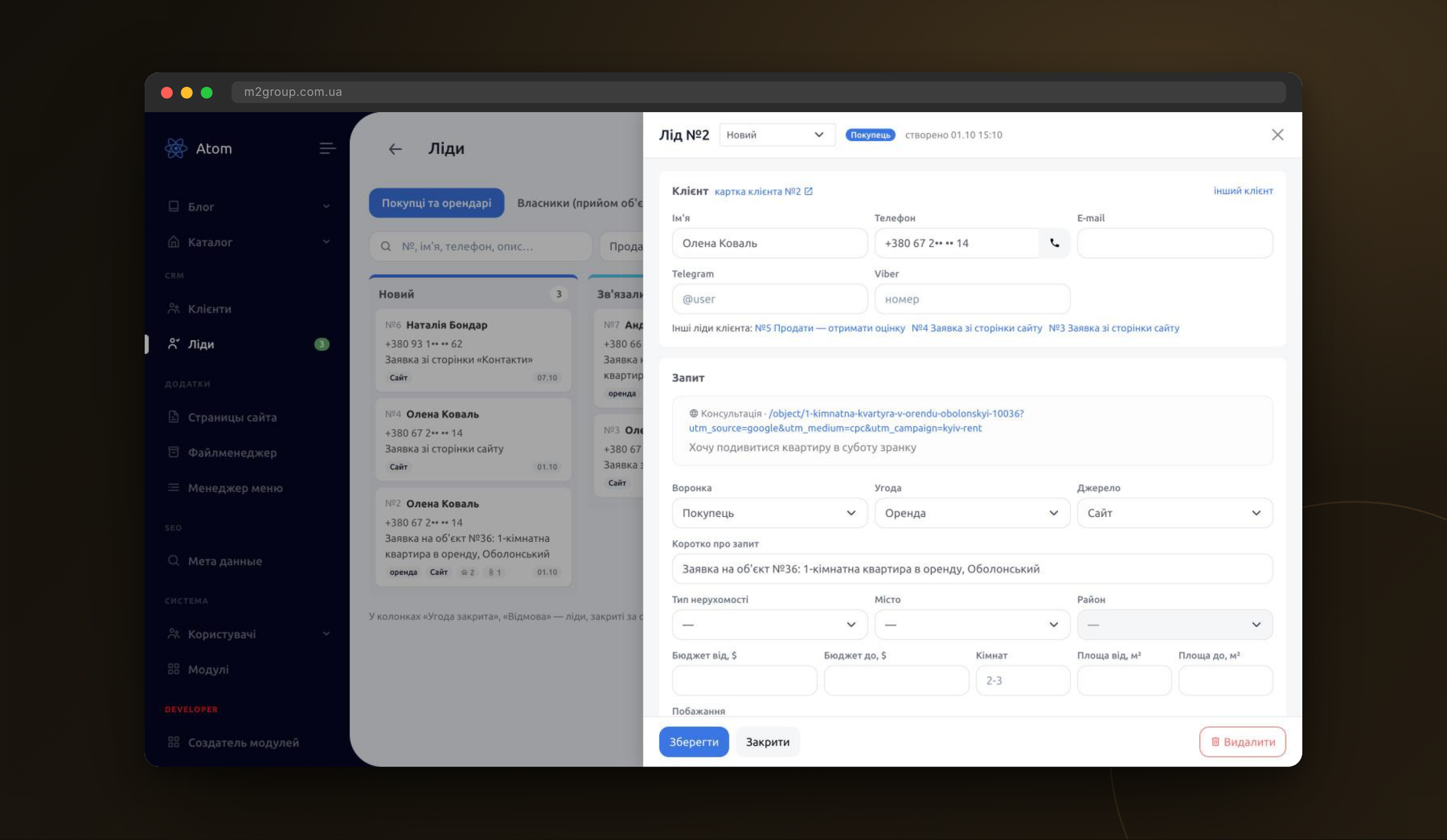
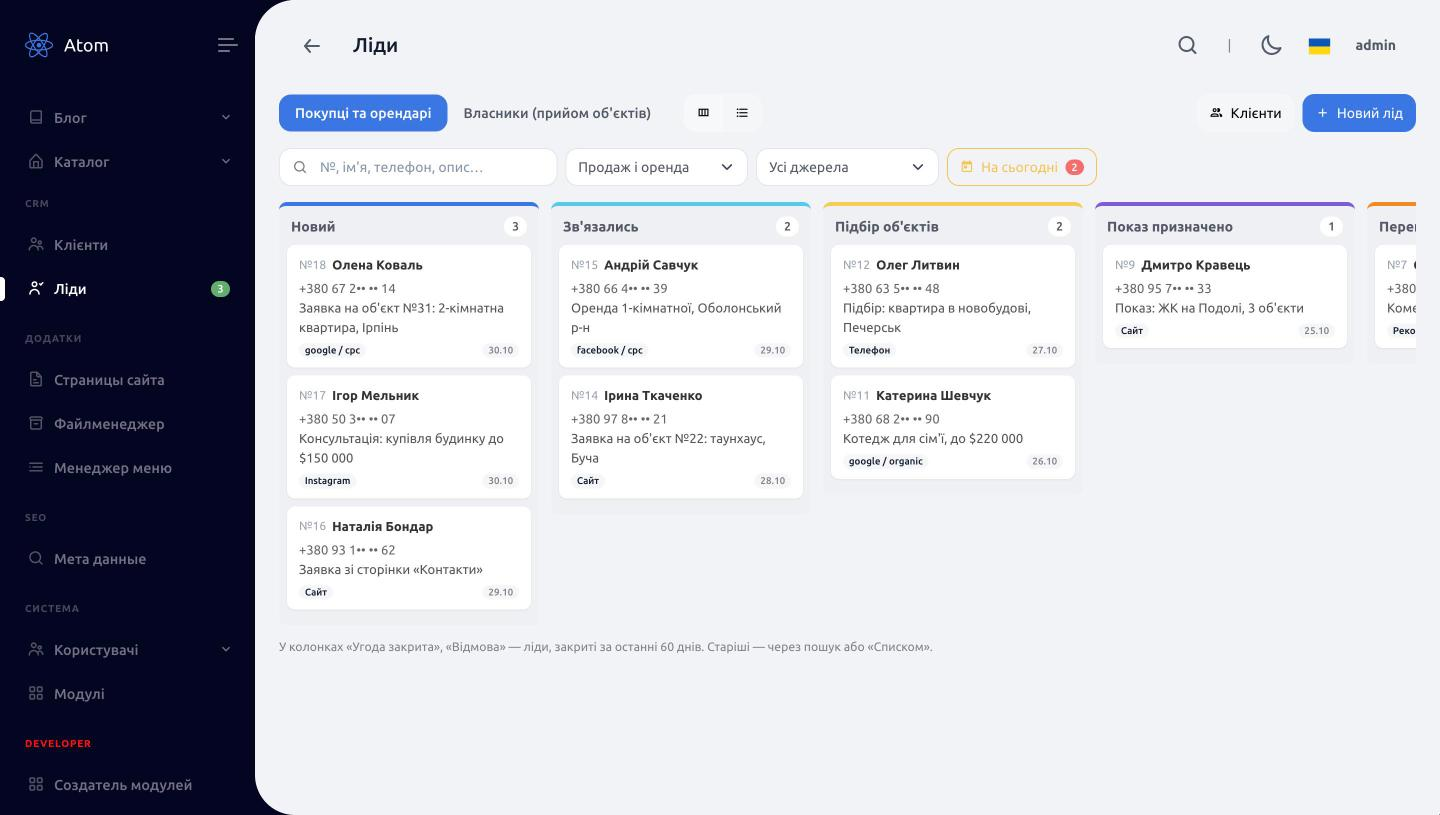
How the CRM lead kanban works
Leads open as a Vue.js kanban board: a column is a pipeline stage, a card is a lead. Each card shows the number, name, phone, request summary and badges — rent or purchase, budget, source, next contact and viewing dates, number of offered properties and files. The contact date is colour-coded, so overdue follow-ups are visible without opening the card. Stages change by drag and drop (vuedraggable on SortableJS): the CRM saves the new stage and the card order within the column right away, logs the event in the client history, and if a lead is dropped into «Lost» it opens the card and asks for the reason. Above the board there is a pipeline switch (Buyers & tenants / Owners), filters by deal type and source, search by number, name or phone, and a «Today» button listing today's viewings and calls. Closed deals stay on the board for 60 days to keep columns clean; older ones are available via search or the list view, and the selected pipeline and view are remembered.
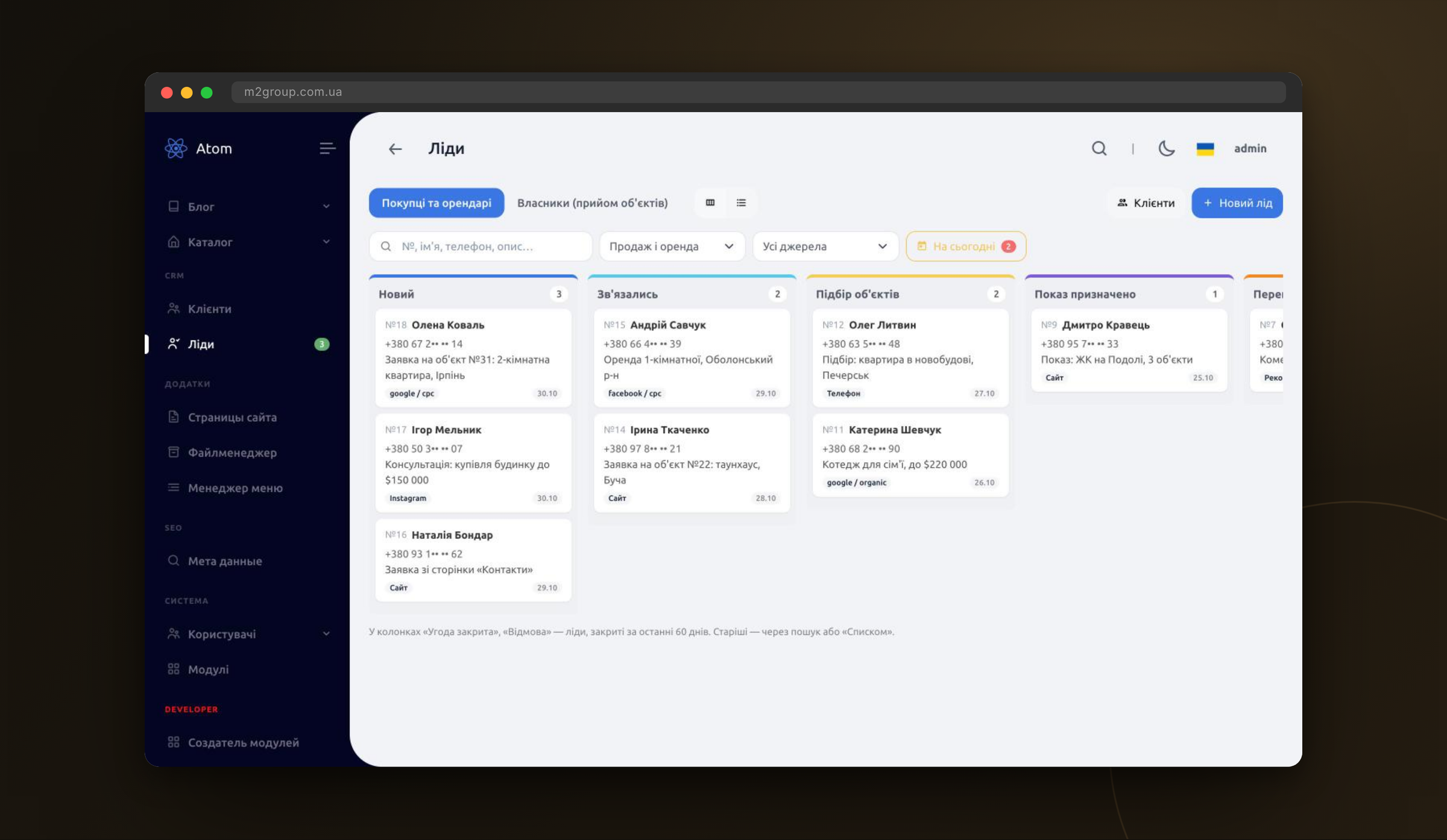
Shortlists and viewings inside the lead card
A realtor attaches catalog properties to a lead by searching by title, address or database number and tracks the status of each one: website request, offered, shown, liked, rejected. Viewings are scheduled right there for a property or any address, files such as contracts are attached, and the full history of calls and comments stays in the client card — a new manager can pick up the deal without asking around.
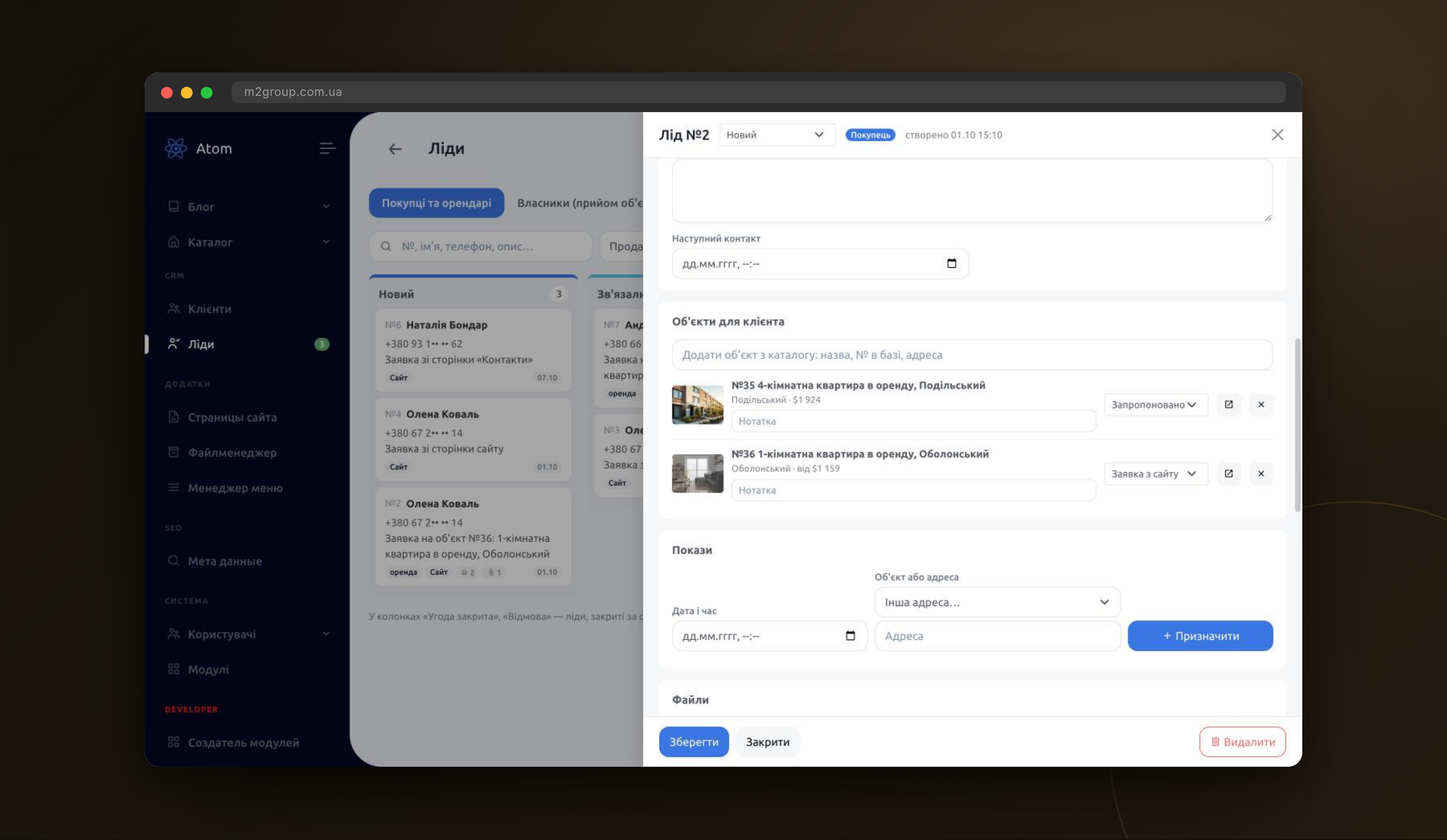
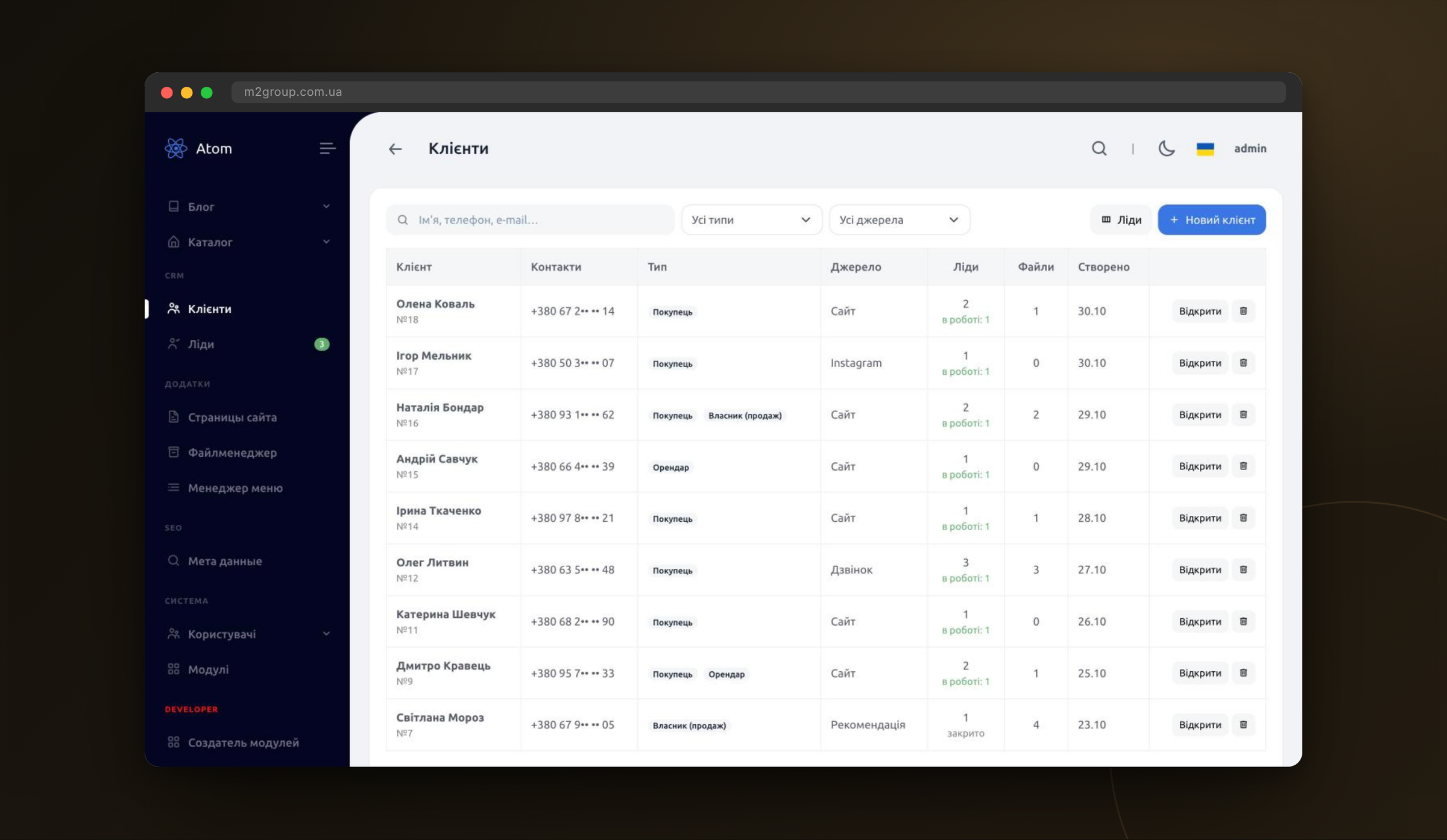
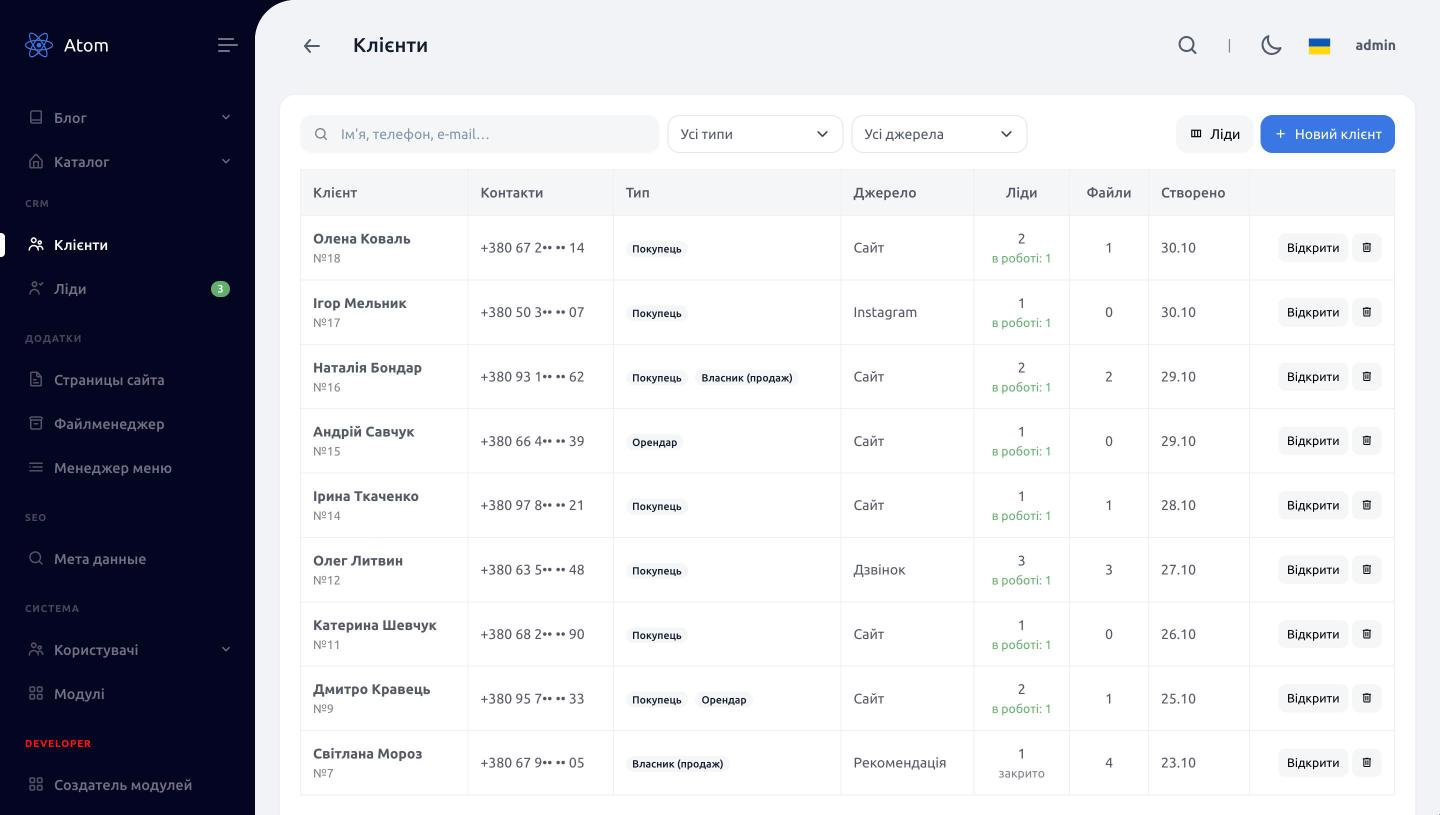
One client base without duplicates
Phone numbers in any format (0…, 80…, +38…) are normalised, so a repeat request from the same person does not create a duplicate: the CRM finds the client by phone or e-mail, fills in only empty fields and adds a new role — buyer, tenant or owner. The list shows the source, leads in progress and files, and every deal is one click away from the client card.
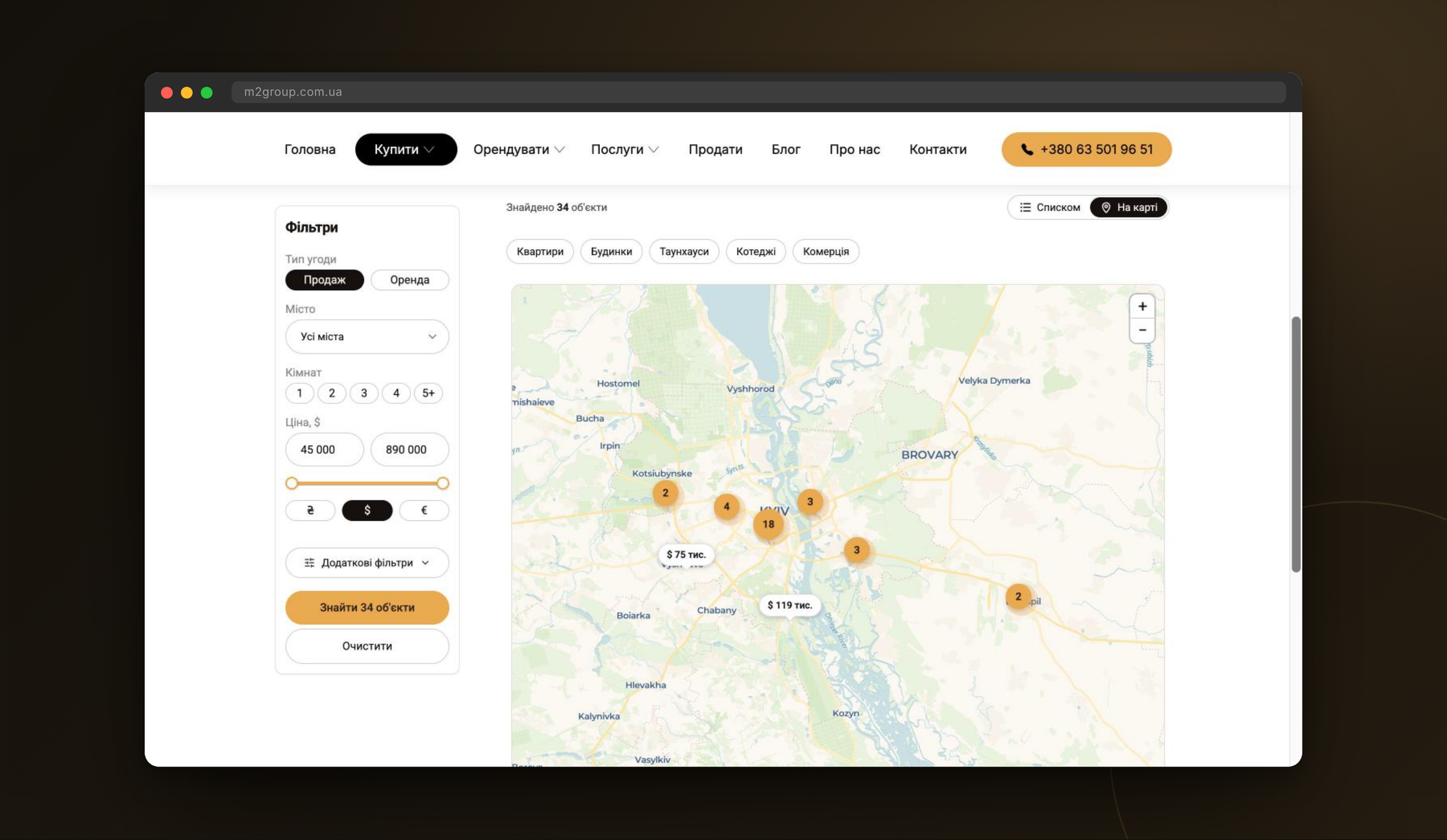
Catalog map with automatic pins
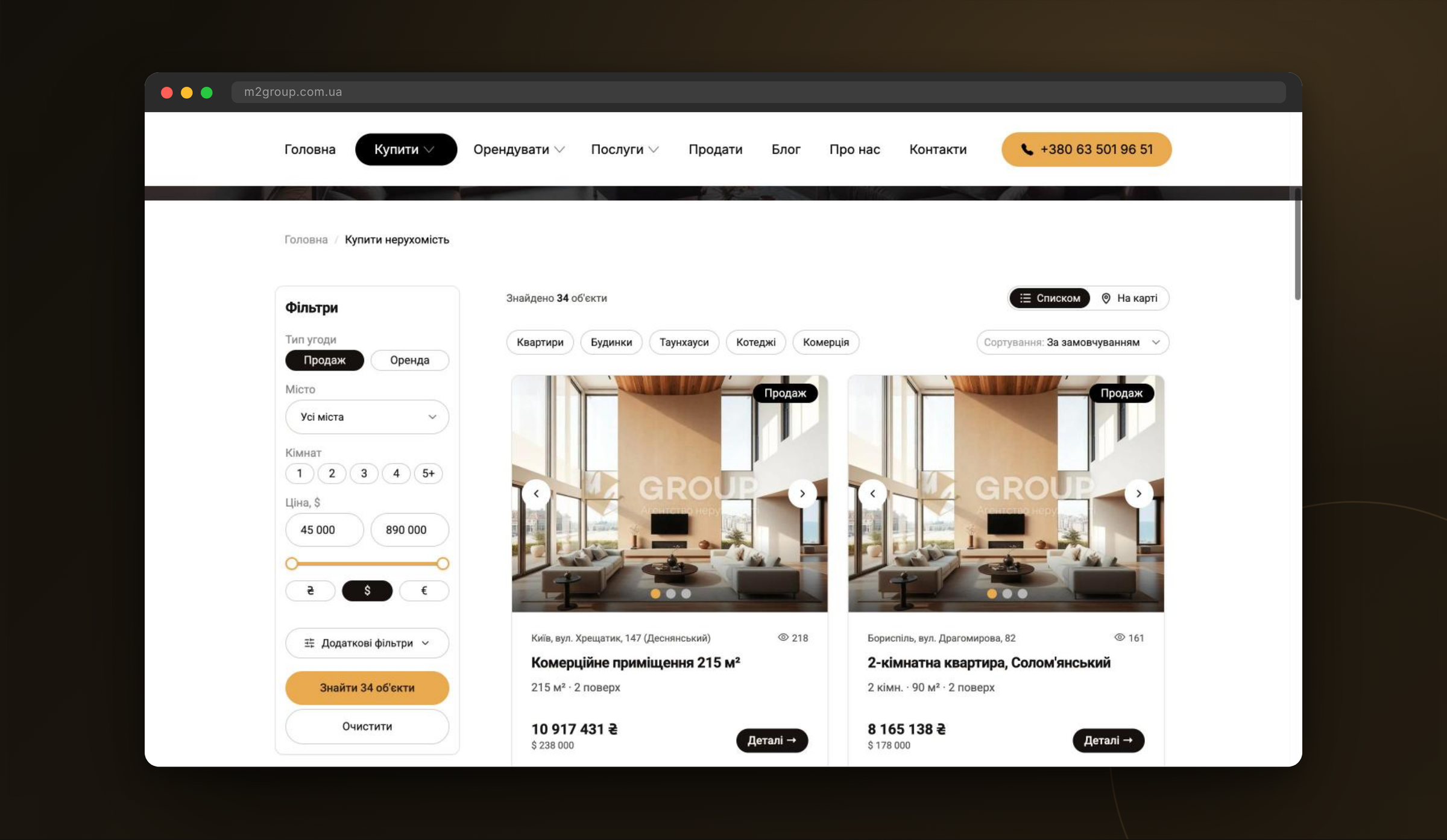
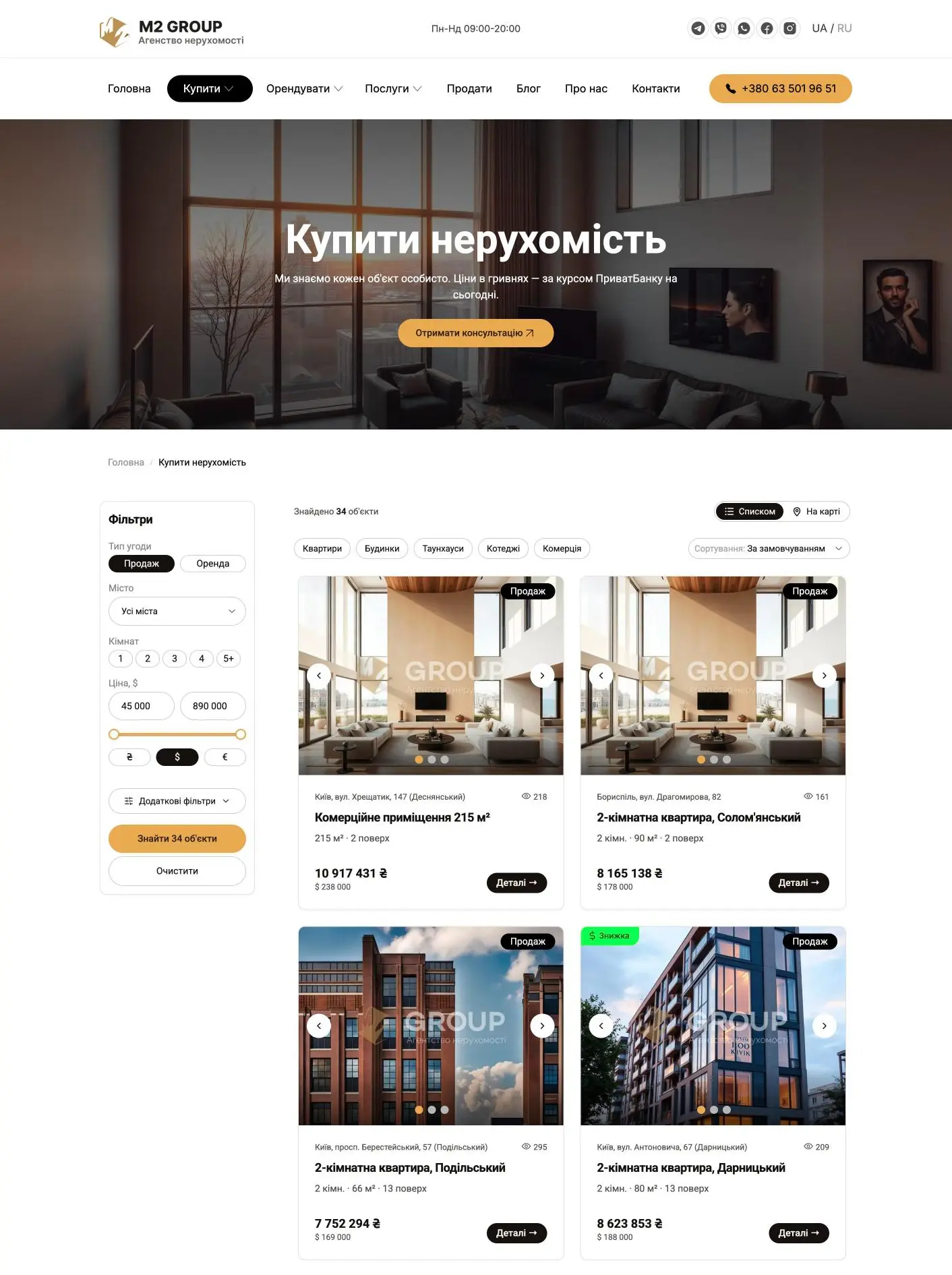
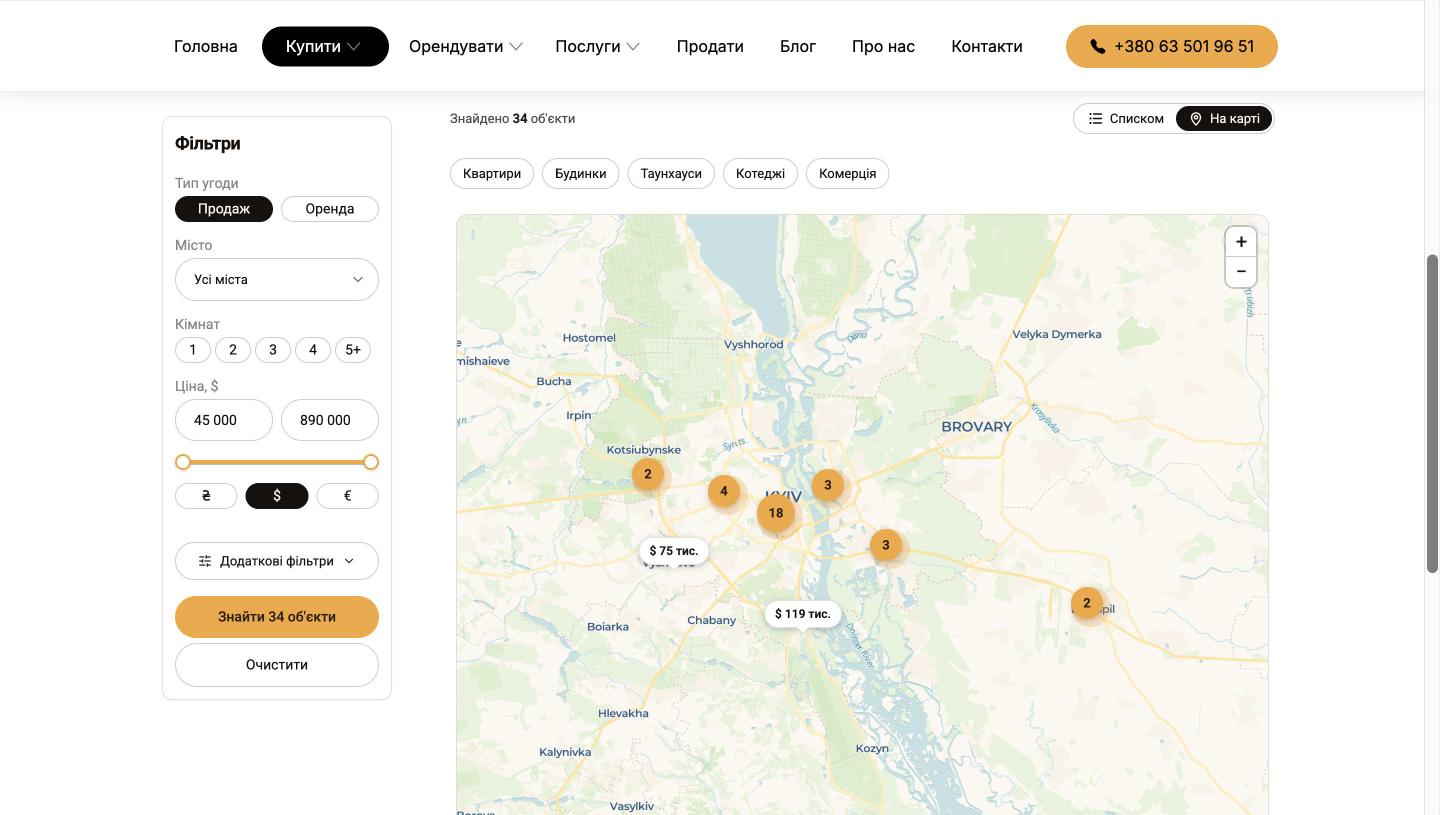
The catalog switches between a list and a map (Leaflet + CARTO): properties are clustered and pins show prices. Nobody looks up coordinates by hand — the pin is placed by address on save, including listings created by the AI assistant. If the geocoder gets it wrong, the realtor drags the pin in the property form.
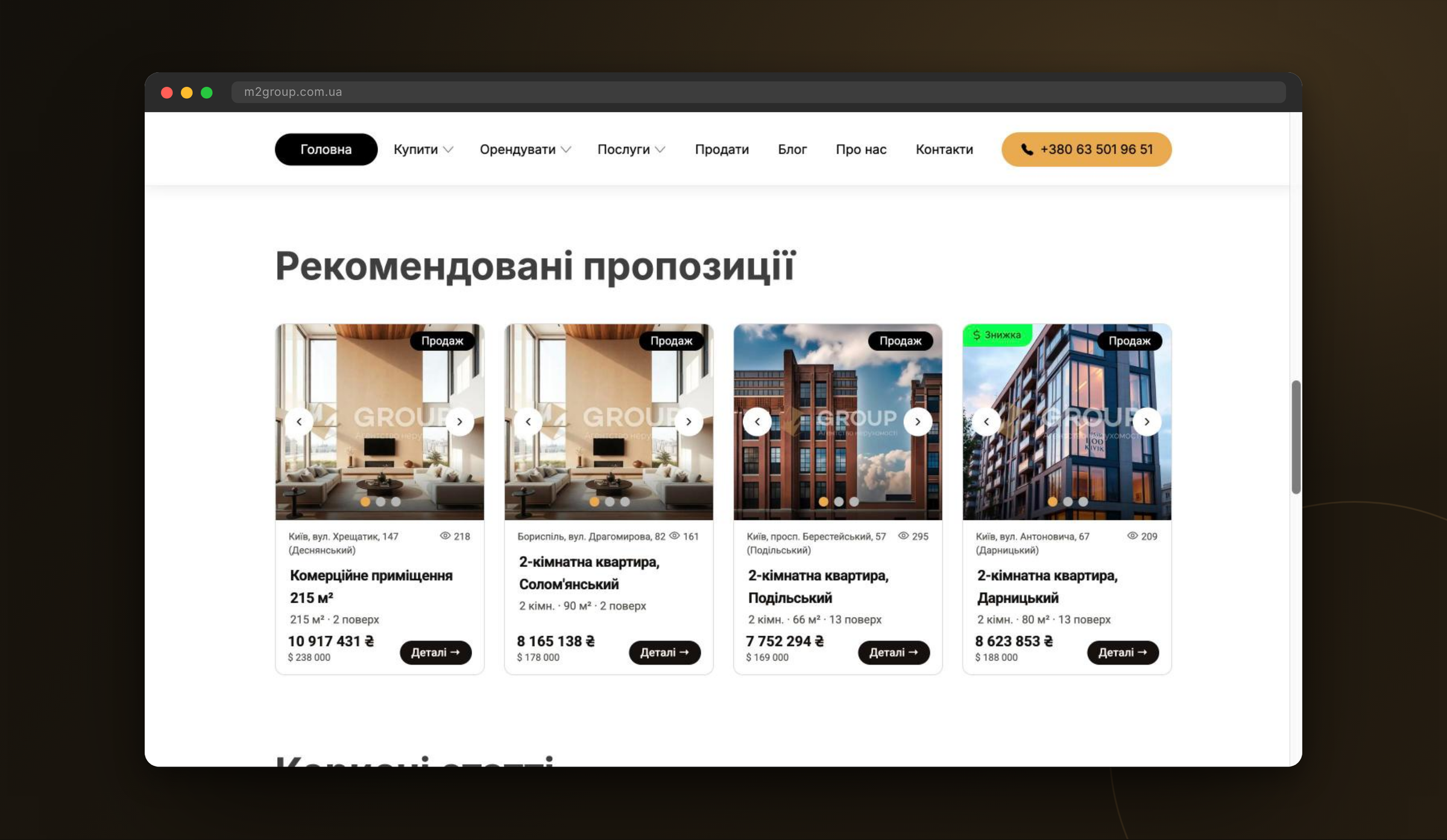
UAH prices at the PrivatBank exchange rate
Realtors enter prices in US dollars, and the website also shows them in hryvnias at PrivatBank's non-cash rate, updated daily; the catalog filter lets visitors switch currency. Featured properties for the homepage are marked with a single toggle in the CRM, and badges such as «Discount» are picked from a list.
Result
The agency now runs its catalog website and CRM as one system on our Atom CMF: a listing created in the CRM appears in the catalog and on the map right away, and a request sent from a property page lands in the lead pipeline together with that property, its source and UTM tags. Realtors add new listings through the AI assistant: the description, attributes, SEO tags and map pin are generated automatically, leaving a person to add photos and publish.
- Technical specification2 weeks
- Custom turnkey design1 month
- Front-end markup2 days
- Website, CRM and catalog API development2 weeks
- Development time2.5 months
- Project Manager / Analyst
- UI/UX Designer
- Front-end Developer
- Back-end Developer
- PHP 8.2
- CodeIgniter 4
- CMF Atom
- MySQL
- Vue.js
- Bootstrap
- HTML
- CSS
- JavaScript
- REST API
- OpenAPI
- Leaflet
- CARTO
- Telegram Bot API
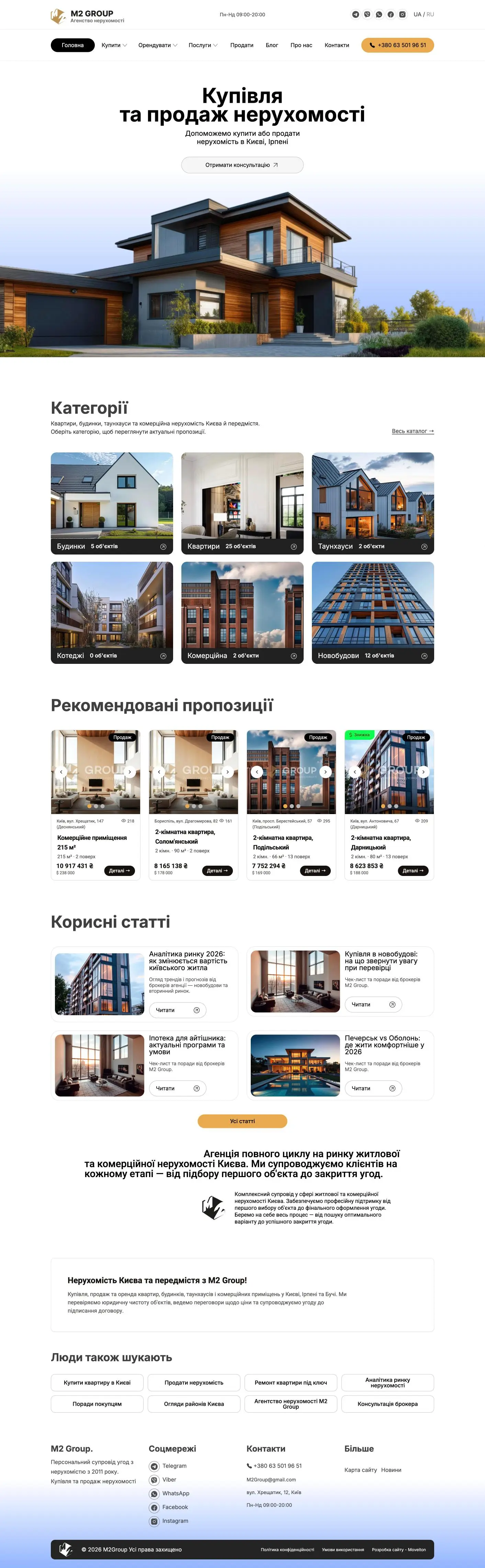
Website and CRM pages
That's it for this case. We'd be glad to work on your project next!