
 Telegram
When people say «order a turnkey website», they don’t mean just a set of pages on the internet. It’s about getting a ready-made business tool. One team takes care of absolutely everything: from the initial idea and strategy to the final launch, content population, and ongoing support. Essentially, you set the task, and in the end you receive a product already ready to bring in clients.
Why a turnkey website is a strategic investment

By choosing this format, you bet on efficiency and predictability. Instead of juggling tasks among a designer, front-end developer, programmer, and SEO specialist, you communicate with a single manager. This saves immense time and nerves and, most importantly, ensures a cohesive outcome.
Imagine you’re building a house. The «turnkey» approach is when you hire a general contractor. They themselves find architects, builders, electricians, and oversee them. Your task is to approve the project and receive the keys. The alternative is to manage a dozen specialists yourself, resolve conflicts, and hope everything aligns. With websites, it’s very similar.
To better understand the pros and cons, let’s look at a comparison table.
Comparison of approaches to website creation
This table compares the key aspects of ordering a "turnkey" website with other popular methods, such as using website builders or hiring separate freelancers.
| Criterion | Turnkey website (Agency) | Website builder (DIY) | Freelancers (separate specialists) |
|---|---|---|---|
| Comprehensiveness | Full cycle: from analytics to launch and support. | Limited functionality, self-configuration. | Execution of specific tasks (design, code, SEO). |
| Responsibility | A single contractor is responsible for the final result. | All responsibility lies with you. | Distributed, hard to find who’s accountable. |
| Expertise | A team of niche specialists (marketer, UX, developer). | Depends on your knowledge and skills. | Depends on the specific freelancer’s qualifications. |
| Time | Fastest path to a professional result. | Can be quick for simple tasks, but long for complex ones. | Time needed for search, coordination, and control. |
| Cost | Higher initial investment, but predictable. | Low subscription fee, but hidden costs exist. | May seem cheaper, but totals higher overall. |
| Scalability | High. Architecture is laid out for future growth. | Very limited. Hard to add non-standard functions. | Medium. Depends on the initial architecture. |
| Support | Warranty and ongoing contractual support. | Platform tech support that doesn’t solve business tasks. | None or paid separately, without guarantees. |
As you can see, the choice depends on your goals, budget, and willingness to dive into the process. For a serious business planning to grow, the agency’s comprehensive approach is almost always optimal.
A foundation for future growth
The main advantage of a comprehensive approach is that you immediately lay the right foundation. A professional team sees a website not as a pretty picture, but as a business asset. This means that even at the design stage they think about:
- Technical SEO optimization. Structure, load speed, mobile responsiveness — all done in line with search engine requirements, not "maybe later".
- Scalability. The site architecture is planned so that tomorrow you can easily add a blog, an online store, or a complex booking system.
- Security. Modern protection protocols are used, which is critical for any business handling client data.
SEO as part of the site’s DNA
Many make the mistake of thinking SEO can be «bolted on» after launch. That’s like building a house and then remembering the foundation. Basic optimization embedded during development is the key to future success.
Properly designed architecture and clean code at the start account for 80% of your future SEO success. Fixing mistakes on a finished site is always much more expensive and time-consuming than doing things right from the outset.
Statistics from the Ukrainian market only confirm this. According to research, 96% of Ukrainians search for goods and services via search engines, and organic traffic brings businesses around 70% of all visits. Investing in a site built with SEO in mind means a steady flow of clients without constant ad spend. If you’d like to dive deeper, read about current trends in Ukrainian SEO on seoquick.com.ua.
Ultimately, when you order a turnkey website, you’re buying not just code and design. You’re investing in peace of mind, a predictable outcome, and a powerful tool that will work for your business for years. This allows you to focus on strategy while entrusting the technical side to professionals.
Preparing to order a website
Before rushing to developers with the request «need a website, how much?», it’s worth pausing to do some small but critically important homework. This stage is often skipped to save time, only to wonder later why the result doesn’t meet expectations.
Thoughtful preparation is your main trump card. It’s not just a formality, but a reliable foundation that helps avoid classic issues: bloated budgets, missed deadlines, and a final product that’s nothing like your original idea. Essentially, you create a clear roadmap for the team to follow.
Why do you need a website? Defining goals and tasks
The first and most important question to ask yourself: what exactly do I need a website for? The answer «to be on the internet» leads straight to wasted money. The goal must be clear, measurable, and, most importantly, tied to real business KPIs.
Try to formulate it as specifically as possible. For example:
- Sell products online. Straightforward: the goal is direct sales via a cart. KPIs: number of orders, average order value, conversion rate.
- Generate leads. The site should motivate visitors to leave contact details — call, complete a form, write in a messenger. KPIs: number of leads, cost per lead.
- Build brand image. Showcase your expertise, present your team, publish successful case studies. The goal is to increase trust and brand recognition so clients choose you.
- Inform your audience. Create a knowledge base, publish industry news or how-tos. KPIs: pageviews, time on page, depth of visit.
See the difference? A lead-gen site will practically «shout» calls to action and feedback forms, while an image-focused resource will emphasize impeccable visuals, stories, and quality content. Everything depends on the goal: structure, design, functionality.
Audience and competitor analysis
Remember: you’re building a site not for yourself, but for your clients. So it’s essential to understand who they are. Draft at least an approximate ideal client profile: age, interests, and the problems they’re trying to solve with your help. This lets you speak their language.
It’s equally important to see what your direct competitors are doing. Not to blindly copy, but to do better.
Find 3–5 sites from leaders in your niche. Click around to see how things are structured. Pay attention not only to design but also to structure, functionality, and information flow. Ask yourself: «What’s convenient here? What’s missing? How can I stand out and improve it?».
This simple analysis will give you plenty of ideas and protect you from repeating others’ mistakes.
Drafting a technical specification (TS)
The technical specification, or TS, is the project’s primary document. Think of it as a detailed instruction for developers that records all your requirements and preferences. The more detail you include, the fewer misunderstandings you’ll have. Don’t worry — you don’t need to be a tech guru to write it.
What a good TS should include:
- General information. A few words about your company, why the site is needed, and for whom it’s being created.
- Site structure. Simply list all required pages and sections (Home, About, Services/Catalog, Blog, Contacts, etc.). You can even sketch a simple diagram on paper.
- Functionality. Describe in your own words what the site should do. For instance: «I want a contact form with Name, Phone, Message», «Need card payments via LiqPay», «Want a cost calculator on the services page».
- Design preferences. Describe the style (minimalist, corporate, bright), specify brand colors if any. Best of all — provide 2–3 example sites you like and briefly explain what exactly appealed to you.
- Content. Consider who will prepare texts and photos. Does the site need translation into other languages?
A well-thought-out TS protects both you and the contractor. With it, any studio can estimate project cost and timeline much faster and more accurately. Don’t skimp on this stage — it will pay off many times over.
Key development stages: from idea to a working website
When you decide to order a turnkey website, you are essentially entrusting professionals with a complex, multi-stage process. But understanding what happens «behind the scenes» allows you to better control the outcome, provide precise feedback, and ultimately get a product that 100% meets expectations. Development is not chaotic creativity but a well-structured workflow akin to building a house, where each stage firmly rests on the previous one.
The website creation process starts long before a developer writes the first line of code. The following infographic nicely visualizes these initial, crucial steps that lay the foundation for the entire project.
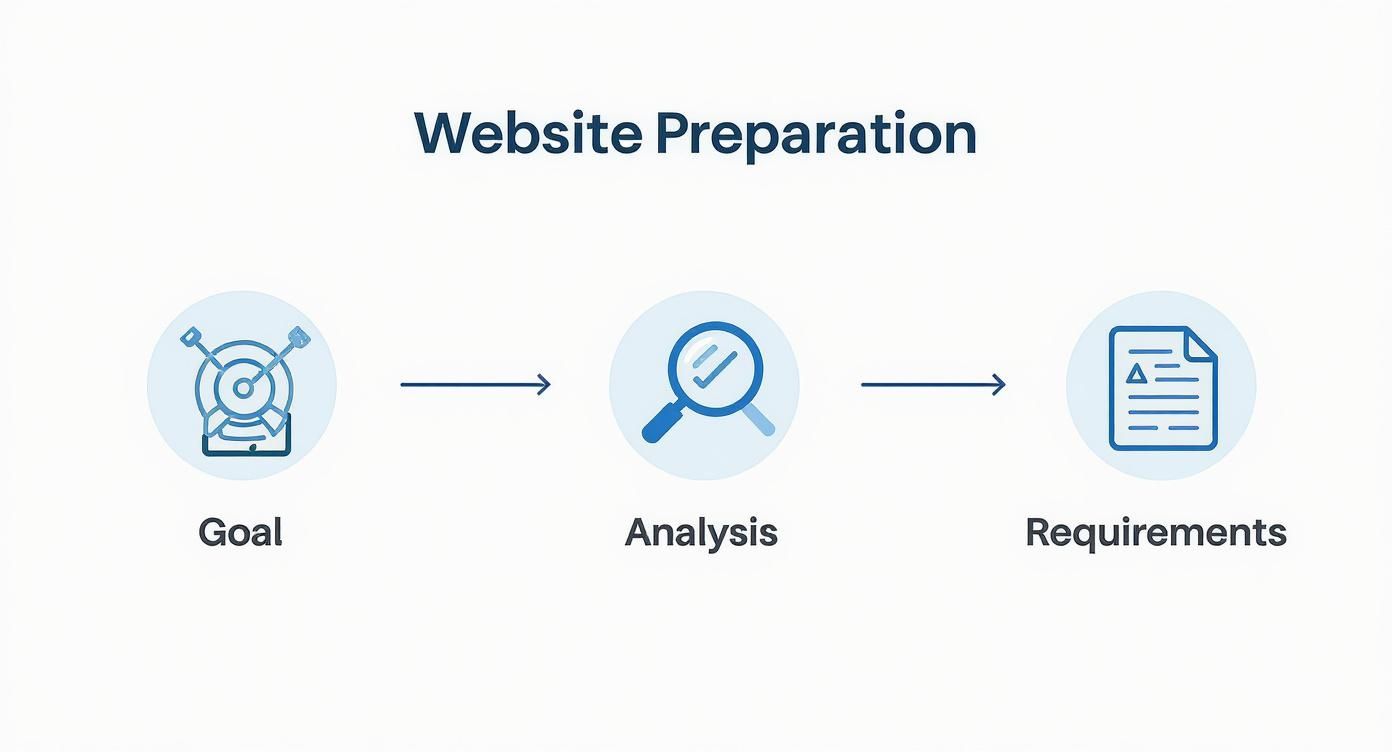
As you can see, 80% of a project’s success depends on the quality of the preparatory work that happens even before development starts.
Planning and prototyping: creating the «skeleton»
The first practical step is to create a prototype or wireframe. Think of it as the architectural plan of your future site. No bright colors, stylish fonts, or glossy photos yet — just gray blocks, diagrams, and arrows.
The main task at this stage is to think through logic and structure:
- Element placement. Where will the menu be? Where is the «Buy» button? How to place text and image blocks for maximum convenience?
- User flows. What path will a person take from the homepage to checkout? What will they see at each step?
- Functionality. How will catalog filters, a service calculator, or a contact form work?
It’s at this stage that changes are easiest and cheapest. Moving a block on a schematic takes a minute. Reworking finished design and code takes hours or days and costs far more.
A prototype is your chance to see the site’s «skeleton» and ensure it’s logical and convenient. Skipping this stage is one of the costliest mistakes you can make when ordering a site.
UI/UX design: breathing life into the structure
Once the «skeleton» is ready and approved, the UI/UX designer gets to work. Their task is to turn the gray schematic into a visually appealing, intuitive interface that’s a pleasure to use.
- UX (User Experience) design is about the experience and convenience. The UX designer thinks about how to make it as easy as possible for visitors to find information, place an order, or contact you.
- UI (User Interface) design is about the visual shell. The designer selects colors, fonts, icons, and photos, creating a cohesive style that fits your brand and inspires trust.
The result of this stage is a finished site mockup, usually in Figma. You’ll see how each page looks on desktop and mobile. This is the final look that will then «come to life» in code.
Markup and programming: turning the mockup into a site
This is the technical heart of the process, where graphic mockups become an interactive, working product. The stage splits into two key parts: Frontend and Backend.
Frontend development is everything the user sees and interacts with in the browser. Using HTML, CSS, and JavaScript, the front-end developer turns static designs into live pages. This is where animations appear, buttons react to clicks, and the site renders correctly on all screen sizes.
Backend development is the «brain» of the site, hidden from users. Developers write code that handles the internal logic: processing orders, account registration, data storage, and integration with payment gateways or a CRM.
At this stage the site is also integrated with a CMS (Content Management System). This is the very «admin panel» through which you can add news, change texts, or upload products yourself without contacting developers.
Content population and basic SEO
In parallel with technical work, content is prepared: texts, photos, and videos. It’s important not just to fill the site, but to do it correctly from a search perspective.
At this stage the SEO specialist performs basic but critical work:
- Writes meta tags (Title, Description) for each page.
- Optimizes texts by adding keywords.
- Builds a proper H1–H6 heading structure.
- Checks that all images have attributes (alt).
Launching a site without this is like opening a store without signage or directions.
The final touches before launch are end-to-end testing, connecting analytics (for example, Google Analytics) to track visitors, and moving the site to your hosting. Only then is your new business tool ready to welcome its first customers.
Choosing a reliable development partner
Once you’ve decided to order a turnkey website, the most responsible stage begins — choosing a contractor. This is, without exaggeration, a key decision. You’re looking not just for a programmer or designer, but for a partner who determines 80% of whether your online venture will take off.
A mistake at this stage can be costly: missed deadlines, a bloated budget, and a product that has to be rebuilt from scratch.
Web studio or freelancer: who is your ideal contractor?
The market offers two main paths: go to a web studio or find a freelancer. Each option has its pros and cons, and the right choice depends on your project’s scale, budget, and how deeply you’re ready to dive into the process.
A web studio is like a general contractor on a construction site. You have one point of contact and one contract, while a full team works behind the scenes: a project manager, designer, front-end developer, several programmers, an SEO specialist, and a tester. The company bears legal responsibility for the outcome.
On the other hand, there’s the freelancer — a talented «one-person band». They may be a brilliant designer or a strong programmer, but it’s rare for one person to be equally strong in all aspects. It can be a cheaper solution, but be prepared to take on the project manager role yourself.
The key differences boil down to three points:
- Reliability. A studio works under a contract that specifies all obligations. Work with a freelancer often rests on trust, which increases risks.
- Comprehensiveness. For a complex online store or corporate portal, an agency is a better fit. A freelancer is ideal for small projects like a landing page or a simple business card site.
- Cost. Studio services are typically more expensive because team salaries, office rent, and overhead are baked into the price. Freelancers are much more flexible here.
It’s worth noting that the web services market in Ukraine is very dynamic. On the popular Freelancehunt platform alone there are over 267,000 freelancers registered. Prices for building a website there can start at 10,000 UAH and reach 150,000 UAH and beyond. Studios offer more comprehensive solutions, so their price tags are usually higher. To explore the topic further, you can read about the differences between working with freelancers and studios.
How to properly analyze portfolios and case studies
A portfolio is any developer’s face. But don’t let pretty pictures fool you. Your task is to dig deeper.
Simply open 3–5 sites from the candidate’s portfolio. Check their load speed via Google PageSpeed Insights. Click through pages on mobile. Put yourself in the client’s shoes: is it easy to find what you need? Is navigation logical?
Real expertise isn’t about design; it’s about business results. Look for full-fledged case studies, not just screenshots. A good case describes the client’s task, the process, and most importantly, the metrics achieved: «increased conversion by 35%», «halved cost per lead». That signals the studio thinks in terms of your business.
Checklist of questions before signing a contract
A few right questions at the start can save you lots of nerves and money later. Here’s a short list to go through with each candidate:
- How will we communicate? Who is my point of contact? How often will we have check-in calls?
- What will the site be built on? What tech stack do you propose? Will I be able to hand the site over to other specialists for support if needed?
- Who will work on the project? Are all specialists in-house, or do you involve subcontractors?
- What’s included in the price? Does it include content population, basic SEO, domain and hosting purchase?
- What happens after launch? What guarantees do you provide? How long is free support and what does it cover?
To better understand the internal workings, read our separate piece on how a professional web studio operates.
Finally, when choosing a partner, listen not only to what they say but also to your intuition. Transparent communication, readiness to answer tough questions, and a genuine desire to understand your business goals are what distinguish true professionals.
How much does a website cost and how long will it take? Building a budget and realistic timelines
The question «what’s the price and when will it be ready?» is likely the first on any buyer’s mind. Unfortunately, there’s no universal answer. Building a website is like building a house: cost depends on size, materials, and architectural complexity. The figure in the estimate isn’t arbitrary; it’s the sum of hours worked by a whole team: from analyst and designer to developer and tester.
To understand where the final price comes from, break it down into components. This helps you see exactly what you’re paying for and where smart trade-offs are possible versus where saving may cause problems.
What the website cost is really made of
The final budget is always a combination of several key factors. Each adds work and thus affects the final amount.
- Design. Unique, well-thought-out, from-scratch design is always more expensive than a template. It requires deep analysis of your niche, competitors, and target audience. But it will definitely make you stand out.
- Number and complexity of pages. A simple one-screen landing and a corporate portal with 30 pages, varied blocks, and templates are completely different workloads for both designer and developer.
- Functionality. A basic contact form is standard. But building a price calculator, user accounts, an interactive map, or complex filters is a different level of complexity. The more non-standard «features» you want, the higher the cost.
- Integrations. Need online payments via LiqPay or WayForPay, CRM integration for handling requests, or syncing with delivery services? Each integration requires extra developer hours.
Trying to save on unique design or quality functionality is like building a house with a nice facade on a crooked foundation. It may look fine outside, but it won’t fulfill its main function — generating profit.
Be aware that development prices in Ukraine vary widely. For example, a simple business card site can cost from $300 to $900, while a full corporate site will cost $800–$3000. A basic online store starts at $1500–$5000. Top agencies can, of course, quote $5000–$25,000. Comparable services in the USA or Europe will be at least twice as expensive.
Indicative website costs and timelines in Ukraine
To help you orient, we’ve compiled average prices and timelines for different site types in the Ukrainian market. This isn’t an exact estimate, rather a starting point for planning.
| Website type | Approximate cost (USD) | Average timeline (business days) |
|---|---|---|
| Landing page (Landing Page) | $400 – $1200 | 15–25 |
| Business card site (up to 5 pages) | $600 – $1500 | 20–30 |
| Corporate website | $1500 – $5000+ | 30–60 |
| Online store (basic) | $2000 – $8000+ | 60–90 |
| Complex portal or service | from $10,000 | from 90 |
Keep in mind these figures can vary. If it takes long to approve the design or you delay delivering content, the project will inevitably stretch. Conversely, a clear TS and fast communication on your side can significantly accelerate the process.
For a more detailed calculation, see our article on how much website development costs and the factors that influence price.
Proper budget planning and realistic timelines are key to successful collaboration and achieving a result that will work for your business for years.
Life of a website after launch

Launching a site is not the finish line. In fact, it’s just the starting gun of a long run. Many business owners, having received their pages, breathe a sigh of relief, considering the job done. But that’s a mistake. For your new tool to consistently bring clients and profit, it needs constant care.
Imagine you bought a new car. You wouldn’t just drive it until it breaks down, would you? No, you would regularly service it, fuel it with quality gasoline, and take care of it. With a website, it’s exactly the same.
Technical support — the foundation of stability
The first and most important thing is to ensure the uninterrupted operation of your online presence. Even a perfectly developed site can run into problems over time: software gets updates, new vulnerabilities appear for hackers to exploit, or there are basic hosting failures.
What’s usually included in routine technical support?
- CMS and plugin updates. Critical for security. Outdated components are like open doors for hackers.
- Creating backups. Regular backups are your insurance, allowing quick recovery if something goes wrong.
- Security monitoring. Continuous scans for malware and suspicious activity protect your business and, equally important, your clients’ data.
- Load speed control. Search engines and users hate slow sites. This metric must be closely monitored.
From experience: ignoring a site’s technical state is a direct path to lost revenue. Studies show that 53% of users leave a mobile page if it takes more than 3 seconds to load. They simply won’t wait to see your offer.
Continuous development and analytics
A site that isn’t updated for years quickly becomes a «museum exhibit». Your business evolves, new services appear, audience needs change — and the site should reflect that. It’s not about ordering a new «turnkey» site every year, but about continuous, gradual improvement.
That’s where analytics comes in. Tools like Google Analytics provide invaluable insights into visitor behavior:
- Which pages are most popular?
- Where do most visitors come from?
- At what stage do they leave without converting?
By analyzing these data, you can make informed decisions — for example, add sought-after features, change the menu structure to simplify navigation, or rewrite copy on pages with high exit rates.
Such a data-driven approach turns a site from a simple online business card into a powerful marketing tool. Professional website technical support helps not only to keep it running but also to plan development based on real numbers.
It’s a continuous cycle: analysis, changes, measuring results, and analysis again. Only then will your site not merely «hang» on the web but truly work towards your business goals.
Most common questions about ordering a website
Even after a detailed process discussion, clients often have questions. We’ve collected the ones we hear most often to dispel doubts and help you make an informed decision when you decide to order a turnkey website.
What exactly does «turnkey website» mean?
In short, it’s a full cycle that transforms your business idea into a ready online tool. You don’t have to look separately for a designer, developer, or marketer. One team does everything.
It usually includes analytics, prototype creation, unique design, markup, programming, and CMS setup. We also populate the site with basic content, perform initial SEO for search visibility, test across devices, and finally deploy it on your hosting. Training on how to use the admin panel is often included as well.
Will I be able to update the site content myself?
Absolutely! That’s one of the main advantages of a professional approach. We build sites on convenient and intuitive Content Management Systems (CMS).
Once the project is complete, you’ll receive full access to the admin panel and a short training session. After that, you can easily add products, write blog posts, change texts and photos — without contacting developers every time.
Our goal is to give you full autonomy over content management. The site is your business asset, and you must be able to make changes instantly in response to market needs.
What guarantees do you provide?
Any reliable studio provides a warranty period after launch, usually from 3 to 12 months. During this time, the team is obliged to fix, free of charge, any technical errors or bugs that arise through their fault.
Important: all terms, duration, and list of warranty cases must be clearly stated in your contract. It’s your legal protection and peace of mind.
How long does development actually take?
Timelines depend directly on your project’s complexity and scale. Here are approximate benchmarks from our experience:
- Landing page: 2–4 weeks.
- Corporate website: 1–3 months.
- Online store: 3–6 months.
Note these are averages. Your speed in providing information, photos, and feedback at each stage also significantly affects the overall duration. The better the communication, the faster we move towards launch.
Ready to discuss your project and get an accurate cost estimate? Moveiton web studio will help you create an effective site tailored to your business needs. Submit a request for a free consultation on our website.