
 Telegram
What is a turnkey website and why is it beneficial for business? Imagine you decided to build a house. You’re unlikely to buy bricks from one supplier, order windows from another, and the roof from a third — and then try to assemble it all together. Most likely, you will hire a general contractor who takes care of the entire process — from foundation design to final finishing.
The “turnkey website” service follows the same principle, only in the digital world. It’s a comprehensive solution where a single team — a web studio or agency — is responsible for the project from A to Z. You receive a fully operational product without worrying about coordinating a dozen different specialists.
How does it work in practice?
When you order a turnkey website, the contractor handles the entire production cycle. It’s not just to “draw a design” and “code the pages.” It’s a much deeper process that includes:
- Immersion into your business. The team first analyzes your niche, studies competitors, and defines the future website’s goals. This is the foundation for all subsequent work.
- Information architecture and strategy. Based on the analysis, a logical site structure is designed. Where will the CTA button be? How does a user move from a service page to contacts? All of this is planned in advance.
- Visual concept and development. Designers create a unique look aligned with your brand. Then developers turn the concept into a live, functional website.
- Content and testing. The site is filled with quality content — copy, photos, videos. After that, it’s thoroughly tested across devices to ensure everything works flawlessly.
- Launch and support. The finished project is deployed to hosting and becomes available online. Work doesn’t end there — the team ensures stability and ongoing support.
The main advantage of this approach is integrity. All elements — from code to design — harmonize and work as a single mechanism. You don’t have to act as a go-between for a freelance designer who didn’t sync with a developer, or for a copywriter whose texts don’t fit the visual style. You get a ready-made solution tailored to specific business goals — whether direct sales or client acquisition via an informative landing page.
Essentially, you receive not just a set of web pages but a full-fledged business tool ready to bring clients and generate profit from day one.
It’s no surprise that communication and contractor reliability come to the forefront. Statistics confirm this: about 80% of Ukrainian companies ordering turnkey websites consider support quality and response speed decisive factors. To make the right choice, check the requirements for modern web developers from the analytical report.
Key stages of your website development
Creating a “turnkey” website is not magic but a well-planned process, much like assembling a Swiss watch. Every detail has its place, and each stage is the foundation for the next. When you grasp this “roadmap,” it’s easier to control the process and make informed decisions.
The entire journey from the initial idea to the finished website can be viewed as a sequential chain of actions.
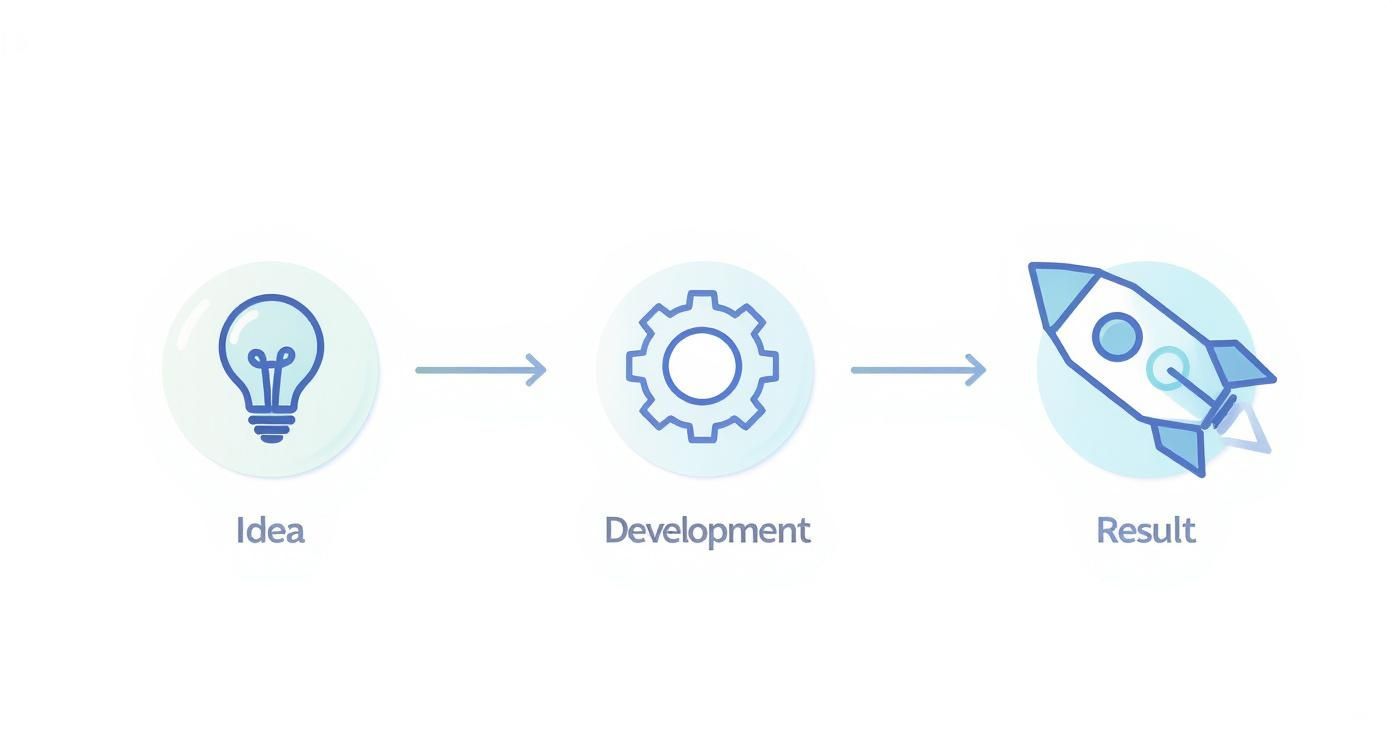
As you can see, a successful launch is always the result of careful planning and quality execution at every step.
Preparation: analysis and brief
Everything starts with deep immersion in your business. This is the first and arguably most important step. We analyze your niche, study the target audience, and closely examine competitors.
At this stage, you fill out a detailed brief. This isn’t a mere formality but a key document capturing all your goals and expectations. Here we jointly answer the main questions:
- Which customer problem will the website solve?
- What action should a visitor take: call, order, subscribe?
- What’s your main competitive advantage?
The entire project strategy is built on this data. The more precisely you describe your objectives, the closer to ideal the result will be.
Information architecture and prototyping
When the goals are clear, we move on to creating the site’s “skeleton” — a prototype. It’s a schematic blueprint of pages, blocks, and elements, but without design. A prototype helps visualize user flows, CTA placement, and key information locations.
This stage allows you to identify and fix logical issues at the very beginning, saving time and money. Believe us, adjusting a scheme is much cheaper than redrawing finished designs or rewriting code.
At this point, you approve the structure, and we proceed confidently to the visual stage.
Design and visual concept
Next, the designer adds “muscles” and “skin” to the approved “skeleton” — building your site’s visual layer. It’s not just about “making it pretty.” It’s a deliberate tool that conveys brand values, builds trust, and gently nudges users toward the desired action.
You get design mockups of key pages for approval. We account for your corporate colors, typefaces, and overall style to ensure the website becomes an organic extension of your business, not something alien.
Development and testing
Once the design is approved, the technical “magic” begins. First, a front-end developer turns static mockups into interactive web pages. Then a developer “brings them to life”: connects a CMS and configures all functionality — from contact forms to payment integrations.
The completed site undergoes thorough testing. We check performance across browsers and devices — smartphones, tablets, and laptops — to ensure it works flawlessly for every visitor.
The table below outlines approximate durations per stage for a typical corporate site.
Key development stages and their durations
| Stage | Tasks | Approximate duration |
|---|---|---|
| Analysis and brief | Requirements gathering, market/competitor/TA analysis, drafting specs. | 1–2 weeks |
| Prototyping | Creating the schematic site structure (wireframes). | 1 week |
| Design | Visual concept, UI/UX mockups. | 2–3 weeks |
| Development (Backend+Frontend) | Front-end, programming, CMS setup, integrations. | 4–6 weeks |
| Testing and fixes | Functional testing, bug fixes, device testing. | 1–2 weeks |
| Content and launch | Content upload, final settings, deployment to hosting. | 1 week |
As you can see, this is a sequential process — skipping stages results in quality loss.
The total timeline depends on project complexity. Freelancehunt data shows that the average time to build a turnkey website in Ukraine is 1 to 3 months. Simple projects like landing pages take up to a month, while online stores or corporate portals may require up to three months. Find more figures in the Ukrainian freelance marketplace report.
If you’d like to dive deeper into technicalities, read our guide on how to build a website from scratch by yourself. It will help you better understand developer discussions.
How much does a turnkey website really cost in Ukraine?
Let’s be honest: budget is always the first question. You’ve probably noticed that two seemingly identical websites can have vastly different prices. That’s because the cost of a “turnkey” site depends not on the number of pages but on the complexity of the business problems it’s meant to solve.

Think of buying a car. There’s a base trim at one price. But once you add an automatic transmission, climate control, and leather seats — the price skyrockets. The same goes for websites: a simple brochure site and a complex portal with a personal account are fundamentally different in scope.
Main factors affecting price
So, what makes up the final number on your invoice?
- Functionality complexity. This is the main driver. Building an interactive calculator, online booking, or a personal client area requires far more development hours than a simple contact form.
- Design uniqueness. You can use a template — it’s fast and inexpensive. Or you can develop a bespoke design from scratch that perfectly conveys brand values and is convenient for customers. The latter is an investment in recognition and, consequently, in sales.
- Integrations with third-party services. Need a CRM for lead processing? A payment gateway for online transactions? Shipping services? Each integration requires additional time and expertise.
As for market pricing, the range can be substantial. According to analytics, the average budget for a standard turnkey website in 2025 ranged from UAH 24,000 to 40,000. More complex, custom solutions could cost up to UAH 99,000 per month of work.
Payment models: Fixed Price vs Time & Materials
To plan your budget wisely, clarify which collaboration model you’ll use. There are two core approaches:
- Fixed Price. Ideal when you have a clear spec and full understanding of the end result. You know the price upfront, and it won’t change unless new “nice-to-haves” appear mid-project.
- Time & Materials. Best for complex or long-term projects where requirements may evolve. You pay for actual time spent, gaining much more flexibility.
The choice depends on your project specifics. For a standard corporate site or landing page, Fixed Price is usually enough. For complex services or portals, Time & Materials often fits better.
Understanding these nuances helps set realistic budget expectations and avoid surprises later. For a deeper dive, see our detailed breakdown on how much website development costs and what affects the price.
How to choose a reliable web studio
Choosing a contractor is like choosing an architect and construction crew for your future office. A wrong choice brings missed deadlines, bloated budgets, and a final product that simply doesn’t work as needed. The market is crowded, and spotting true pros among good talkers can be tough.
To make your “turnkey website” a profitable investment rather than a headache, approach selection cool-headed. Evaluate not only price, but also experience, methodology, and — crucially — communication quality.
Dive into the portfolio and case studies
The first thing everyone does is check the portfolio. But merely scrolling pretty screenshots is a waste of time. Visit sites the studio has shipped. Click the buttons, try a form submission, test the search. Put yourself in the customer’s shoes.
Your goal is to feel how usable and logical the team’s product really is.
- Do these sites solve real business problems? Look for projects in your or adjacent industries. If the studio has already worked with companies like yours, that’s a big plus.
- What’s under the hood? Check basics: page load speed, proper rendering on your smartphone. No one needs a slow or clunky site.
- Are there measurable results? Top studios don’t just flaunt images — they show cases stating: “increased leads by X%,” “grew traffic Yx.” Numbers speak louder than promises.
Assess communication and transparency
Note how they communicate from the first touchpoint. If a manager quotes a price immediately without asking about your business, goals, and customers — that’s a red flag. A pro will ask dozens of questions to grasp the essence. It’s a sign the team truly wants to understand your project.
Transparency is the hallmark of a reliable partner. If a studio readily provides a detailed work plan, explains cost components, and is willing to fix it in a contract — you’re on the right track.
Don’t hesitate to ask who your point of contact will be, how often and in what format you’ll receive reports. Streamlined communication is 80% of project success.
Check reviews and reputation
Don’t blindly trust testimonials on the studio’s own site. Look up the company on independent platforms, LinkedIn, or professional communities. Ideally, find contacts of previous clients and talk directly.
Remember, you’re choosing not just a vendor but a strategic partner for months or even years. Your approaches to doing business should align.
To systematize evaluation, we prepared a handy checklist.
Checklist for choosing a web studio
A comparative table of criteria to evaluate a contractor. Use it to assess potential partners.
| Evaluation criterion | What to look for | Score (Yes/No/Partly) |
|---|---|---|
| Portfolio and cases | Relevant projects in your niche? Do cases show measurable results (conversion, traffic growth)? | |
| Technical quality | Do portfolio sites load fast? Is mobile adaptation flawless? | |
| Process | Did they explain all development stages? Do they offer a contract with clear timelines and budget? | |
| Communication | Did the manager ask deep questions about your business? Is there a dedicated PM? Is the reporting format clear? | |
| Reviews and reputation | Are there reviews on independent platforms (Google Maps, IT ratings)? Will they share previous clients’ contacts? | |
| Team expertise | Does the team include all key roles (designer, developers, marketer, SEO)? Does the studio run a blog, speak at conferences? | |
| Pricing and terms | Is pricing transparent? Did they clarify what’s included vs. extra? |
This checklist helps objectively compare candidates and make a reasoned decision based on facts rather than emotions.
A real-world turnkey website example
Theory is great, but nothing explains the service better than a real case. Let’s review a corporate turnkey website built for a Ukrainian logistics company. This project shows how a comprehensive approach turns the typical “we need a website” request into a powerful client acquisition tool.
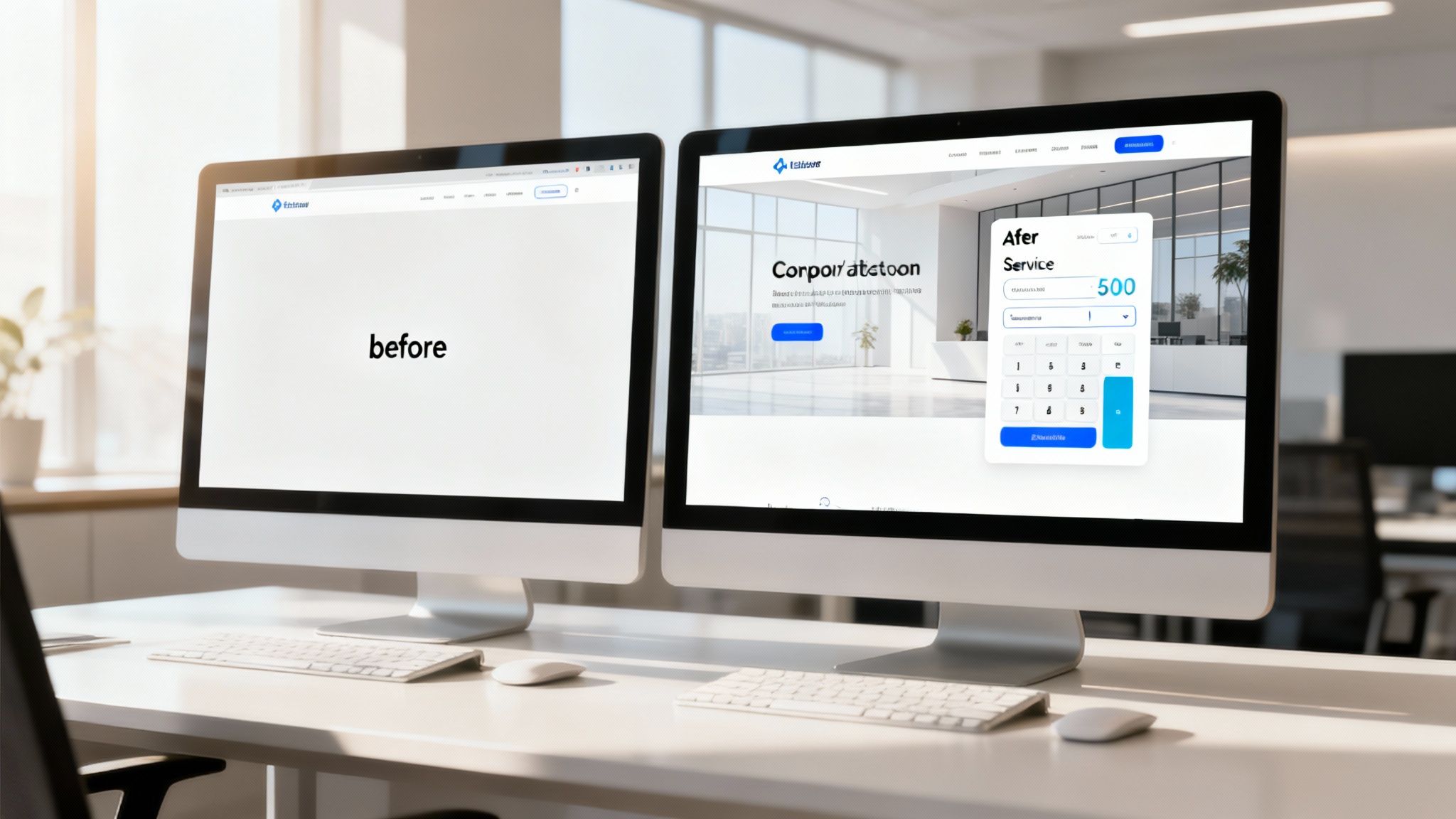
It started with a fairly standard need: the client wanted a modern site to present services and collect inquiries. Their old site looked outdated, didn’t render well on phones, and frankly, didn’t work.
Analysis and strategy
Before rushing into design, we took a step back and dug into analytics. We explored the niche and studied competitors closely. What did we find? Most logistics sites looked identical: dry, text-heavy, and calculating costs was a real quest.
It became clear that a “pretty picture” wouldn’t cut it. The site’s key differentiator would be a unique selling point — an interactive services calculator right on the homepage.
The core idea was to let prospects instantly get an estimated shipping cost without waiting for a manager’s call or email. This would boost conversions and set us apart from competitors.
From idea to implementation
Implementing such functionality is always a team effort. We first built a detailed prototype to validate the calculator’s logic and ensure it would be intuitive. Only after it worked “on paper” did the designer move to visuals.
Key decisions during design and development:
- Clean, minimalist design. We removed distractions. The user’s primary goal is to calculate cost and submit a request — nothing should get in the way.
- Mobile-first adaptation. Over 50% of users would visit from mobile, so both the site and calculator had to look perfect on any smartphone.
- Client-friendly admin. We built the site on our Atom CMF, enabling the client to update calculator rates, add news, and manage content without our help.
Results that speak for themselves
Post-launch, the impact was immediate. Within the first three months the client saw tangible changes:
- Leads increased by 120%. The interactive calculator acted like a magnet, automating initial consultations.
- More corporate clients. A professional new look inspired greater trust among larger companies, leading to several major contracts.
- Lower manager workload. Thanks to the calculator, inquiries became more specific, speeding up processing.
This case proves that turnkey websites aren’t about off-the-shelf templates. They’re about deep business understanding and building a tool that delivers real, measurable value.
Frequently asked questions about turnkey websites
Even after thorough discussions, clients often have questions — and that’s normal. Ordering a turnkey website is a serious investment. We’ve compiled the most common questions to remove doubts and explain what happens after launch.
Below are straightforward answers about guarantees, technical support, and how independent you’ll be in managing your new business tool.
What guarantees will I receive after launch?
Once your site goes live, our cooperation doesn’t end. We always provide a warranty — typically 3 to 6 months. Consider it your insurance against unforeseen technical issues.
During this period, we fix any errors or bugs free of charge if they occurred on our side but slipped through testing. The warranty reflects our confidence in code quality and confirms that delivered functionality 100% matches what we agreed upon initially.
What’s usually included in technical support?
Technical support is a separate but highly recommended service that starts after the warranty. Think of your site as a car: it can be new and run great, yet requires regular maintenance for long-term, trouble-free operation.
A standard support package usually includes:
- Security updates. We regularly update the CMS and its modules to protect against malware and breaches.
- Backups. We create site backups so it can be restored instantly if anything goes wrong.
- Uptime monitoring. We ensure your site runs stably 24/7 and remains accessible to clients.
- Consultations. We help with any operational questions.
- Minor enhancements. On request, we can add a page, adjust content, or make small tweaks.
Having support in place guarantees your digital asset stays in top shape.
Will I be able to manage the site myself?
Absolutely. That’s a key benefit of modern sites. We build projects on our own easy-to-use content management framework (Atom CMF), designed to be as simple and intuitive as possible — unlike overloaded solutions such as WordPress or Joomla.
After development, we always train you or your staff. We show how to add news, edit text, change photos, and manage product catalogs — with no programming skills required.
Our Atom CMF is built on the open-source CodeIgniter 4 platform. This means you’re not locked into us — any qualified developer can maintain your site in the future, giving you full freedom.
Who owns the site after full payment?
This is fundamental, and the answer is unequivocal: you do. Once the project is fully paid, all IP rights — design, code, content — transfer to you.
We hand over all necessary access: hosting, domain, and the admin panel. From that moment, you become the full owner of your digital asset and can do whatever you deem necessary.
We hope these answers clarified how the “turnkey websites” service works. If you have further questions or are ready to discuss your project, the Moveiton Web Studio team is ready to provide a detailed consultation.