
 Telegram
In short, in 2025, creating an online store in Ukraine will cost you from 60,000 to 250,000+ hryvnias. Why such a price range? It’s simple: the final amount depends on the technology you choose, how complex the design will be, and what functionality your business needs for a successful launch and future growth.
What the cost of an online store is really made of
Building a website is like building a house. You can opt for a ready-made modular house assembled in a week. That will be fast and relatively inexpensive. Or you can order an exclusive architectural project with a pool and unique layout, which will naturally require much more time and money. It’s very similar with online stores.
The final bill is affected not only by the visuals but also by what’s «under the hood» of the site. So instead of dry numbers, let’s break down real scenarios. This way you’ll understand why two stores that look similar at first glance can have dramatically different costs.
Key pricing factors
The development cost is not a single big number. It consists of several core components, each affecting the overall budget. When you know what you’re paying for, you can make informed decisions and plan your investment effectively.
Here are the main components that shape the price:
- Technology platform. This could be a quick start on a website builder (SaaS solution), a flexible store on a popular CMS (content management system), or development «from scratch», which gives maximum freedom to implement any ideas.
- Design complexity. Using a ready-made template is significantly cheaper than creating a unique UI/UX design crafted specifically for your brand and audience needs.
- Functionality and features. A basic set (catalog, cart) is one thing. But if you need integration with payment systems, delivery services, loyalty programs, or a full-fledged personal account, these are additional modules that increase the budget.
- Integrations with third-party services. Connecting a CRM, inventory systems, or analytics services requires extra time and developer expertise.
Keep in mind: the price is not just payment for a site. It’s an investment in a sales tool that must be reliable, convenient for customers, and able to grow with your business.
According to recent market data, you can launch a basic online store on ready-made solutions for 15,000 to 30,000 hryvnias. However, if you want a full-fledged store «from scratch» with a personal account, a discount system, and integration with logistics partners like Nova Poshta, be prepared to invest from 100,000 hryvnias.
This short introduction will help you navigate pricing and prepare for a deeper analysis of each factor, which we will review in detail below.
Three paths to your own online store: which to choose and how much it costs
The first and perhaps most important decision at the start is choosing the technological foundation for your future store. This is what determines the final cost of creating an online store, its flexibility, and its growth potential. Essentially, you have three main paths, each with its pros, cons, and, of course, its own budget. Let’s figure out which one best suits your business.
To better understand how the budget is formed, take a look at this infographic. It clearly shows how platform, design, and functionality affect total cost.
1. Ready-made solutions on builders (SaaS)
Platforms like Shopify, Wix, or Khoroshop are the fastest and simplest way to launch online sales. You essentially rent a ready-made store with all the necessary tools, paying a monthly subscription fee.
- Strengths: Very low entry barrier, sales can start literally in a few days. All technical aspects such as hosting, security, and updates are included in your plan.
- Weaknesses: You’re limited by the platform’s capabilities. Want a unique design or specific feature? It’s either impossible or requires moving to a higher-tier plan. Plus, you always depend on the service’s policies.
- How much it costs: Typically $20 to $300 per month, depending on the package and additional apps.
2. Development based on a CMS
Content Management Systems (CMS) such as WordPress with WooCommerce or OpenCart are the golden mean. Here you fully own your site but build it on a ready-made «engine».
This is comparable to buying an apartment with a shell-and-core finish. You already have solid walls and utilities, but inside you’re free to create any design and layout you like.
This approach offers an ideal balance of price, flexibility, and development speed. You aren’t tied to templates and can implement nearly any idea by connecting ready-made services or ordering custom modules.
3. Development «from scratch» (Custom development)
This is the major league. The most expensive and complex route chosen for large-scale, unique projects where standard tools are simply powerless. In this case, every cog of your site — from the admin panel to cart logic — is built individually for your unique business processes.
Ukrainian market statistics show a clear price gap. While simple builder-based solutions can start at 7,000 hryvnias (with all the resulting limitations), complex projects on custom CMSs or fully bespoke solutions with unique design and complex integrations easily reach from 150,000 hryvnias and up.
This approach is justified when you want a fully secure turnkey project with the functionality you need, or you know your project requires maximum performance and full freedom. You can read more about how this comprehensive approach works in our blog post on turnkey websites. It’s the best long-term investment if you plan to grow for years.
How functionality affects the final budget
Imagine you’re buying a car. The base trim will get you from point A to point B, true. But it’s climate control, leather seats, or parking sensors that make the ride truly comfortable and safe. With an online store, it’s similar: its functionality is a toolkit that turns a simple site into a powerful sales machine.
Each additional feature is not just a line of code but a concrete investment that directly impacts the cost of creating an online store. The more complex the «filling», the more developer hours and expertise it requires. That’s why it’s important to identify what’s critical at launch and what can be added later.
Basic functionality, or the must-have minimum
Every online store starts with a foundation — a set of features without which e-commerce is simply impossible today. This is the base upon which all operations are later built.
- Product catalog with filters. Essentially, your storefront. A simple implementation is usually included in the base cost, but advanced multi-step filtering (e.g., by color, size, brand, technical specs) can increase cost by 10–15%.
- Cart and checkout. The heart of any e-commerce project. The process must be so simple and intuitive that customers pass through it without thinking.
- Integration with payment systems. Paying by card online is no longer an advantage but the default expectation. Connecting popular services in Ukraine such as LiqPay or WayForPay is mandatory.
- Shipping method setup. Integration with «Nova Poshta» or «Ukrposhta» allows automatic delivery cost calculation and greatly simplifies order processing.
This set is your starter pack that lets you begin selling. However, to compete effectively in today’s market, it’s often not enough.
Advanced features to grow sales
Once the basics are covered, it’s time to consider tools that increase customer loyalty, average order value, and overall site conversion. These features are direct investments in your profit.
Implementing even one element, such as a personal account, can increase repeat purchases by 20–30%. It’s simply more convenient for customers to track order history and manage their data, and they value that.
Here are the most popular extensions and their approximate impact on the budget:
- Customer personal account. Lets clients view order history, save shipping addresses, and track parcel statuses. This adds approximately 15–20% to development cost.
- Loyalty program and discount system. Bonuses, tiered discounts, or promo codes are powerful retention tools. The complexity of such a system can noticeably affect the final price.
- Reviews and rating system. About 85% of buyers trust online reviews as much as personal recommendations. Implementing this module increases trust and, with it, conversion.
- Multilingual and multi-currency support. If you plan to enter international markets, this is essential. But it requires significant work in both the admin panel and the customer-facing side.
To better understand how specific features affect the project, we’ve prepared a small table.
Impact of popular functionality on cost and timelines
An analysis of how adding features increases the cost and development time of your online store.
| Functional module | Cost increase (approx. %) | Additional development time (days) | Key business value |
|---|---|---|---|
| Personal account | 15–20% | 5–10 | Increases loyalty and repeat sales. |
| Loyalty program | 10–25% | 7–15 | Customer retention, purchase stimulation. |
| CRM integration | 20–30% | 10–20 | Automates customer and order management. |
| Multilingual | 15–25% | 5–12 | Market expansion, access to foreign customers. |
| Advanced filters | 10–15% | 4–8 | Improves UX, faster product discovery. |
As you can see, each option has its price, expressed not only in money but also in time. Therefore, it’s important to choose features strategically, based on your business’s real needs.
Of course, the right feature set also depends heavily on the platform used. Some CMSs have ready-made modules for these tasks, which can reduce costs. You can read more about choosing the «engine» in our WordPress vs. Joomla comparison, where we analyze each system’s strengths and weaknesses.
Design and usability as an investment in sales
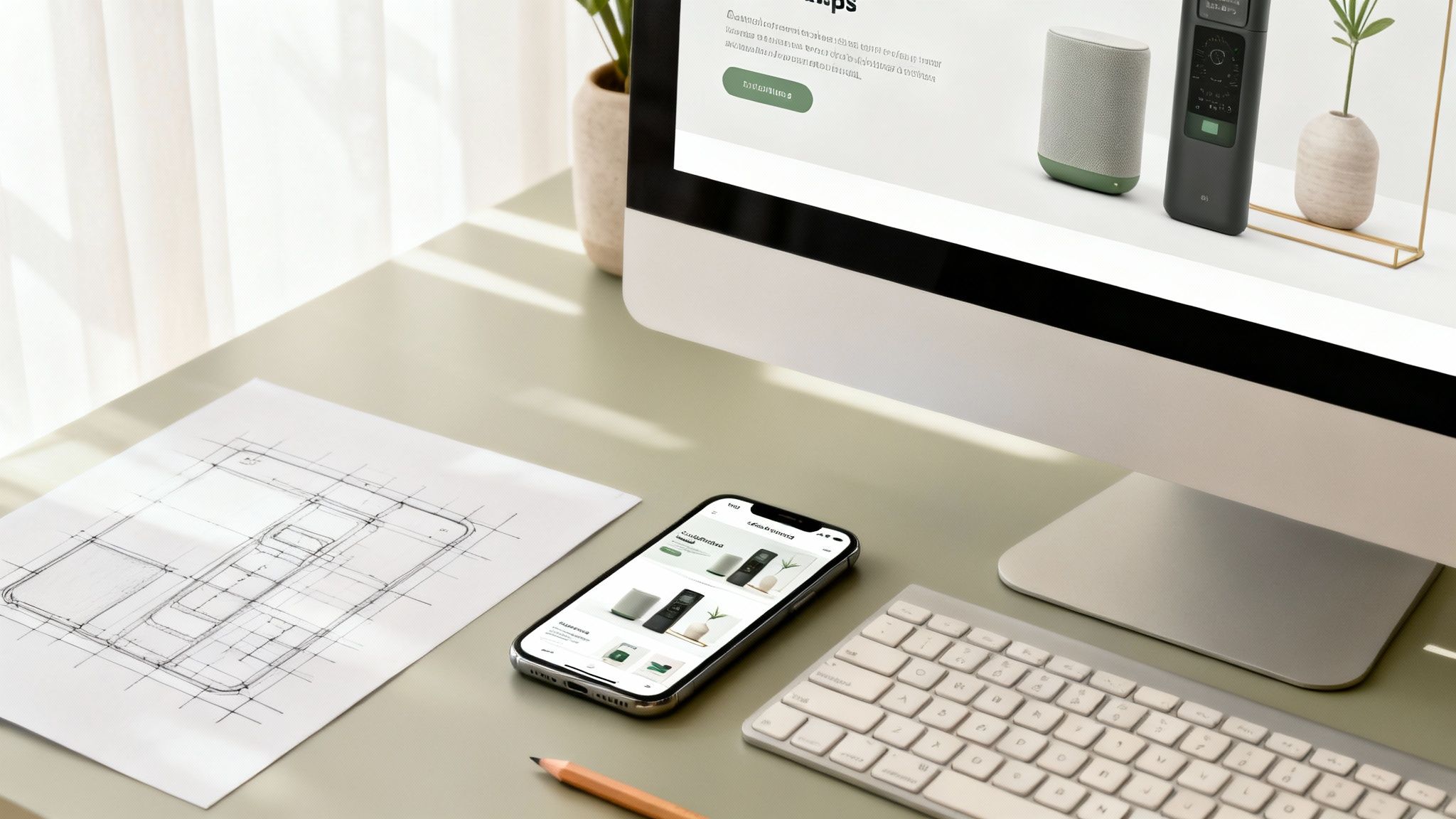
Appearance and convenience are far from just «wrapping». They’re among the most powerful levers directly affecting sales.
Picture two typical stores. One has bright light, cleanliness, neatly arranged products, and a friendly assistant ready to help. The other is dim, messy, and finding what you need is a quest. Which one will you leave with a purchase? The answer is obvious.
The same principle applies online. Quality design and thoughtful usability build customer trust, the desire to stay on the site, and ultimately complete an order. That’s why this aspect directly influences the cost of creating an online store.
Ready-made template or unique design
At the start, every business owner faces a choice: take a ready-made template or order a unique design from scratch. This choice determines not only the budget but also your project’s future effectiveness.
Ready-made template:
- Pros: Much cheaper and, crucially, faster. Paid themes, usually ranging from $100 to $500, offer a modern look and basic customization options.
- Cons: Your store will look like hundreds or thousands of others. Customization options are very limited, and you won’t perfectly tailor the site to your audience and processes.
Unique UI/UX design:
- Pros: The design is created from a blank slate specifically for your brand and customers. Every element — from button placement to user flow — is engineered for maximum conversion. It’s your chance to stand out and build a strong connection with buyers.
- Cons: It’s more expensive and takes significantly more time. However, these investments pay off over time.
Practice shows that a meticulously crafted UI/UX can increase site conversion by 200–400%. Modern users simply don’t want to overcome obstacles to give you their money.
So, a template is a good option for a fast start and low-budget niche testing. But if you’re aiming for long-term growth and revenue, a custom design is an investment that yields far greater returns. By the way, we detail what conversion is and how to really increase it.
Responsiveness is no longer optional, it’s required
Today, over 60% of online purchases in Ukraine are made from mobile devices. Think about it. If your site looks bad on a smartphone, you’re voluntarily giving most potential customers to competitors.
Responsive design ensures your store is equally convenient and functional on any device, from a large monitor to a compact smartphone.
What does this mean for the budget? Developing a responsive version is not an extra add-on but a mandatory part of modern website production. The cost is included from the outset because it requires additional time for design, coding, and testing.
By investing in solid design and usability, you’re not just making the site «pretty». You’re building a convenient, reliable bridge between your product and the buyer, removing obstacles along the path to purchase.
Hidden costs and the total cost of ownership

The initial cost of creating an online store is, frankly, just the tip of the iceberg. Many entrepreneurs focus on the one-time development investment and then are surprised by monthly bills. Understanding Total Cost of Ownership (TCO) removes the rose-tinted glasses and helps plan a realistic budget.
It’s like buying a car. The showroom price is just the first step. Then come ongoing expenses: fuel, insurance, maintenance, parking. The same goes for an online store — it needs to be «fueled» with content, «serviced» technically, and «insured» against failures.
Mandatory recurring payments
There are expenses you can’t avoid. They form the technical foundation without which your site simply won’t exist online.
- Domain name. Your store’s unique address, paid annually. The price depends on the domain zone (e.g.,
.com.uaor.ua) and usually ranges from $10–$50 per year. - Hosting. Renting server space where your site’s files live. Hosting quality directly impacts page load speed and whether the site will «go down» during a sale. Prices start at $5 and can reach $100 per month or more for high-traffic projects.
- SSL certificate. The «padlock» by the URL that encrypts customer data. For e-commerce, this is requirement number one. While many providers offer free certificates, serious projects may need an extended option costing from $50 per year.
These three items are your monthly or yearly subscription costs to keep the store available 24/7.
Technical support and updates
Technology changes constantly. Platforms, plugins, and modules need regular updates to fix bugs, patch security holes, and add new features. Ignoring this is like never changing your engine oil. Something will break sooner or later.
Support cost is not an unnecessary expense but an investment in stability. A single day of downtime due to a failure can cost far more than a monthly maintenance fee.
Depending on your project’s complexity, support may cost $50 to $500 per month. This usually covers updates, backups, and prompt troubleshooting when «everything goes down».
Marketing and promotion — the engine of sales
You can build the best store in the world, but if no one hears about it, it won’t make a cent. Once the site is live, the most interesting part begins — acquiring customers. And that requires ongoing investment.
Main channels where your marketing budget will go:
- SEO. Optimization for search engines to obtain «free» traffic. It’s a long game, and in competitive niches it starts from $500 per month.
- Paid search (PPC). The fastest way to get first buyers via Google Ads. The budget is limited only by your ambitions.
- Content marketing. Helpful articles, reviews, videos — anything that attracts and retains the audience.
- SMM. Promotion on social networks where your target audience «lives».
A practical rule of thumb: for the first year, allocate a marketing budget equal to 30–50% of development cost. Without this, your brand-new store risks remaining a beautiful but empty storefront.
How to optimize the budget without sacrificing quality
When you see the final cost of creating an online store, the first thought is where to save. The key is not to make mistakes. A high price doesn’t always guarantee quality, but excessive saving can turn your future business tool into a constant source of problems and unexpected expenses.
The secret to success is finding the golden mean. Invest in what directly affects sales and store stability, and postpone the rest. Anything not critical at launch can be added later once the business is on its feet.
The MVP approach: a smart strategy for launch
The most effective way to allocate your initial budget wisely is to use the MVP (Minimum Viable Product) approach — launch a minimally viable product. Instead of immediately building a digital hypermarket with all the «bells and whistles», launch a store with core functionality that’s fully sufficient for sales.
It’s much like opening a small coffee shop. You wouldn’t compete with a full-fledged restaurant on day one. No — you’d start with a few types of quality coffee and a couple of desserts. First you’d validate demand, gather initial feedback, and only then, once profitable, expand the menu.
MVP lets you launch sales as quickly and cheaply as possible. You get real market feedback and evolve based on facts rather than assumptions. It’s the best way to avoid burning budget on features no one needs.
Where you can save at the beginning
Smart saving doesn’t mean skipping essentials; it means choosing rational alternatives. At launch, you can realistically cut costs in certain areas without jeopardizing future growth.
- Design. Instead of a unique design from scratch, choose a quality, well-thought-out premium template and adapt it to your brand style. This saves you hundreds of dollars and several weeks of design work.
- Complex functionality. Loyalty programs, CRM integrations, or advanced analytics can wait. First, ensure the core flow works flawlessly: product selection → cart → checkout.
- Content. You don’t have to hire an agency for population. You can do it yourself or hire a freelancer. A big blog and dozens of articles can wait.
Where saving is absolutely inappropriate
There are things where cutting corners is like building a house without a foundation. It will collapse sooner or later. Remember this list.
- Hosting. Slow hosting kills sales. Customers won’t wait, and Google will reduce your rankings. Choose reputable providers with solid track records.
- Security. A site without SSL and basic protection scares buyers away and is an easy target for attackers.
- Code quality. Cheap code from an inexperienced developer is a ticking time bomb. Over time, such a site becomes impossible to update or scale without a rebuild. It’s money wasted.
- Mobile adaptation. Most people buy via smartphones today. If your store is inconvenient on mobile, you’re handing customers to competitors.
Checklist: how to choose a reliable developer
Choosing the right partner is already 80% of your project’s success and the best way to avoid unnecessary expenses. Pay attention to the following:
- Portfolio. Carefully review delivered projects. Do you like how they look and work? Are there stores similar to what you plan?
- Transparency. Does the developer provide a detailed estimate clearly breaking down the cost of each stage and feature?
- Technologies. Ask which platform will be used. Will it «lock» you to a single developer? For example, at Moveiton we use our own CMF Atom built on an open-source platform. This means any competent specialist can support your site later.
- Contract. All timelines, cost, and scope must be clearly documented. This is your main protection from «surprises».
- Reviews. Check independent platforms for feedback about the company.
Remember, your goal is not just to «build a site». Your goal is to invest in a tool that will generate profit for years. A thoughtful budgeting approach allows you to achieve this efficiently and with minimal risk.
Frequently asked questions about online store pricing
When it comes to budgeting, future store owners have a swarm of questions. That’s normal. To help you feel confident and decide wisely, we’ve compiled answers to the questions we hear most often. This section will help you put everything in order and understand what the final cost of creating an online store is really made of.
What’s the minimum you can start with?
For the fastest and most affordable start, use a builder (a SaaS platform). You can launch such a project from 7,000 UAH. It’s a great option to test a business idea, validate demand in a new niche, or sell a small number of items without extra complexity.
However, if you’re thinking ahead and plan to grow, consider a CMS right away. For example, a store on WordPress with a quality ready-made template will cost approximately from 25,000 UAH. Yes, it’s a bit more at the start, but you get far more room for maneuver, customization, and future scaling.
What’s better long term: a monthly subscription or a one-time payment?
There’s no universal answer — it depends on your strategy and current resources.
-
Builder (SaaS): Requires small upfront spend, but expect regular monthly or annual fees. Over 2–3 years, these payments can catch up with or exceed the cost of CMS-based development.
-
CMS development: Requires higher upfront investment. But it’s money invested in your own asset. You gain full control and are not tied to mandatory platform fees.
Choosing between subscription and one-time payment is like choosing between renting and buying an apartment. Renting lets you move in quickly with minimal risk, while owning is a strategic investment you can customize and grow without limits.
Does the price include populating the site with products?
Usually, no. The base development price includes building the catalog structure and loading 5–10 test products. This is so you can click around, see how it works, and view the store in action.
Bulk uploading thousands of SKUs is a separate service. Pricing is calculated individually as it depends on the number of products, attribute complexity, and data source (e.g., Excel file or supplier API). Always clarify this with your contractor before starting.
Which specialists work on the site and how does this affect the price?
Creating an online store is a team effort. Typically, a group of specialists is involved:
- Project manager: Your main point of contact who keeps everything on track and coordinates the team.
- UI/UX designer: The site’s «architect» who designs a convenient, visually appealing interface.
- Front-end developer: Turns design into an interactive site users can engage with.
- Back-end developer: Responsible for the store’s «brain» — server logic, databases, and integrations.
- Tester (QA engineer): Carefully checks the site to find and fix issues before launch.
- SEO specialist: Lays the technical foundation for future search engine promotion.
In the leanest projects, roles may be combined. In larger studios like ours, a full team will work on your store. This ensures higher quality and reliability but, of course, affects the price. The cost depends directly on the number of specialists involved and their hours on your project.
Ready to move from general questions to specific numbers for your business? The Moveiton team will help you choose the optimal solution that matches your goals and budget. Request a free consultation on our website, and together we’ll find the best path to your online success.